Text SMS
This setting decides what a service customer actually receives: three ready texts for three events, and placeholders that turn a template into a concrete message.
Where to find it: Modules → Service Orders → Settings → Text SMS
A worked example
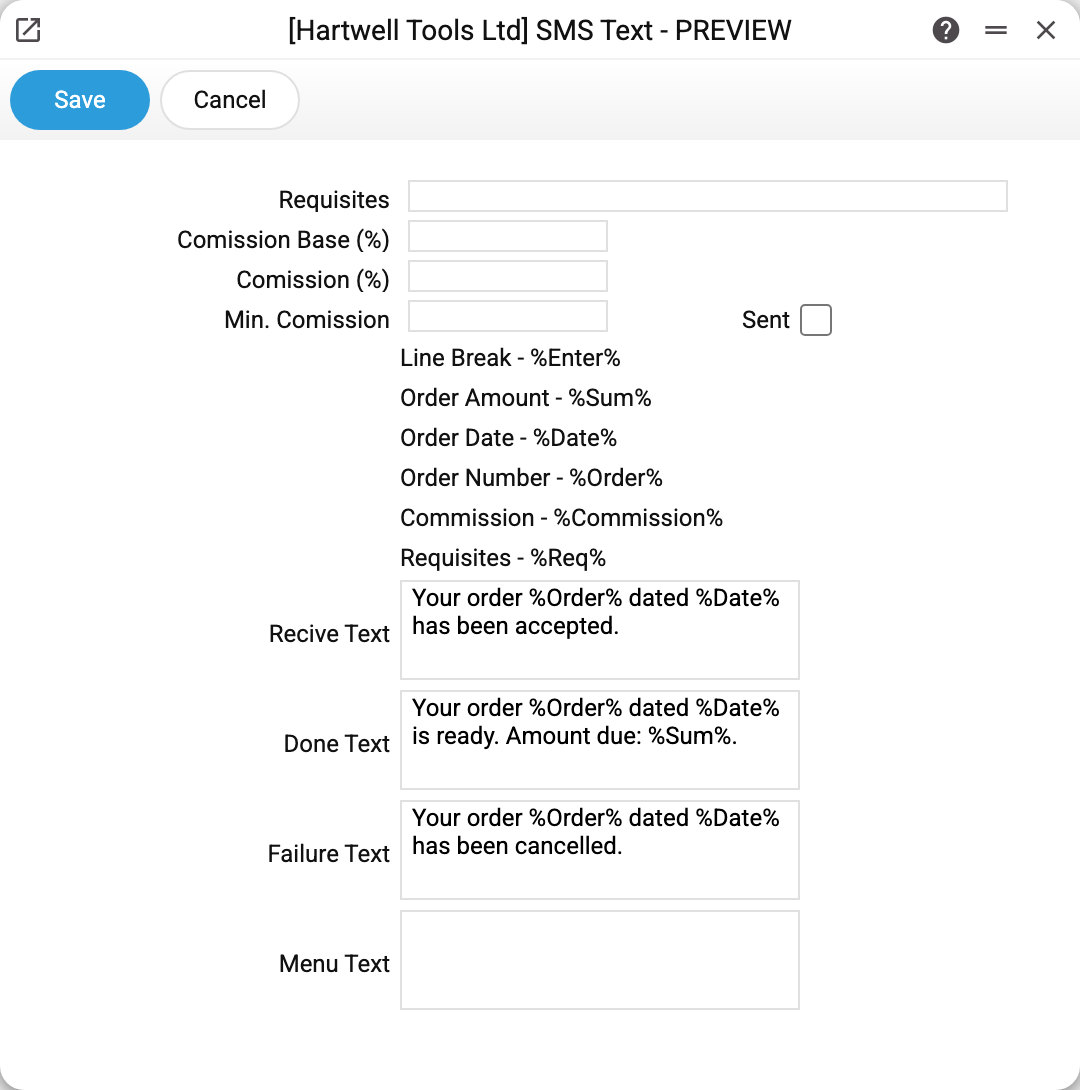
At the top, the company's requisites (bank details) and three commission fields; below, the list of placeholders and the texts themselves:
| Field | When it is sent |
|---|---|
| Text on receipt | the order moved to «On diagnostics» (no SMS when the order is created) |
| Done Text | the order moved to «Ready» |
| Failure Text | the order moved to «Refusal» — the repair is impossible |
| Menu Text | when a message is sent by hand (the "Send SMS" menu item in the order); it also replaces an empty status text |
A status SMS goes out only when the order has a phone filled in.
The Sent flag switches service order status messages and manual messages: while it is off, they do not go out, whatever the texts say. It does not stop status messages in Telegram: if the contact has Telegram linked and the bot is running, the system's own short message goes there instead of an SMS (order number and date, for «Ready» — the amount due), not the text from this setting — with Sent off too. Task reminders by the rules of SMS Notification do not depend on it — they are switched off there.
Placeholders
Six of them, replaced by real values:
%Order%— the order number,%Date%— its date;%Sum%— the amount due;%Commission%— the fee for paying by bank transfer;%Req%— the bank details themselves;%Enter%— a line break.
The commission is calculated like this: the percentage from the "Comission (%)" field is applied to the amount due, and if the result falls below the minimum commission, the minimum is used instead. The "Comission Base (%)" field takes no part in the calculation. The number is substituted as is, without rounding.
Typical situations
No SMS goes out. Check the Sent flag and the phone in the order, then who sends: "Sender Service" in SMS Notification (BSG, TurboSMS or Atompark; "Automatically" — the first one configured in the order TurboSMS → BSG → Atompark). If none is configured, a manual SMS is refused with "No SMS sender service is configured", and a status SMS silently does not go out (the reason is only in the server log). If the contact has Telegram linked, the message went there, not as an SMS.
The order is not saved with the status change, message "TurboSMS server is unavailable". The SMS sender is TurboSMS and its server does not answer; while the status SMS cannot be sent, the order itself is not saved either. Check the Turbo SMS Settings or clear Sent for a while.
The text shows %Sum% instead of a number. The placeholder is mistyped — case and percent signs must match exactly.
A customer disputes the fee. Check the percentage/minimum pair: on small amounts the minimum is what applies.
Where to look next
- SMS Notification — "Sender Service": who physically delivers the messages.
- Turbo SMS Settings — access to TurboSMS.
- Service orders — the events these texts follow.