Return Items Setting
A customer has returned goods. The question the system must answer is whether the customer still wants them. If faulty goods went back and a replacement is expected, the order stays in force and the goods simply have to be shipped again. If the customer changed their mind, the order should shrink.
Where to find it: Modules → Stock → Settings → Return Items Setting
This setting decides which of the two options a new customer return proposes by default.
A worked example
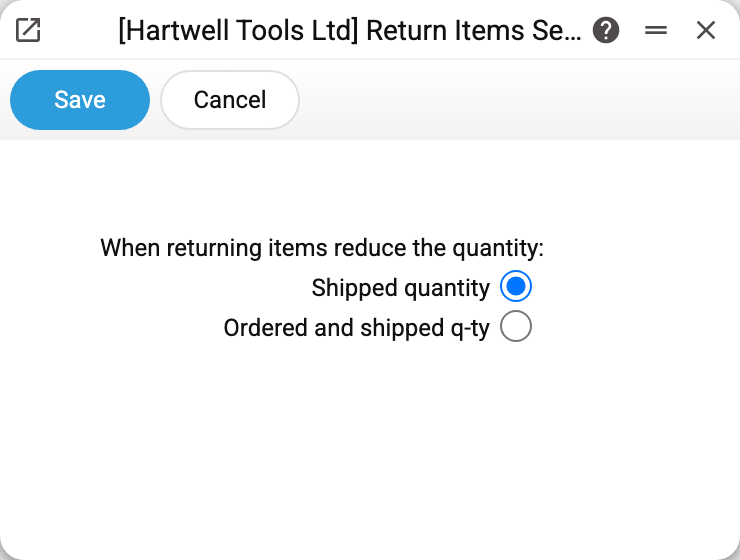
The demo company uses Shipped quantity.
So when a return is created from a shipment, the «Reduce quantities» switch in the document is already set to that option. The document words the options differently: «Delivered only» stands for «Shipped quantity», and «Ordered and delivered» for «Ordered and shipped q-ty». Until the return is approved, the option can still be changed there — the setting only supplies the starting value.
What the system does when the return is approved
It finds the sales order line the goods were once shipped from and:
- Shipped quantity — reduces the shipped quantity only. The order keeps its original quantity, so the line counts as not shipped again and joins the next shipment;
- Ordered and shipped q-ty — reduces both the shipped and the ordered quantity, and recalculates the line amount and the order total for the new quantity. The order shrinks: the system no longer expects those units to go out.
The order line is found not by the order number in the return header but through the line links: return line → shipment line → order line. A line without that link leaves the order untouched, whichever option is chosen. When documents are created from their cards — the shipment from the order, the return from the shipment — the link is set automatically.
Stock is replenished the same way in both cases — returned goods land back on the balance.
Unapproving the return puts the quantities back just as selectively, and for the second option the line amount too.
Typical situations
Faulty goods returned, a replacement is due. Choose «Shipped quantity» («Delivered only» in the document): the order stays open and the new dispatch shows up as an outstanding line.
The customer no longer wants the goods. Choose «Ordered and shipped q-ty» («Ordered and delivered» in the document): the order shrinks and the returned units do not show up in it as unshipped.
The document shows a different option than the setting. That happens when it was changed in the document itself, or when the setting was changed after the return had been created. The setting only affects new returns and leaves existing ones as they are.
Where to look next
- Returns From Customer — the document itself.
- Sales Orders — where the ordered and shipped quantities are shown.
- Returns To Vendor — the mirror case in purchasing, which this setting does not affect.