Purchase Orders Journal
A list of purchase orders for a period — who was ordered from, when, and for how much. The usual answer to "what did we order this month and for how much".
Where to find it: Modules → Purchase Orders → Reports → Purchase Orders Journal
Parameters
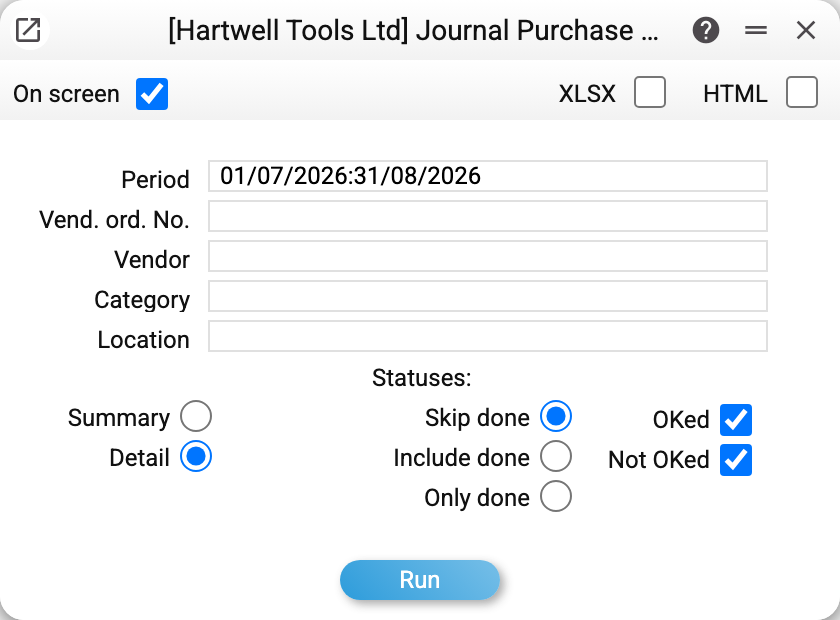
- Period — the frame of the report, by order date.
- Vend. ord. No. — the number of a single order.
- Vendor, Category, Location — filters by who the order went to and where the goods are delivered.
- Summary / Detail — order headers only, or the order lines with the items as well.
- Skip done / Include done / Only done — filter by the state of the order.
- OKed, Not OKed — approved and unapproved orders; both are ticked by default.
A worked example
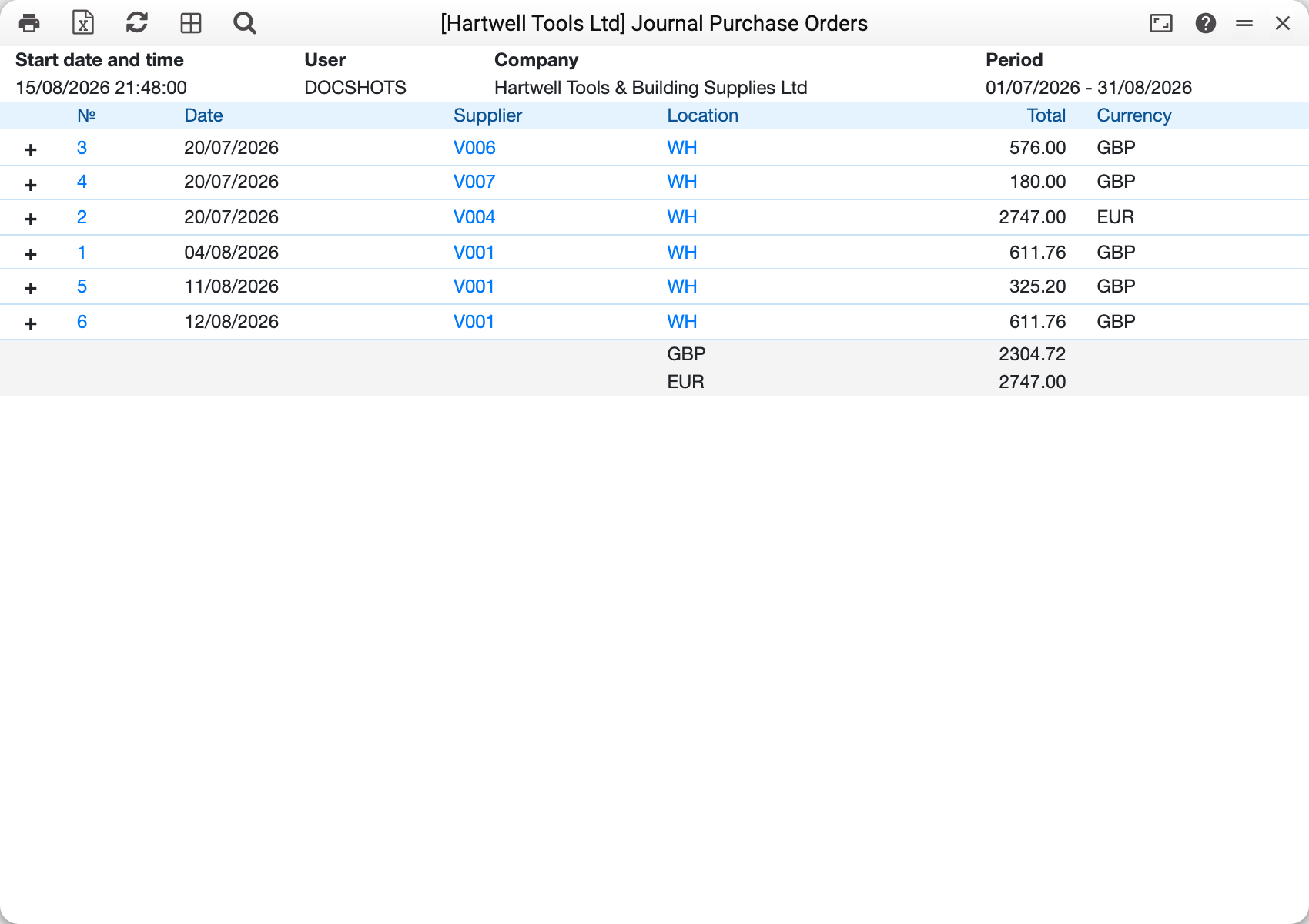
Every order shows its number, date, vendor, location, amount and currency, and the report closes with totals per currency, separately. The system will not add different currencies together — which is right, as the rate on the order date and on the payment date are rarely the same.
In Detail mode the "+" sign on the left expands the order into its lines: which items were ordered and in what quantity (Summary has no such sign — headers only). That turns the journal from a list of documents into a list of positions.
The order number, the vendor code and the location code are links: they open the order itself, the contact card and the location.
How to use it
How much has been committed. The per-currency total for a month is a quick estimate of what is owed to suppliers, before any invoices arrive.
A check before closing the month. An order that sits in the journal but never became a goods receipt is either in transit or forgotten. To dig into one order, the order status report is the better tool.
Per-vendor review. Filtering by vendor collects everything ordered from them over the period — the list you take into a discount negotiation.
Several locations. If the company orders to more than one warehouse, the location filter shows where each delivery is heading.
The journal amount includes freight. The order amount here is the lines with VAT plus freight. In the purchase order item list the "Sum" column is the lines with VAT only, without freight. So for the same order the two reports differ by exactly the freight: they are different figures, not an error. The order amount is calculated by the document window. An order entered outside the window (import, API) may arrive without it: the journal then shows an empty amount for that row, and it adds nothing to the per-currency total.
Where to look next
- Purchase orders — the document itself;
- Purchase order status — what has been received, invoiced and paid on one order;
- Purchase order item list — the same orders broken down by item;
- Goods receipts — what closes an order.