Action Consequences
The «what happens next» rule: when a task is closed with a particular result, the system raises the next one by itself. Separate pieces of work turn into a chain — diagnostics → approval → repair → handover — and no step is lost because someone forgot to set a reminder.
Where to find it: Modules → CRM → Registers → Action Consequences
A worked example
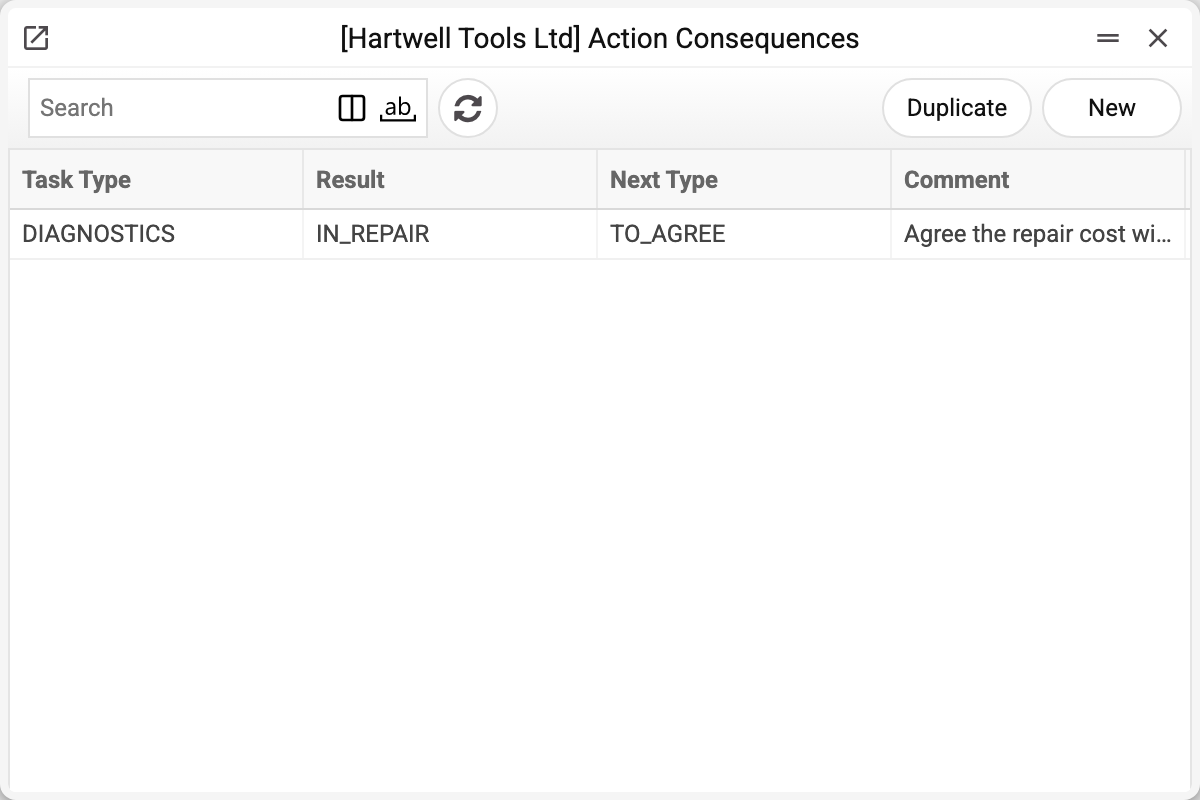
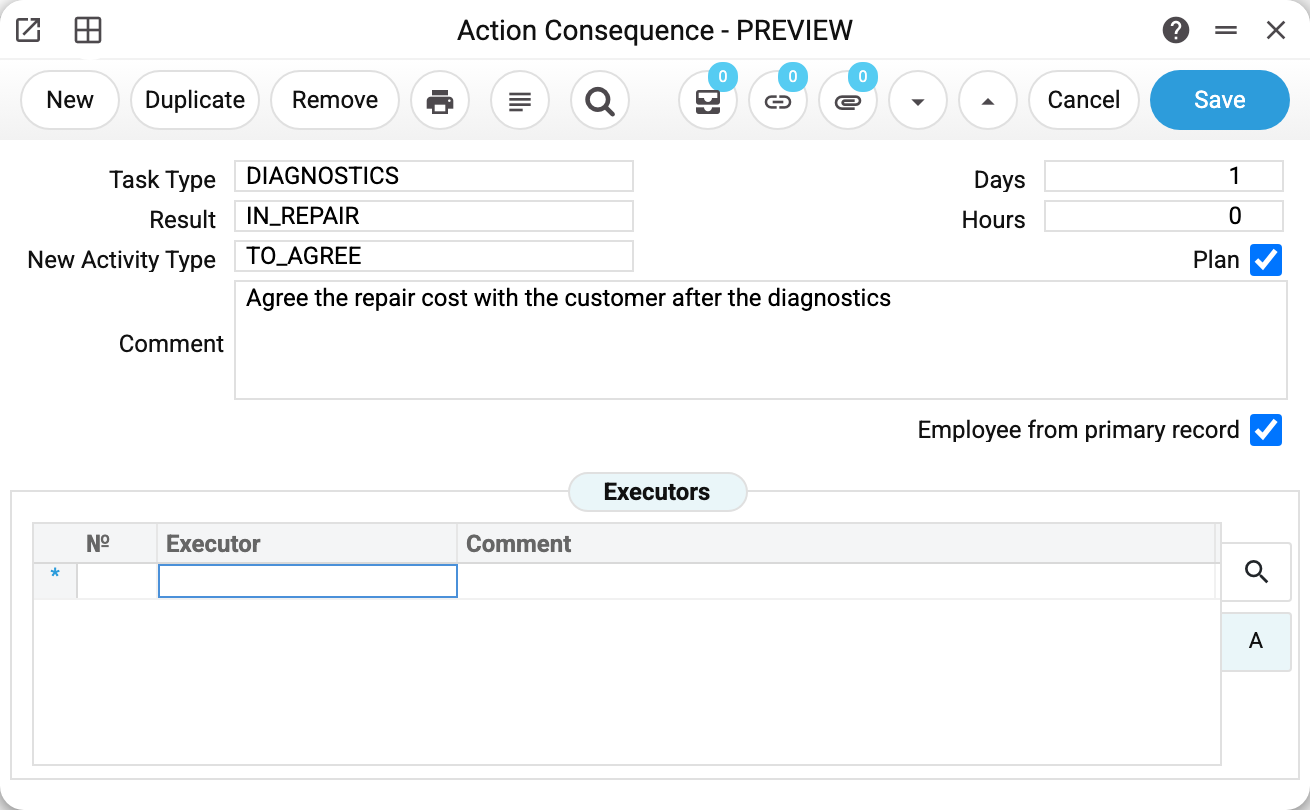
A rule reads as a sentence: «if a task of type DIAGNOSTICS is closed with the result IN_REPAIR — create a task of type TO_AGREE one day later».
| Field | What it sets |
|---|---|
| Type of task | The type of the task being closed — the left side of the condition |
| Result | The value of the «Result» field on the closed task; also from the task types |
| New activity type | The type the created task gets |
| Comment | The text that goes into the description of the new task |
| Days / Hours | How far to push the start of the new task from the end of the old one |
| Plan | The new record gets the «Plan» kind (otherwise «Other») |
| Employee from primary record | The executors stay the same; without the tick they come from the rule's «Executors» tab (an empty tab — the same ones again) |
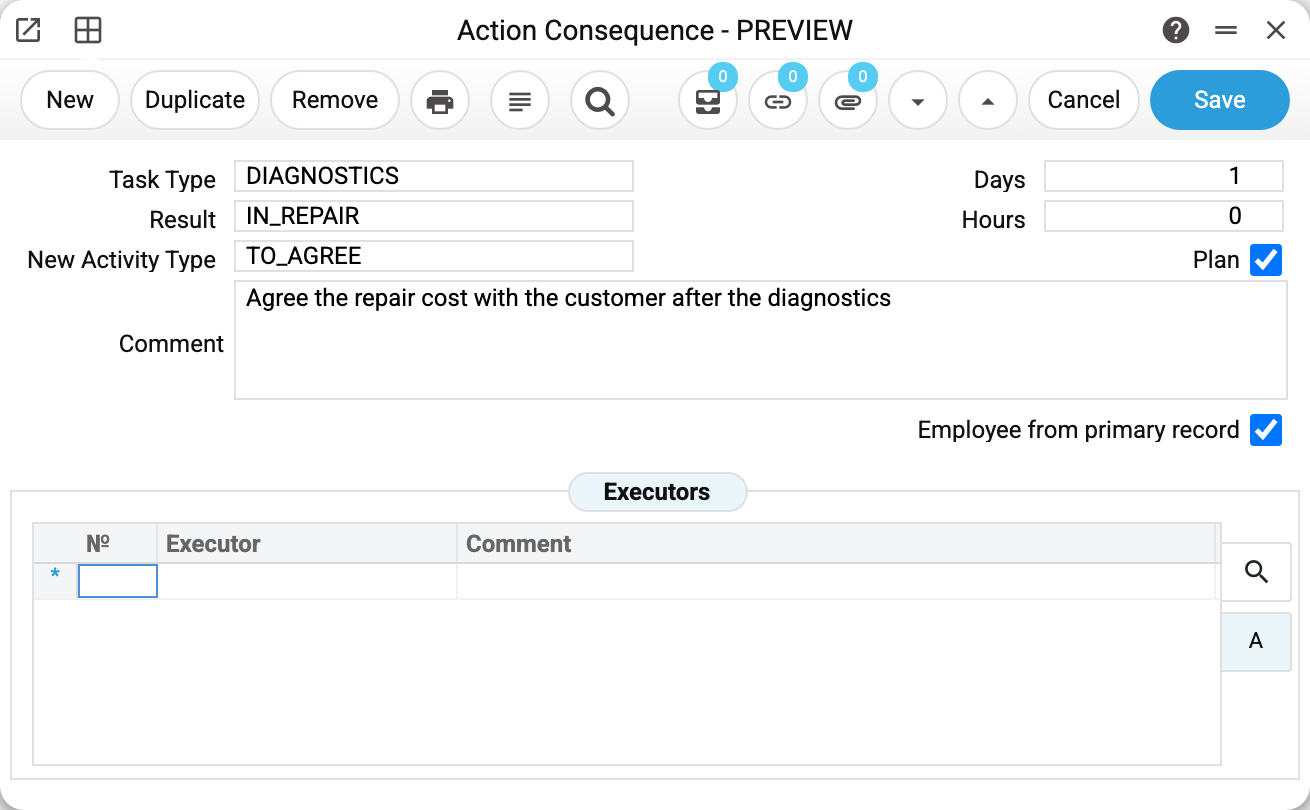
The «Executors» tab is only needed when the next step is done by SOMEONE ELSE: the technician finished the diagnostics, the manager agrees the price.
What actually happens
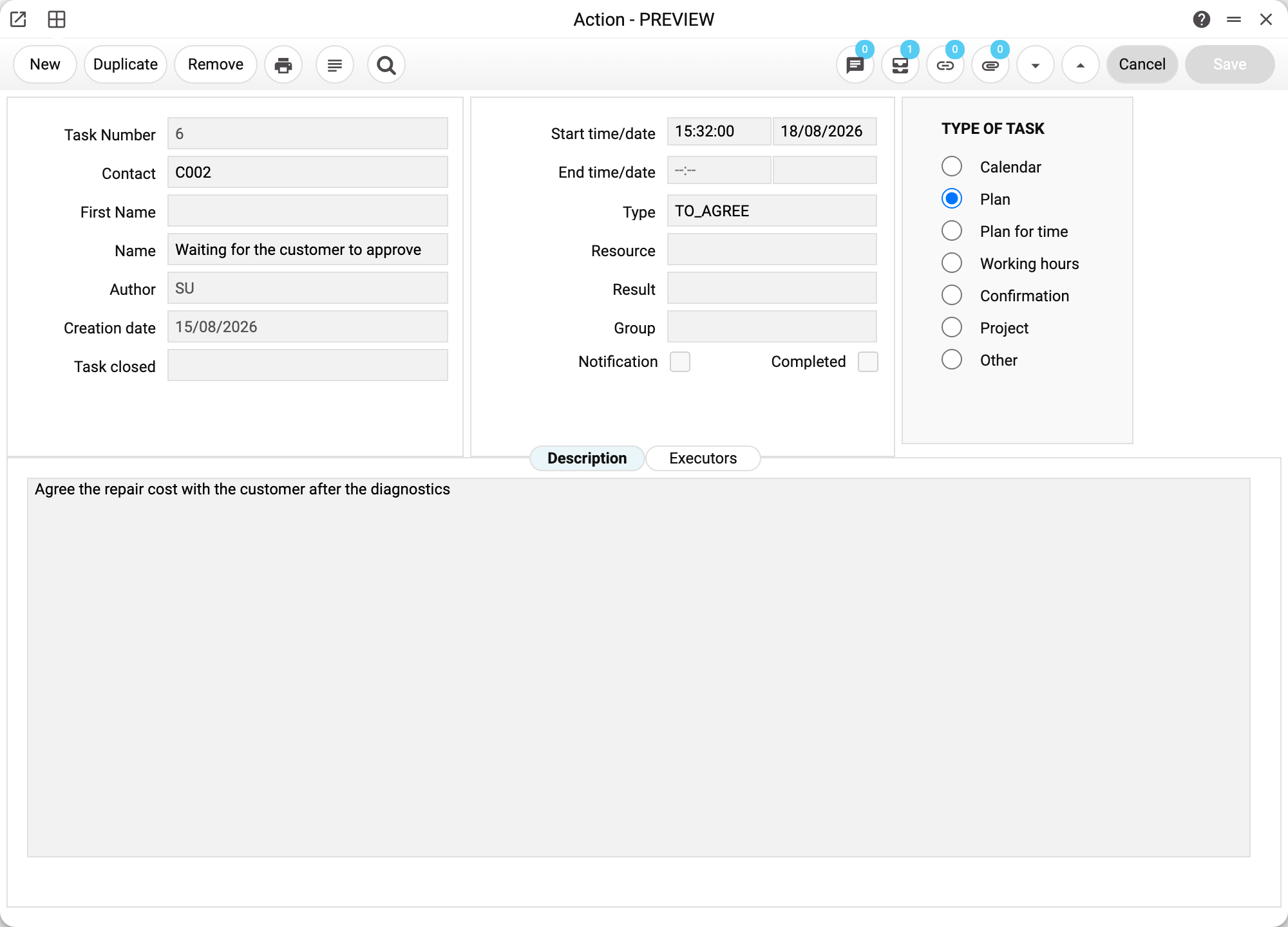
On the demo stand we closed the task «Hammer drill diagnostics» with the result IN_REPAIR — and the system immediately raised a new task for the next day. Note the details that are easy to mistake for a bug:
- the name of the new task comes from the comment of the task type, not from the rule; the rule's comment goes into the description;
- the date = the end date of the closed task + «Days», the time = the end time + «Hours». If the calculated date falls in the past, today's date is used;
- the two tasks are linked — the record shows what the next step grew out of.
The rule fires only at the moment of closing: when the «Completed» tick goes from empty to set — or when a new task is saved as completed right away. Saving an already closed task again creates nothing. The exception is the birthday task the system writes itself from an employee card: it is born completed but starts no rules.
The same rules decide which results the tasks Telegram bot offers: the 🚩 Select result button shows the result codes of all rules with this task's type, and the pressed result closes the task with it — the rule then fires as it does from the window. If the task type has no rules, the bot does not let you close it with a result (the reply is 🔥 Error: Action consequenses not found!).
Typical situations
The rule did not fire. Most often the «Result» on the task is empty — the condition is made of TWO fields, and both the type and the result must match exactly. The second reason: the «Result» was entered into a task that was already closed — the rule looks at the type and result only at the moment of closing, and a later edit of a closed task does not start it.
Several tasks appeared instead of one. Then there is more than one rule with that «type + result» pair: the system runs each of them. Check the list — rules are not validated for a unique pair.
A chain of three steps is needed. Add a second rule whose task type is the type created by the first one. The chain continues on its own.
Print variables
Values available in this document's printed form templates. How to write a variable in a template — see Print Forms.
Header fields:
| Variable | What it holds |
|---|---|
| ActTypeCode | Task Type (code) |
| ActTypeComment | Task Type (name) |
| ActConseq_Comment | Comment |
| ActConseq_Days | Days |
| ActConseq_Hours | Hours |
| ActConseq_Plan | Plan |
| ActConseq_EmplFromPrimaryRecord | Employee from primary record |
| ActConseq_Result | Code |
| ActConseq_NewActivityType | Code — "New Activity Type" field |
Row fields:
| Variable | What it holds |
|---|---|
| ActConseq_MNo | Row position number |
| ActConseq_Executor | Executor |
| ActConseq_FullName | Comment — at print time the executor's first and last name from the user card |
The records the document refers to through its form fields (location, customer, currency…) also expose the rest of their variables — code and name are already listed in the tables above, the rest is described in the register's article:
- Task Type — Action Types