Unpaid invoices
A working call list: customers with open invoices, and under each of them the invoice numbers, due dates, outstanding amounts — plus the phone number right in the header row. Unlike the customer aging report, which spreads debt across age bands, this one has a simpler job: hand the sales manager a list to call through.
Where to find it: Modules → Sales Ledger → Reports → Unpaid invoices
A worked example
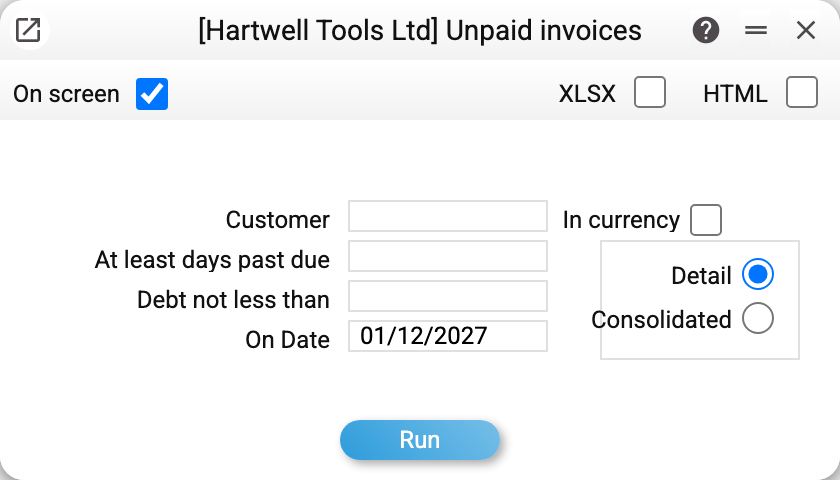
Run it for 01/12/2027:
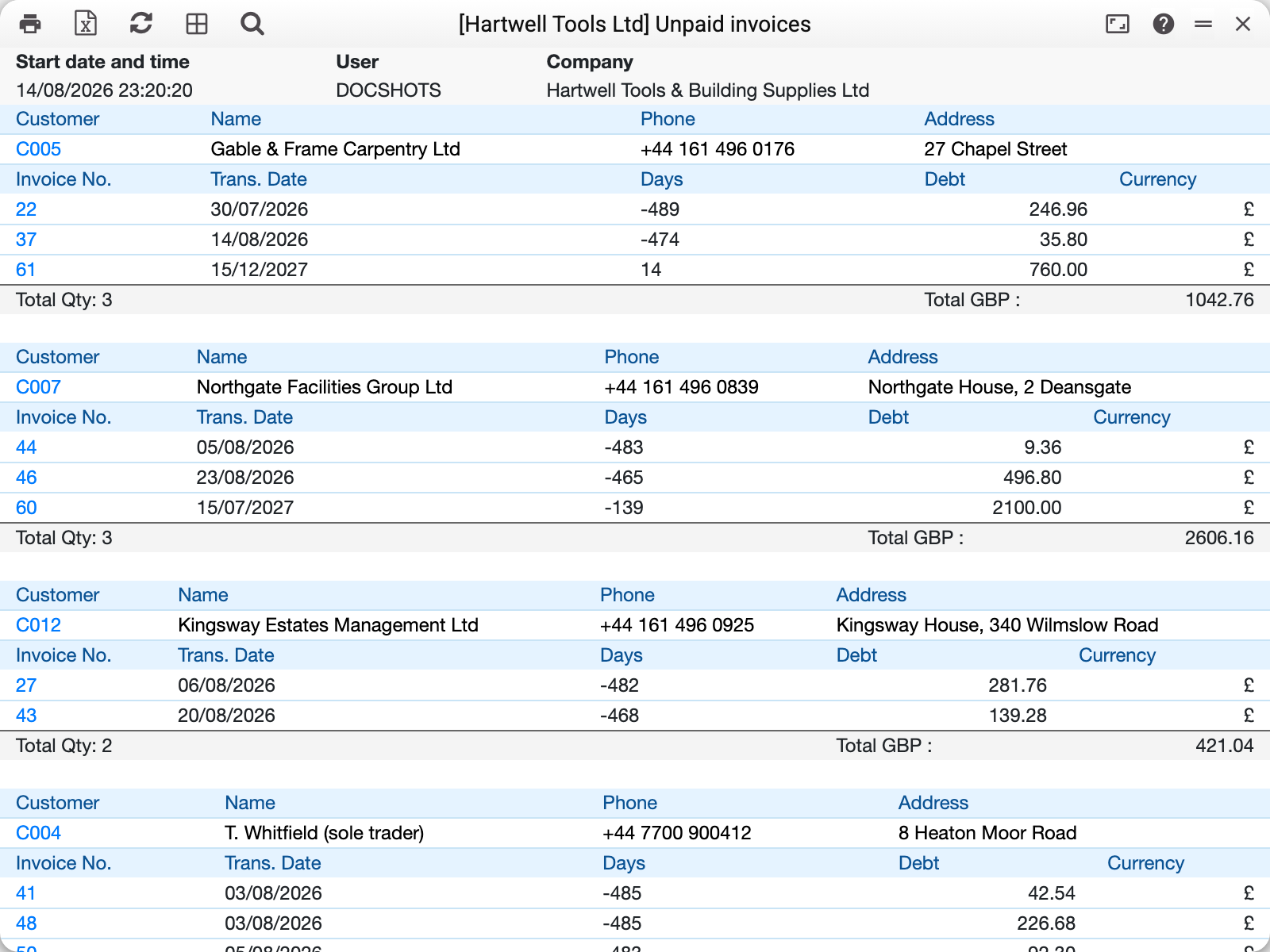
Every customer is a block: code, name, phone and address, then their unpaid invoices, and at the bottom the invoice count and the total debt — "Total qty: 3 … Total GBP: 2606.16" for Northgate Facilities Group.
⚠️ The "Days" column reads the opposite way round from the aging report. It is the number of days LEFT until the due date: a positive number means the deadline is still ahead, a negative one means the invoice is overdue. Invoice 60, which the aging report puts in the "91-10000" band at 139 days overdue, appears here as −139.
Where the numbers come from
The debt is what remains of an approved invoice after payments and applied prepayments — as of the report date: the "On Date", or, when no date is given, the current balance after all approved payments (future-dated ones too). An invoice fully paid by that date does not appear in the report, and one closed in its own currency is not shown even when a rounding cent of several payments is left in the base currency.
The due date comes from the invoice itself and is derived from the customer's payment terms (invoice date + days of credit).
Phone and address come from the contact card; empty cells in the frame simply mean nobody filled them in there.
Parameters
| Parameter | What it does |
|---|---|
| At least days past due | Cuts off fresh debt: keeps invoices overdue by at least that many days |
| Debt not less than | Cuts off small balances — handy when penny-sized leftovers bury what matters |
| Customer | A single customer |
| On Date | The day the "Days" column and the "At least days past due" filter count from (empty — today). The list and the balances are as of that date too: invoices raised later are not shown, and a payment posted after it does not reduce the debt |
| In currency | Amounts in the invoice currency instead of the base one |
| Detail / Consolidated | Detail — every invoice of every customer; Consolidated — customers and totals only |
Common situations
You only want the serious debtors. Fill in both cut-offs: "At least days past due" (30, say) and "Debt not less than" (1000) — what remains is worth a phone call.
An invoice is listed although the customer paid. The payment is not approved, or it is applied to a different invoice. Open the payment and check the "Invoice No." column in its rows.
The list is too long to call through. Switch to "Consolidated": you will see who owes the most, and can drill into a single customer afterwards.
No phone number in the row. Fill it in on the customer card — the report reads it from there, not from the documents.