Contracts
Some sales are one-off: order — shipment — invoice. Others run for months: maintenance subscriptions, rent, support. Writing the same invoice by hand every month is work the system can do itself. A contract is the document that records what you provide regularly, at what price and with what invoicing rhythm. The billing maintenance then creates invoices on schedule, while the contract remembers how far the customer has already been billed.
Where to find it: Modules → Sales Orders → Registers → Contracts
The register lives in the Sales Orders module. Do not confuse it with the neighbouring agreements: that register keeps agreements as documents — number, term, amount, status — with no automation at all. A contract is the working mechanism that invoices are born from.
A worked example
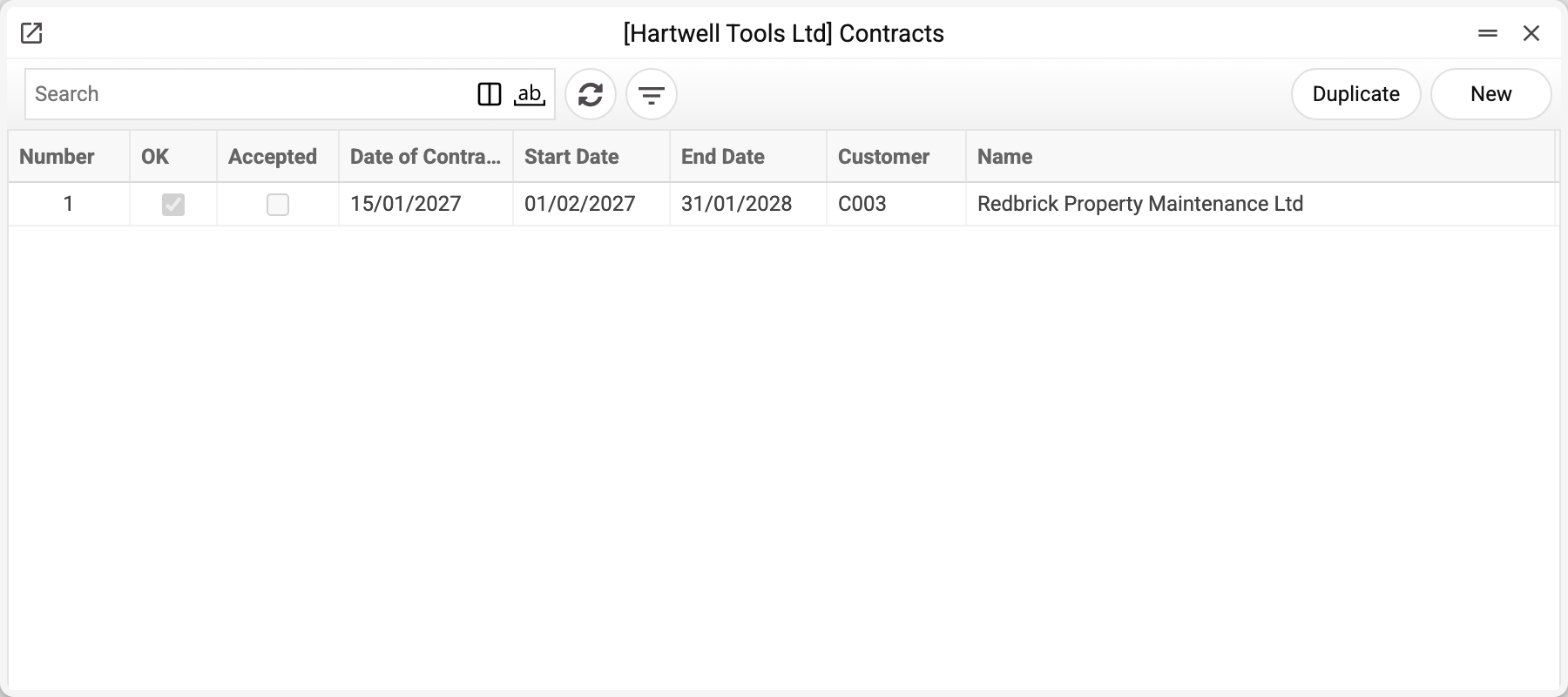
The journal shows the number, approval, contract date, validity period and customer. The demo company has one contract: No. 1 with Redbrick Property Maintenance Ltd, for a year — from 01/02/2027 to 31/01/2028.
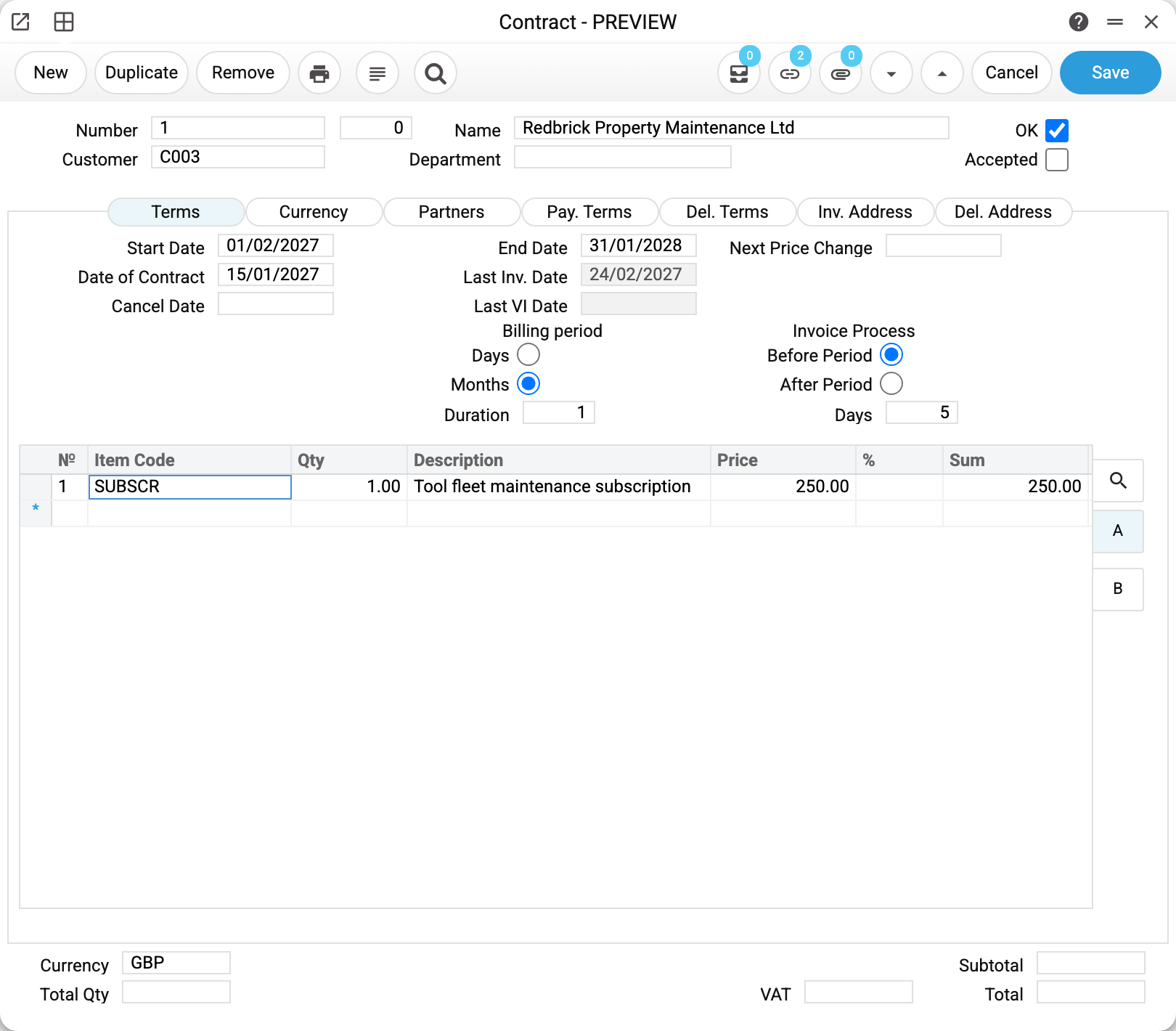
Contract No. 1: Redbrick Property Maintenance, a monthly tool fleet maintenance subscription at 250 per month.
The header carries the number, the customer and the name; "OK" is ticked, and that matters: the maintenance only processes approved contracts. The payment terms live on the "Pay. Terms" tab — each created invoice gets its due date from them. The same tab holds the "Create" switch: "Invoices" (the default) or "Orders" — what the maintenance will write. The currency sits at the bottom of the window.
The table holds the subject of the contract: the "Tool fleet maintenance subscription" service, quantity 1, price 250. Lines work like invoice lines: an item code, description, quantity, price and discount. These very lines are copied into every created invoice — with the same prices, discounts and VAT codes, not re-priced from the price list. The invoice will look exactly the way you describe it here.
The "Terms" tab — the heart of the contract
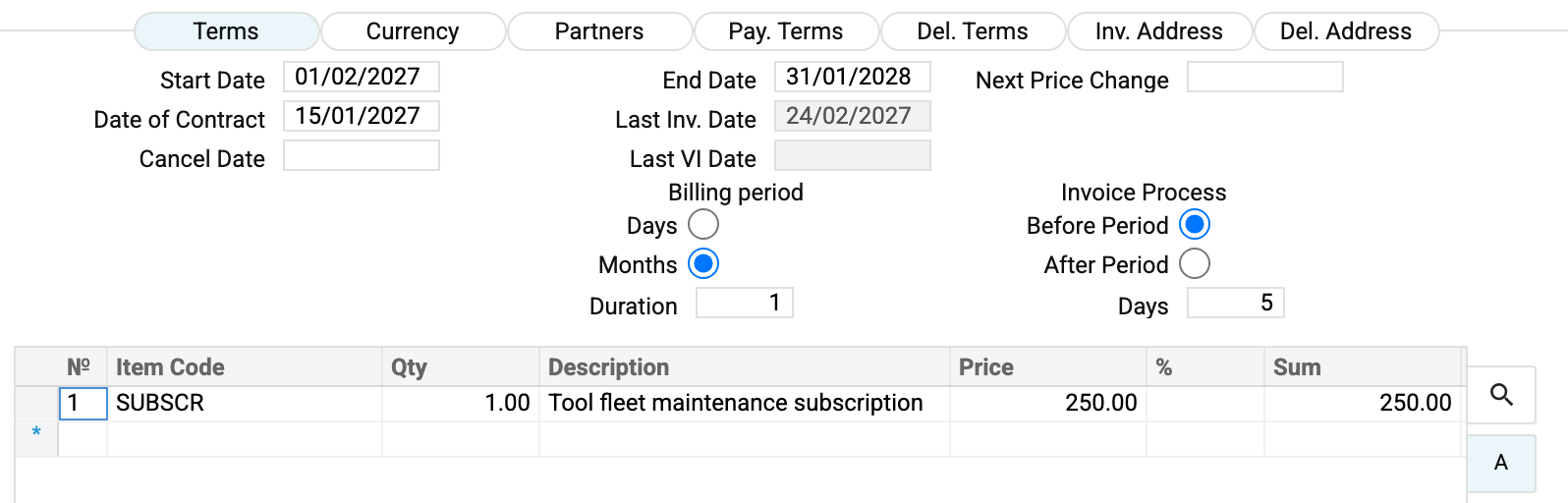
The card opens straight on this tab for a reason: this is where the rhythm lives.
"Start Date" and "End Date" frame the contract's validity. The maintenance counts periods from the "Start Date"; a contract with no end date is open-ended. Two limits are worth knowing:
- The first run bills the whole past. The maintenance has no lower bound: it writes invoices for every period since the start date that has already begun. A monthly contract entered with a start date a year ago gets invoices for that whole year on its first run. Only where the customer already has an invoice with a contract item for the period (written by hand, not linked to the contract) does the maintenance raise a task for the manager instead.
- The end of the term stops billing. Periods that begin after the earlier of the filled-in dates — "End Date" or "Cancel Date" — are not billed; a period that begins on the end day itself is still billed. In the example below (prepayment five days ahead, end date 31/01/2028) there will be no February 2028 invoice. The last period's amount is not prorated by days.
You can untick "OK" earlier — the contract is then excluded from billing entirely.
"Billing period" — the unit (days or months) and the duration. Here it is "Months" + 1: one invoice a month. "Days" + 14 would mean fortnightly, "Months" + 3 — quarterly.
"Invoice Process" — how the invoice is dated relative to the period's bounds: "Before Period" with "Days" = 5 means five days before the next period starts (prepayment: the February invoice appears on 27 January); "After Period" — that many "Days" after the end of the period (postpayment): for a monthly period starting on 1 February 2028 with "Days" = 5 the invoice gets 5 March. "Days" = 0 puts the invoice exactly on the first day of the period ("Before Period") or on its last day ("After Period").
"Last Inv. Date" is filled in by the maintenance itself: its memory of how far the customer has been billed. On a fresh contract it is empty.
The remaining tabs are a template for the future invoice
Most fields on the lower tabs are carried by the service into every invoice it writes under the contract — but not all of them. Filling them in is optional, but if the customer has special terms it is better to set them here once than to fix every invoice afterwards.
- «Del. Terms» — the delivery terms and mode, the price list, the sales account, the discount matrix, the VAT rate, the analytical objects and the comment go into the invoice; «Route» does not. The price list and the discount matrix work when you type an item into the contract's own lines: they put the price and the discount there. Invoices take the prices from the lines as they are: if the price list changes, re-price the contract lines;
- «Pay. Terms» — the payment terms, the salesman and the telephone are carried over; «Official Serial Number» and Email are not;
- «Inv. Address» and «Del. Address» — where to bill and where to deliver. Both are built the same way: the address code from the customer card, type, country, region, city, street, house, floor, flat, and at the bottom «Represent» — the full address text, assembled from those fields automatically. Picking the customer fills both tabs with the customer's main addresses. If the «Del. Address» tab is left empty, the invoice gets the invoice address;
- «Partners» — the supplier and the contact person — stay in the contract: they are not carried into the invoice.
Check the delivery address on invoices created by the service. It is laid out across the invoice fields with a shift: the «City» field receives the customer's name, «Street» receives the city, «Building» receives the street, and «Address type» and «Represent» come from the contract's invoice address. Country, region, floor and flat land in their places. The invoice address region and code are not carried into an invoice. In sales orders the delivery address lands in its places.
How it works
- You describe the contract: the subject in the lines, the rhythm on the "Terms" tab, and tick OK.
- The contract billing maintenance (run manually or on schedule) walks through approved contracts and computes the next invoice date for each.
- For every date that falls into the run's period an invoice is created (or a sales order — per the "Create" switch): lines from the contract, the computed date, and on an invoice the due date from the payment terms. The document is created unapproved — checking and posting it is your job.
- The contract updates its "Last Inv. Date" and the internal anchor of the next period — so re-running the same period creates no duplicates.
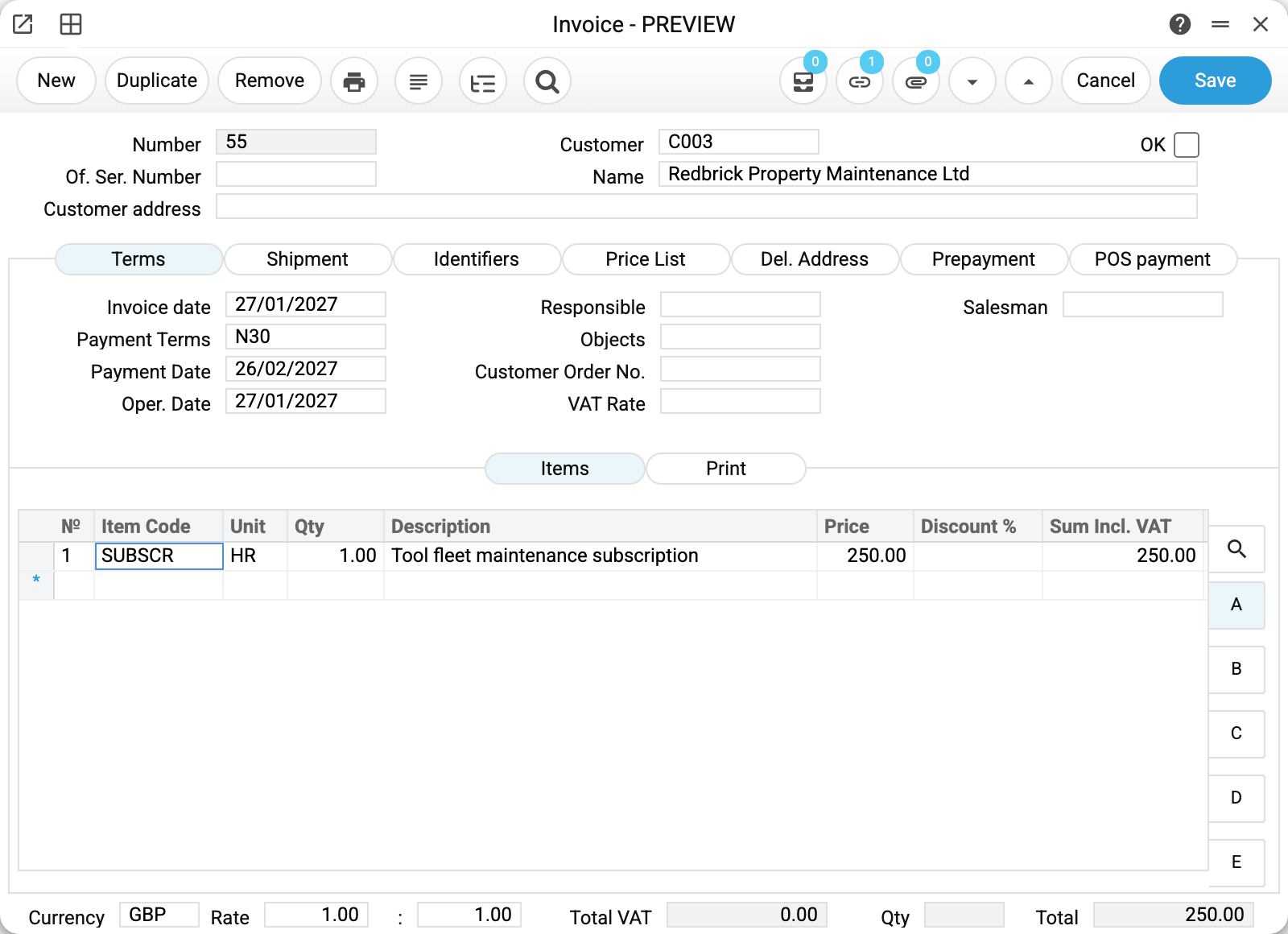
Here is the invoice the maintenance created from the contract above — note the date 27/01/2027 (five days before February starts) and the line copied from the contract:
Linked invoices
Every created invoice is linked to its contract — the contract's link menu lists all its invoices, and the invoice shows which contract it came from. Deleted an invoice by mistake? The next run notices the gap and recreates it.
Nearby
- Contract billing — the maintenance that makes the invoices
- Agreements — the agreements register, no automation
- Invoices — what is created from the contract
- Payment terms — where the invoice due date comes from