Purchase orders statuses recalculation
Every line of a purchase order remembers not only what was ordered but what came of it: how much has arrived and how much the supplier has invoiced. The system keeps those numbers itself, every time a goods receipt, a vendor invoice or a return is saved or approved. In parallel, the Item statuses register accumulates an "on order" quantity — ordered, but not yet delivered.
Where to find it: Modules → Purchase Orders (also in modules: Database Maintenance) → Maintenances → Purchase orders statuses recalculation
As long as everything is booked normally, the figures agree. But the link between documents can be broken: a bulk import from another system, a database migration, a document removed outside the usual route. Then an order looks short-delivered although the goods have been in the warehouse for months, or Item statuses still expect a delivery on an order closed half a year ago.
This service recalculates all such numbers from scratch — from the source documents, not from what the order says.
A worked example
Picture an order for 5 drills. The receipt was approved and the invoice arrived, so the order line should read "received 5, invoiced 5". After a failed import it reads "invoiced 0", even though the vendor invoice is in the database and its header names this order: the invoice line lost its reference to the order line.
Running the service unwinds this step by step:
- Zeroes the "on order" quantities on every Item statuses record — from here on the figure is rebuilt from nothing.
- Walks every order and adds the ordered quantities back into Item statuses. Unapproved orders accumulate a separate quantity of their own. An order with "Done" ticked adds nothing to "on order", and neither does a line of an unapproved order whose code has no item card.
- Repairs the link to the vendor invoice: it looks at the invoice whose header names this order (if there are several such invoices — only the first one found) and, on lines with the same item code, restores the reference to the order line. A line without a reference gets the order line of that item at the same position, or, if there is none, the first line of that item; it gets it once, so two order lines of one item do not take it from each other. A line whose reference points outside the order or to a line of another item gets the line of its own item at the same position. A reference to a line of this order with the same item is left alone. This is the step that rescues our example. The links of goods receipt and return lines are not repaired: the service finds those lines only by the reference to the order line they already carry.
- Recalculates what was received for each order line: separately "in all receipts" (including those not yet approved) and "in approved receipts", less approved returns to the supplier. Only this order's documents count — those whose header names its number — just as when they are saved.
- Recalculates what was invoiced — the sum of quantities on this order's vendor invoice lines; credit invoices (money going back) are subtracted — just as when the invoice itself is saved.
- Writes the result into the order lines and reduces "on order" by what has already arrived, leaving only the difference as still in transit.
Afterwards the line reads "received 5, invoiced 5", and the phantom expectation disappears from Item statuses.
Run parameters
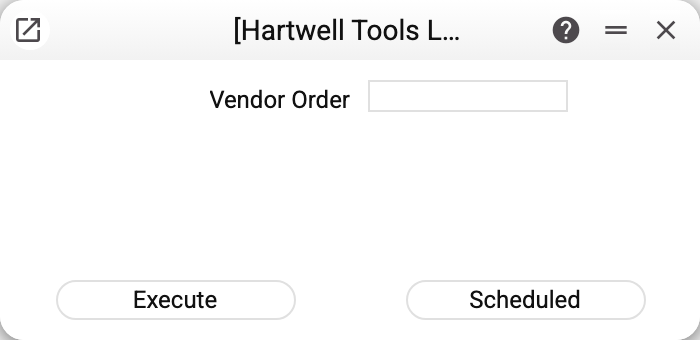
The single field is "Vendor Order", picked from the list of orders. The normal way to run it is to leave that field empty: the service then recalculates the whole database. With an order number it recalculates only that order's items, but across every order that carries them — otherwise "on order" would come out too low; other items are left alone. A number that does not exist is refused with "Purchase order not found: …", an order without items with "There are no items in this purchase order: …".
Execute starts the recalculation straight away; Scheduled puts it into the queue of recurring jobs — though this particular service has no need of a schedule (see below).
The whole run is one transaction: if it fails half-way, the database is left exactly as it was.
Typical situations
After a migration or a bulk import. The commonest reason by far. The documents were carried over but the links between their lines were not. From the item code and position the recalculation rebuilds only the links of vendor invoice lines; a goods receipt or return line without a reference to the order line is not found by the service, and its quantity does not get into "received". Nor does a document whose header names no order: the line's reference does not help here.
The order status report is short. The "Shipped" column shows less than what actually arrived, even though every receipt has been approved and signed.
Item statuses expect a delivery on a closed order. The goods have long been in stock and even sold, yet the system believes part of them is still in transit — that expectation shows up, for instance, in the Item Status Report and the Stock Shortages Report.
The service refuses, naming a register: it is shared from another company, and only that company runs this maintenance. Purchase orders, item statuses or vendor invoices are shared into this company from another one — the service run in the main company recalculates them. The refusal comes before anything is changed.
There is no need to run it regularly "just in case". The service rewrites fulfilment figures across the whole database; it is a repair tool, not routine housekeeping.
Where to look next
- Purchase orders — where the numbers it recalculates live;
- Purchase order status and PO list report — where a mismatch shows up first;
- Goods receipts, Vendor invoices, Returns to supplier — the source documents the figures are built from.