Maintenance check
Hire equipment needs planned servicing: oil every 250 hours, brakes once a quarter. With a handful of units people keep that in their heads; with a hundred they do not.
Where to find it: Modules → Rental → Maintenances → Maintenance check
This routine reviews the fleet and raises a flag over the units whose service is due or overdue. It does not start by itself: run it by hand or put it on a schedule, daily for instance.
A worked example
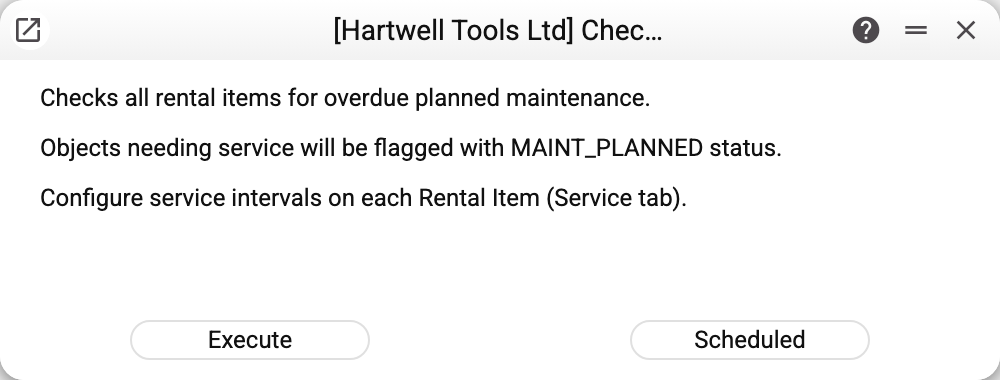
The window has no parameters. Its notes say the essentials: the routine checks for overdue planned maintenance — "Objects needing service get the status MAINTENANCE and a MAINT_PLANNED task.", and the service intervals are configured on each rental item on the "Service" tab.
What it does
- Takes the rental items in RENTED or AVAILABLE status that have a service interval set;
- compares the due point — by date, or by usage from the meter records;
- for those that are due: moves the unit to MAINTENANCE and puts a
MAINT_PLANNEDtask in the calendar — against the unit itself, or against the agreement if the equipment is out on hire; - raises the repair document chosen in "Maintenance Doc Type" of the rental settings: a service order or a work sheet. With an empty value no document is created — a person enters it after seeing the task.
The task is assigned to whoever started the routine; when it runs on a schedule, to the user the schedule was created under.
The document is not raised for every unit. Both a service order and a work sheet are issued to a customer, and the routine takes that customer from the active rental agreement: free equipment has no agreement, so it only gets the status and the task. A service order also needs the item code from the unit card, and — if that device is not in the service items register yet — a manufacturer from the Brands register. A work sheet needs the location on the unit card. How many documents were not raised, and why, the routine reports in its summary — one line per reason, not silently.
Typical situations
Does the routine create a service order or a work sheet? Yes, if "Maintenance Doc Type" is set in the rental settings. An empty value means "do not create" — then the routine only flags the unit and adds a task.
A type is selected but there is no document. The routine names the reason in its report. Two are common: the unit is free (no agreement, so there is no one to issue the document to), and the unit card has no manufacturer, without which a new service item cannot be created.
The routine found nothing. Most often the item cards carry no service intervals — without them there is nothing to check.
A unit is on hire and its service is due. The routine flags it but does not demand its return: it is up to the manager to wait for the hire to end or arrange a site visit.
I want to run it daily. The routine is safe to repeat and is designed for exactly that — a scheduled daily call.
Where to look next
- Rental items — where service intervals are set.
- Usage records — where usage figures come from.
- Rental settings — meters, resource type and the other switches of the module.