Engineers
A short list of the service's engineer users. These are not employee cards and not a restriction on choice: the «Serv. Master» field on an order offers every user. The system adds the engineers from this list to the order's task as participants — those who work in the same department as the order.
Where to find it: Modules → Service Orders → Settings → Engineers
A worked example
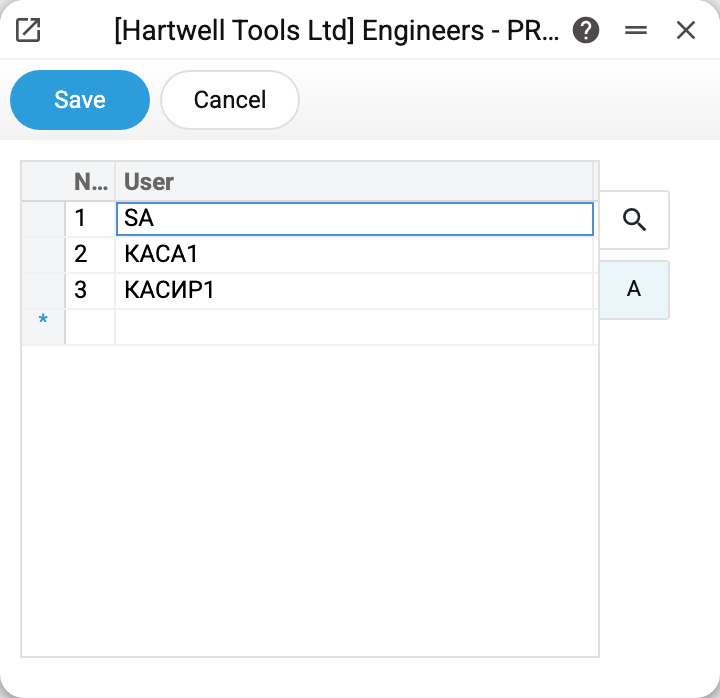
One column — user. Each row points at a system account, so an engineer is not merely typed in as text: there is a login behind the name.
Why keep a separate list
On a new order, and when its status changes, the system sets a task for the person in charge, and the task's participants see it. So that the people who do repairs hear about the order, rather than every user, the engineers from this list are added as participants — only those whose user card has the same «Department» as the order. They are added once, when the task is created; at the next status change the system rewrites the existing task's participants to the person in charge and the «Serv. Master», and the engineers drop out of it. The list does not narrow the choice in the «Serv. Master» field — but it does answer the question of who counts as an engineer here at all.
The list is short and changes rarely: someone is added when they join the service department and removed when they move on.
Typical situations
An engineer does not see tasks for new orders. Add their login as a row here and check the «Department» on their user card: only engineers of the order's department become participants.
An engineer has left. Remove the row: they no longer get onto the tasks of new orders, while existing tasks and orders stay as they were.
One login shared by several people. Best avoided: the work then does not show who actually did it.
Where to look next
- Service orders — the orders the tasks are set for.
- Required fields on an order — what else is controlled at intake.