Cash In Journal
A list of cash receipts for a period — with amounts, items and totals per currency. It answers the question "what did we book as receipts this month, and why".
Where to find it: Modules → Cash Book → Reports → Cash In Journal
!!! note "This is a journal of incoming MONEY, not of goods" If you are looking for what arrived at the warehouse — which item, from which vendor, at which price — you need a different report with a similar name: Goods receipts journal.
Mind the boundary of this report: it is built from Cash In documents, not from the movement of money. Customer payments and retail sales also feed the till, but they never appear here — for those, see the cash book.
Parameters
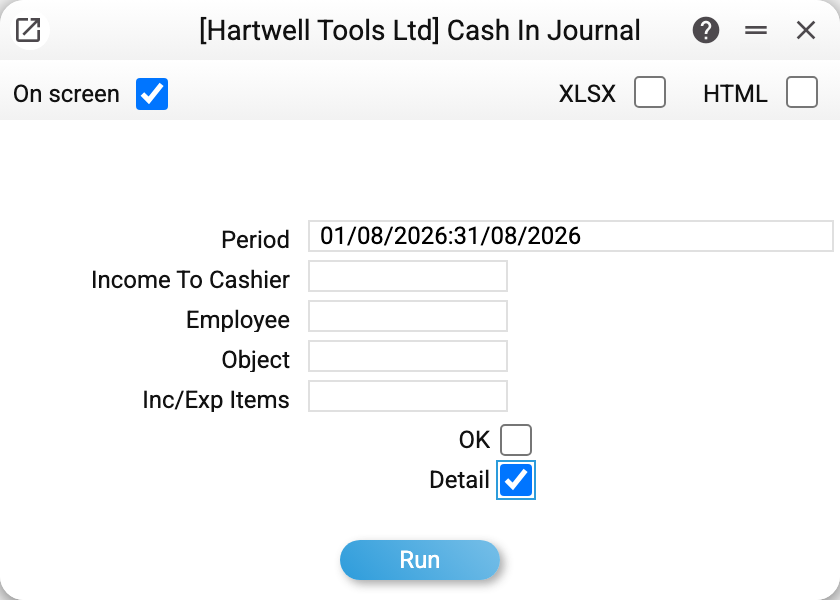
- Period — by the document's transaction date. The window fills in the period you saved for this report, or else the first period of "Reporting Period" (none — the current month). An empty field is replaced by today's date.
- Income to the cashier — the number of a single document, when you need just one.
- Employee — the login from the document's "Employee" field. This is how you see who entered the receipts.
- Object — a filter by analytics: one code or several separated by commas; if any of them is missing from the directory, the report refuses. A document is included when at least one of these objects is on its header (then the whole document) or on a row (then the amount covers only such rows). A row or a header with several comma-separated objects is found by any of them. Together with "Employee" both filters apply: only that employee's documents with that object.
- Inc/Exp Items — a filter by item: all returned travel advances for a quarter, for example. The document amount is then only that of its rows with this item.
- OK — approved documents only. With the box cleared, drafts that have not produced postings yet join the list.
- Detail — show the document rows, not only the headers.
A worked example
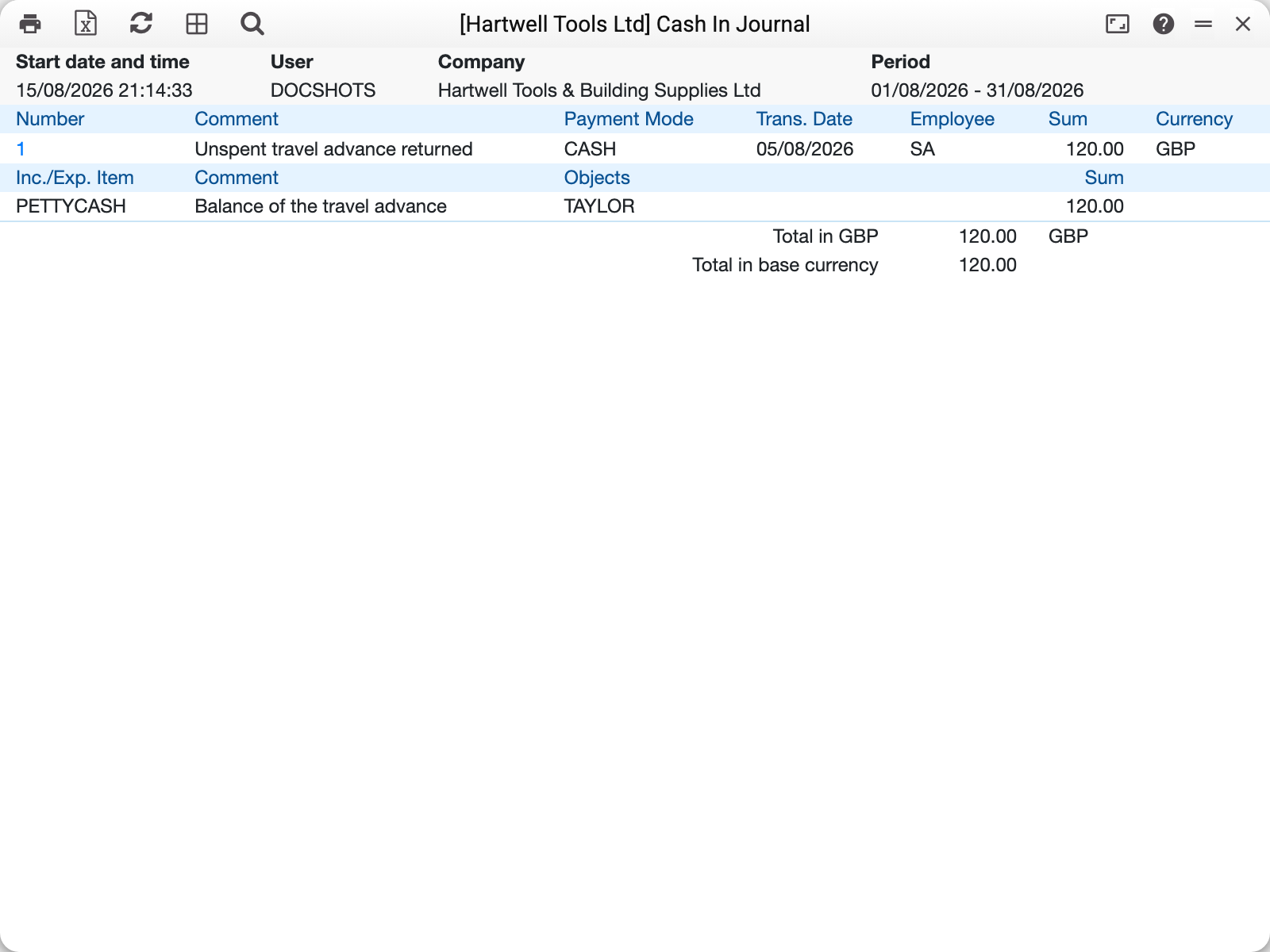
A document line carries the number, the comment, the transaction date, the employee, the amount and the currency; with "Detail" the payment method is added, and the document's rows follow below it: item, comment, objects and amount.
Two totals close the report: total in currency and total in base currency. They differ when the period contains receipts in several currencies: the first shows each currency separately, the second converts everything into the accounting currency at the documents' rates.
In the example for August 2026 there is a single receipt of GBP 120.00: an unspent travel advance returned under the PETTYCASH item, with the object TAYLOR.
How to use it
Reconciling against the cash book. If the till took in 12,820.00 over the month while this journal shows only 1,500.00, the difference arrived as customer payments and retail sales rather than as receipts. That is a normal picture, not missing documents.
A check before closing the month. Clear the "OK" box and look for unapproved receipts: the money is in the till but the ledger knows nothing about it.
A breakdown by reason. The item filter shows how much accountable persons returned over the period, or how much the owners contributed — without hand-picking documents from the full list.
Who entered what. The employee filter helps when several people run the till and you need to know whose documents drifted away from the balance.
Where to look next
- Cash In — the document itself;
- Cash Out Journal — the mirror report;
- Cash book — every movement on the cash account, from any document;
- Income/expense items — the reasons the amounts are grouped by.