Rental agreements status
The hire desk's question every morning: what is out with customers, what has come back, and under which agreement. The answer lives across four registers — agreements, issue acts, return acts and orders. This report gathers them into one picture.
Where to find it: Modules → Rental → Reports → Rental agreements status
A worked example
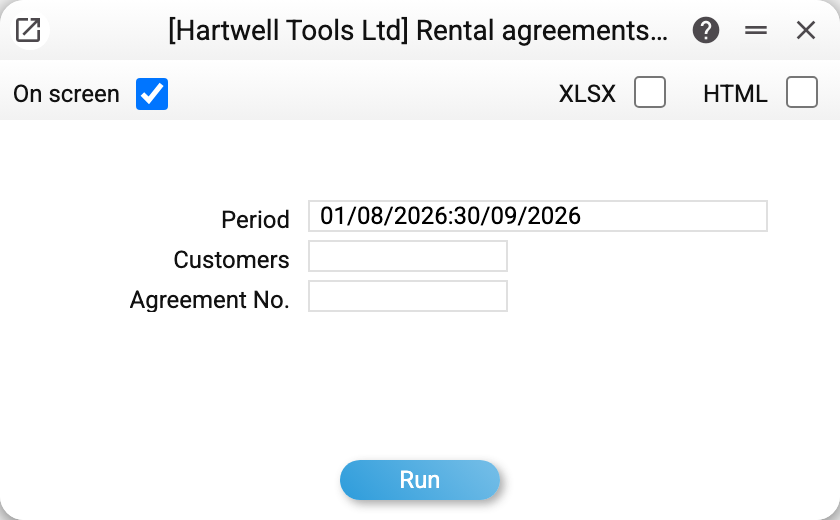
Parameters: Period, Customers and Agreement No. — the last two narrow the selection.
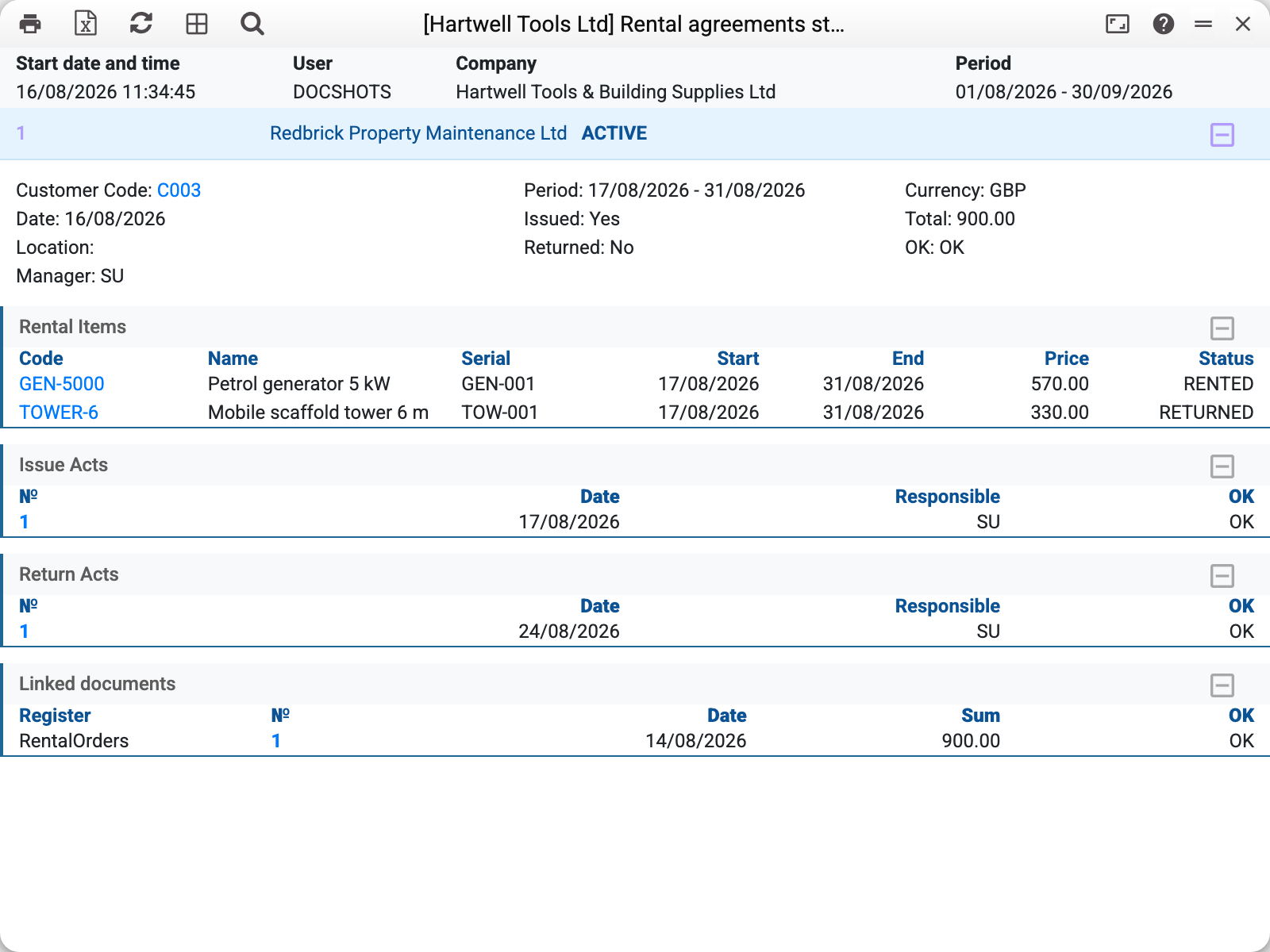
For August–September 2026 the demo company shows one agreement — No. 1, customer Redbrick Property Maintenance, status ACTIVE.
Under the agreement header comes everything that happened to it:
- details: period 17/08–31/08, currency GBP, total 900.00, "Issued: Yes", "Returned: No";
- rental items: the GEN-5000 generator is
RENTEDwhile the TOWER-6 tower is alreadyRETURNED; - issue acts: No. 1 of 17/08;
- return acts: No. 1 of 24/08;
- linked documents: rental order No. 1 of 14/08.
At a glance: the agreement is still running because the generator is with the customer, while the tower is back.
Reading the statuses
The agreement status in the header and the line statuses are different things. An agreement stays ACTIVE while at least one unit is open; an individual line may be RENTED, RETURNED or reserved. That is why the agreement above is active even though half the equipment is back.
The "Issued" and "Returned" flags summarise the whole agreement: "Returned: Yes" appears only once the last unit arrives, and that is when the agreement turns CLOSED.
Below the acts comes the Actions block — the tasks the agreement creates itself: the booking of an object, the issue, the return. Planned maintenance of the agreement's objects and tasks linked to the agreement by hand also appear here. The Status column in this block is the task's own OK flag. Rental tasks never set it (a return only changes the task type), so they show Pending, and the stage is in the Type column. Before 01.11.2026 the tasks the agreement creates never reached the block, and the report does not draw an empty block at all — which is why the screenshot above goes straight from the acts to Linked documents.
Typical situations
An agreement with no acts. Nothing has gone out yet: the agreement is active and the booking stands, but everything is physically in the yard.
The report is empty. The period filters agreements by the agreement's own date, not by the hire term: an agreement dated 30 July for August will not appear in an August report. An agreement number lifts the period limit.
One customer only. The "Customers" field takes a contact code; for a single agreement its number is quicker.
Where to look next
- Rental agreements — the report's source.
- Issue acts and return acts — the blocks in the report.
- Rental items — the current status of each unit.