Balance by objects
Several accounts at once, each broken down by analytical objects. This is the report for the question "how did these accounts spread across business lines, employees, warehouses". It is a close relative of the trial balance per account: there you get one account with a total row on top, here a list of accounts with the breakdown only.
Where to find it: Modules → Nominal Ledger → Reports → Balance by objects
Worked example
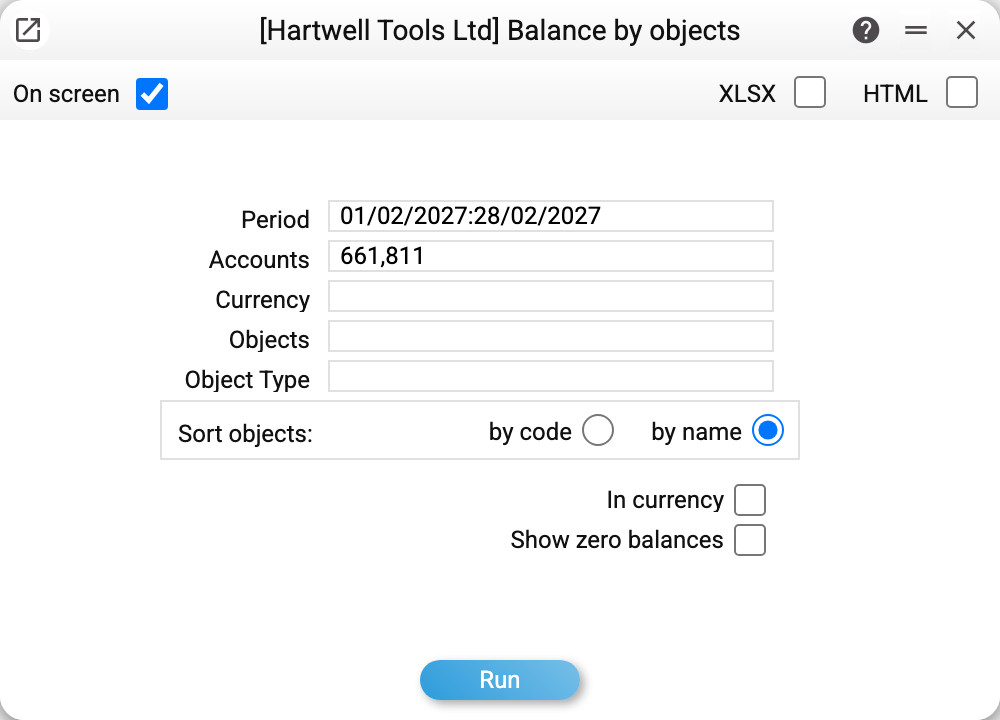
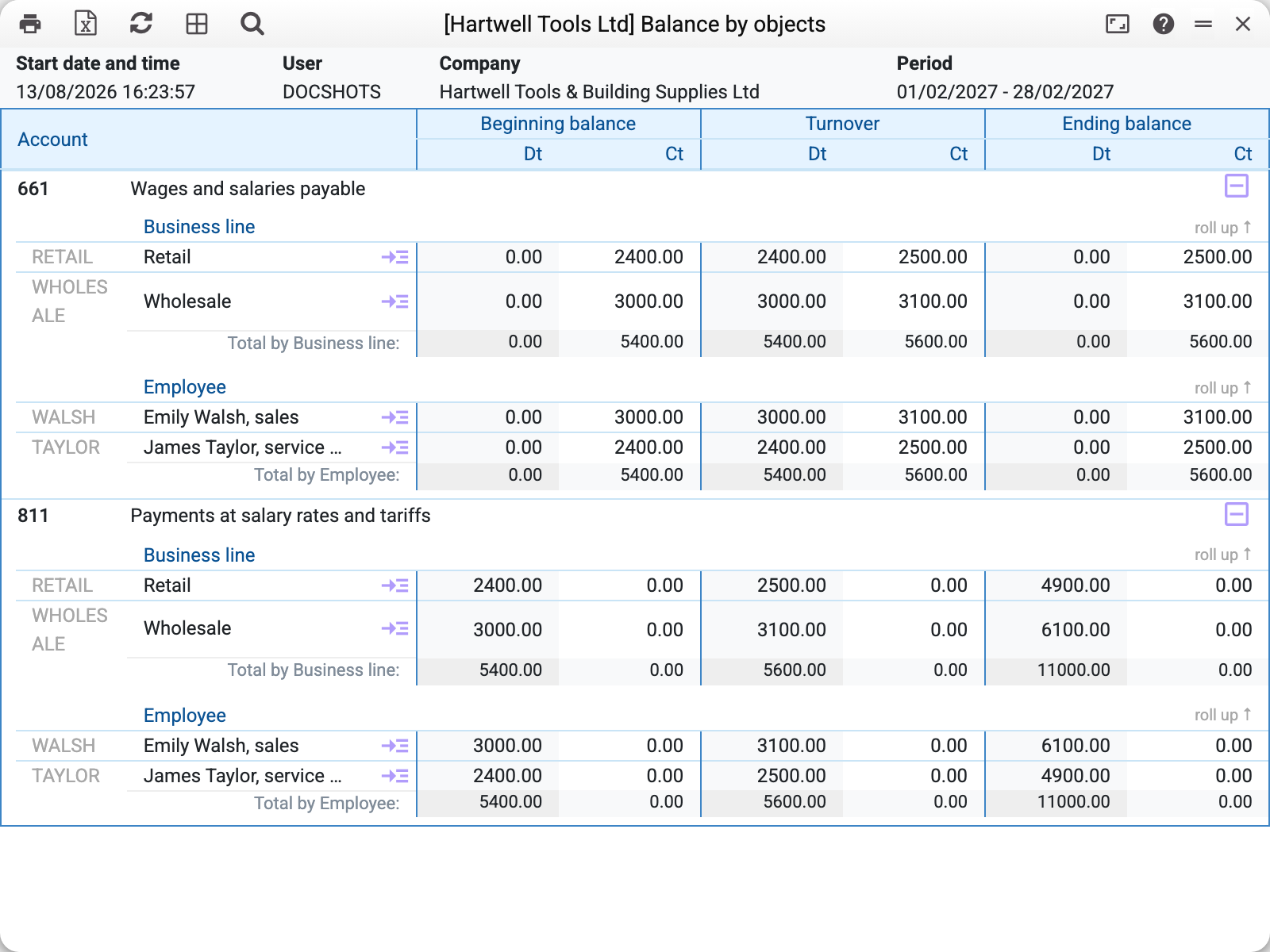
Take a pair of payroll accounts for February 2027: 661 "Wages and salaries payable" (what is owed to staff) and 811 "Payments at salary rates and tariffs" (the cost itself). Both are tagged with two object types — employee and business line:
Read it top-down, account by account:
- 661 — accrued but not yet paid: wholesale 3 100, retail 2 500. The same 5 600 in the other view — Walsh 3 100, Taylor 2 500;
- 811 — the cost accumulated since the start of the year: wholesale 6 100, retail 4 900, 11 000 in total.
The account row itself is only a heading here — it carries no figures: the account total is the "Total by …" row of each block. The ⊟ icon on the right collapses the whole account, the "roll up ↑" link collapses a single type block.
One run therefore shows both the liability and the cost in the same view: how much payroll belongs to wholesale, how much to retail — and how much of it is still unpaid.
Where the data comes from
The same engine as in the trial balance per account: posting lines (Transactions) for the period plus forward balances as at its start. The breakdown comes from the "Objects" field of the posting line; several objects in one line are separated by commas, and two objects of the same type in one line are not allowed.
An account with no analytics does not appear at all. If the account has no posting tagged with an object in the period, it is left out entirely — not even as an empty row. This is not a filter or a setting: the report is built from objects rather than accounts, so an account without objects has nothing to show here.
The side of the balance follows the "Debit" and "Credit" marks on the account card of the chart of accounts (neither set — the account type): an active account carries its balance in debit, a passive one in credit, an active-passive one (both marks) on whichever side it comes out.
Parameters
| Parameter | What it does |
|---|---|
| Period | The period the turnover is calculated for; the opening balance is taken as at its first day |
| Accounts | Which accounts to show: one, a comma-separated list (661,811) or a range (301:661 — every account from 301 to 661 inclusive). Leave empty for all accounts that have objects |
| Currency | Keep only postings in this currency |
| Objects | Keep the postings that carry all these objects: a comma-separated list means all at once, not any of them (an employee and a business line, not two business lines). The breakdown shows every object of such postings |
| Object Type | Keep a single view — business lines only, for instance |
| Sort objects | Order inside a block: by code or by name |
| In currency | Add per-currency rows |
Common situations
The account you need is missing. That means it has no posting tagged with an object in this period. Check the account in the trial balance — the turnover is there, it is simply not tagged with analytics.
The report is too long. An empty "Accounts" box pulls in every account that has analytics. Narrow it down with a list or a range, or keep a single object type.
You need the account total, not just the objects. That is the trial balance per account: it shows the full account row, so you can see at once whether the whole amount is tagged.
Objects show negative amounts. A sign of one-sided tagging: payments from the bank account are split by business line, say, while incoming amounts are not. The report shows what the postings say; the cure is tagging the other side.