Payroll calculation
The document where pay turns from contract terms into actual figures: who is owed what, how much tax is withheld, what is left to pay out. Once OK'd it posts to the ledger — the money itself then moves through the till or the bank.
Where to find it: Modules → Human Resource Management → Registers → Payroll calculation
A worked example
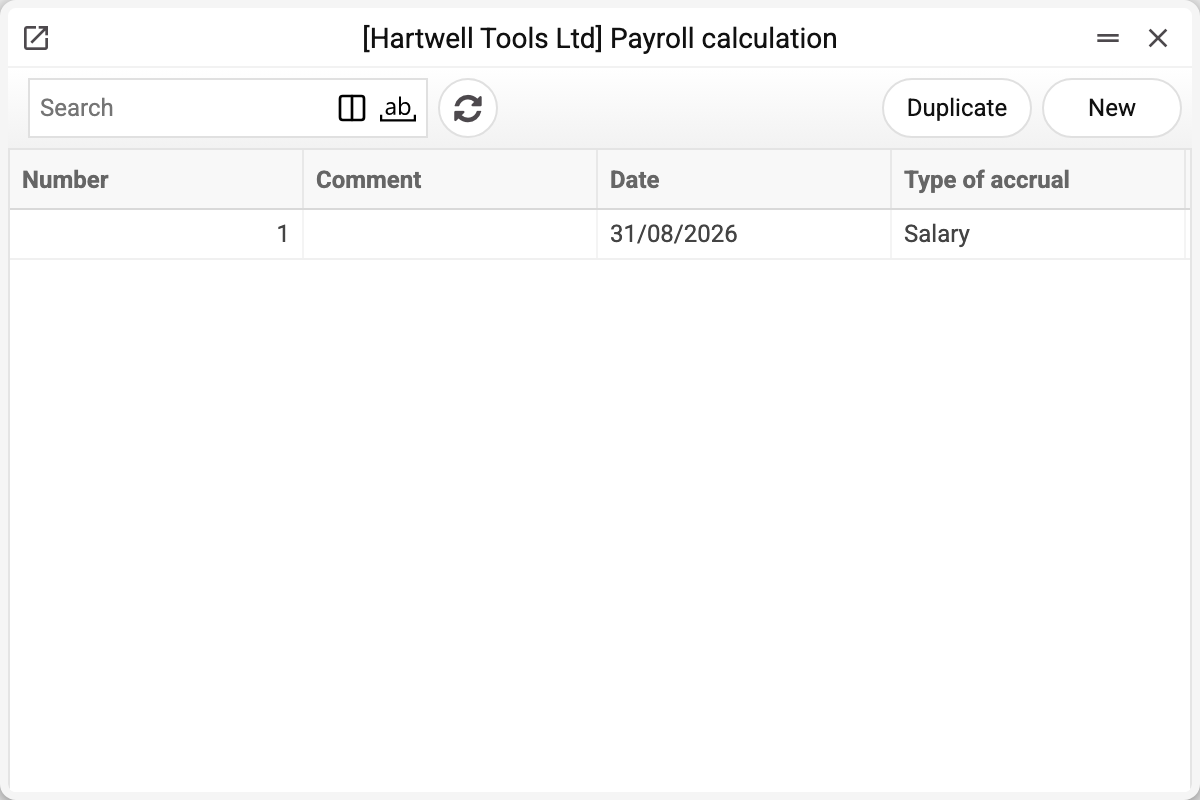
The journal shows the number, comment, date and type of accrual. There is one calculation here — salary No. 1 of 31/08/2026, and that is the one we take.
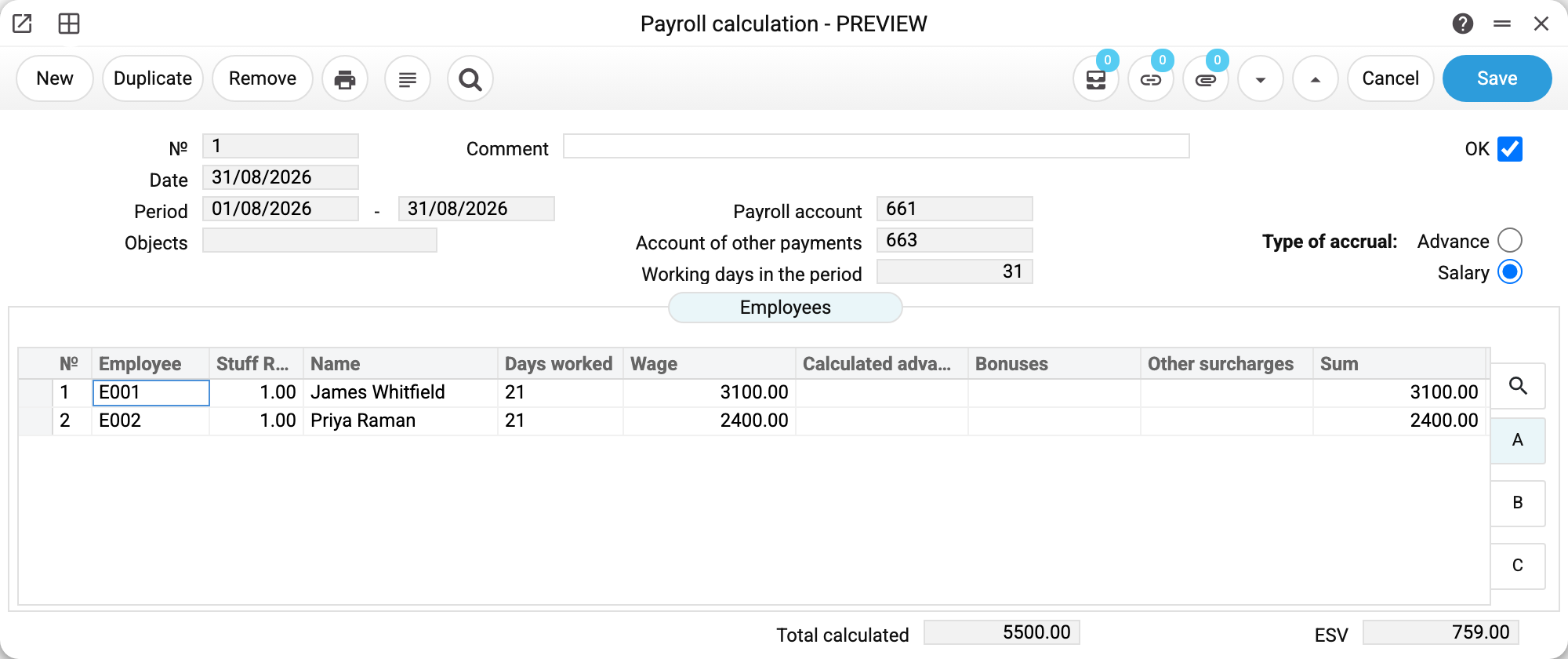
Calculation No. 1 dated 31/08/2026, period 01/08–31/08/2026, working days in the period 31, wages account 661, other payments account 663. On the right, the type is Salary (the other option is Advance).
The "Employees" matrix carries one row per person:
| Employee | Rate | Worked | By salary | Sum |
|---|---|---|---|---|
| E001 James Whitfield | 1.00 | 21 | 3 100.00 | 3 100.00 |
| E002 Priya Raman | 1.00 | 21 | 2 400.00 | 2 400.00 |
The footer totals it up: 5,500.00 calculated and 759.00 of employer's contribution (13.8% on top of gross).
Further right sit the deduction columns: income tax, the second withholding, total deducted, net pay. Those are what turn gross into what lands in someone's account.
What the document posts
Payroll is four different events in the books, and each lands as its own pair of accounts. Here is what our example posts (amounts totalled across both employees):
| Dr | Cr | Amount | What happened |
|---|---|---|---|
| 231 / 921 | 661 | 5,500.00 | pay accrued — the firm's costs went up, and so did what it owes its staff |
| 661 | 641 | 1,100.00 | income tax withheld (20%) — less owed to the employee, more owed to the state |
| 661 | 651 | 440.00 | employee's contribution withheld (8%) — likewise |
| 231 / 921 | 651 | 759.00 | employer's contribution accrued (13.8%) |
The key difference between the third and the fourth line: withholdings come out of the employee's pay, the employer's contribution is paid on top of it. That is why the withholdings debit 661 (reducing what is owed to the person) while the contribution debits a cost account — that is the firm's own money, not the employee's.
Net pay can be read straight off the posting: 5,500.00 − 1,100.00 − 440.00 = 3,960.00. That is what leaves through the till or the bank, and that is what clears the balance on 661.
Two cost accounts appear because the two employees belong to different classes: the engineer's pay goes to production costs (231), the sales manager's to administrative ones (921). The real posting also has twice as many lines — the system splits every amount per employee, since each of them is an analytical object. The table above merges them for readability.
Where the accounts come from
- the cost account — the "Financial account" of the employee class. The class comes from the contract change in force at the end of the period, or, if that change has no class, from the contract in force during the period: approved, with a start date no later than the period end and an end date no earlier than its start, the latest-starting one if there are several (a draft does not count). No class, or no account on the class — the general "Account of labor costs" from Account Usage is used. That is how administration, production and sales end up on different accounts;
- the payroll settlement account (661) — the "Payroll account" field in the document header. A new document takes it from Account Usage, but the posting goes to the account that stands in the document: change it here and the posting changes too;
- the tax accounts (641, 651) — from the rates reference, taking the row dated no later than the calculation date. Rates are historical: change them from the new year and older documents still recalculate at the old ones.
The selection window of the "Objects" field works out the cost accounts by the same rules: it asks for analytical objects for exactly the accounts the entries will go to. If there is no tax rate on the calculation date, its account is not in the list, and posting is what points to the missing rate.
There will be no posting at all if transaction generation is switched off for payroll — the document will be OK'd but leave no trace in the books.
Advance and salary
The type switch is not cosmetic. An advance is the "Advance" amount from the contract (or from the change of conditions in force); when none is set, it is the salary for the working days of the advance period. Salary covers the whole month minus the advance ACCRUED by approved advance documents for the period (whether it was actually paid is not checked). That is why the matrix has a "Calculated advance" column — it is subtracted so nobody is paid twice. The salary period is a whole month: if the rows already have amounts, the system will not accept part of a month («The salary is calculated for whole months!»). An employee's partial month is set by the days in their row.
Tax rates come from the rates register, and which codes to apply is set in the payroll setting.
Typical situations
The salary changed mid-period. The document takes the salary of the last approved contract change in force at the END of the calculation period — not on the calculation date: a raise from 1 September does not reach the August calculation, even if the document is dated September. See contract changes.
A bonus has to be paid. The matrix carries "Bonuses" and "Other surcharges" columns for that.
The document won't book: "Enter an object with type …". Analytical control is switched on for the wages account, but the employee cards carry no objects. Create an object per employee (of the type the control rule asks for) and put it on the card: from there the system splits both the pay and the taxes by them on its own.
The document won't book: "Payroll tax '…' is not set". The payroll setting points to a code that is missing from the rates reference, or every row of that code is dated later than the calculation. This typically happens in a company created by copying: the references were translated, the setting was not.
After a calculation the window warns: "Rate codes are not specified in the payroll calculation setting: Personal income tax, Military collection — these taxes are not withheld!" The payroll setting has empty codes for the taxes named, and the matrix counted them as 0. The warning appears after "Fill Matrix", "Calculate for all", "Calculate" on a row and a row edit, and blocks nothing. Specify the codes where it points (Human Resource Management → Settings → Payroll Calculation Setting) and calculate again. Income tax and military collection typed into a row by hand do not trigger it.
The calculation has to be redone. Untick OK: the postings unwind and the document is a draft again. If a Cash Out document for this calculation is already approved, OK will not clear — untick OK on it first.
Where to look next
- Payroll taxes — the rates the deductions are built from.
- Payroll setting — which taxes to apply.
- Employee contract — where the salary comes from.
Print variables
Values available in this document's printed form templates. How to write a variable in a template — see Print Forms.
Header fields:
| Variable | What it holds |
|---|---|
| PayrollCalc_OK | Approved (yes/no) |
| PayrollCalc_No | № |
| PayrollCalc_Comment | Comment |
| PayrollCalc_Date | Date |
| PayrollCalc_Type | Payout type: advance or salary |
| PayrollCalc_Period | Period |
| PayrollCalc_PeriodTo | Period 2 |
| PayrollCalc_PayrollAccount | Payroll account |
| PayrollCalc_OtherPayments | Account of other payments |
| PayrollCalc_Objects | Objects |
| PayrollCalc_Days | Working days in the period |
| PayrollCalc_Total | Total calculated |
| PayrollCalc_ESV | ESV |
Row fields:
| Variable | What it holds |
|---|---|
| MNo | Row position number |
| MEmployee | Employee |
| MRate | Staff Rate |
| MName | Name |
| MDays | Days worked |
| MSalary | Wage |
| MBonuses | Bonuses |
| MOther | Other surcharges |
| MIndexation | Indexing |
| MVacation | Vacation payments |
| MHospitalBenefits | Hospital benefits |
| MHospitalExpenses | Hospital expenses from company |
| MFinancialAid | Financial aid |
| MSum | Sum |
| MIncomeTax | Personal income tax |
| MMilitaryCollection | Military collection |
| MTotalWithheld | Total withheld |
| MToBePaid | To be paid |
| MPaid | Paid — paid out by approved Cash Out documents for this row |
| MAdvance | Calculated advance — by approved advance documents for the period; 0 on an advance document |