Return acts
The equipment is back from site. A return act records the three things a hire desk needs: what came back, how much it worked and what condition it is in.
Where to find it: Modules → Rental → Registers → Return acts
It mirrors the issue act with one important difference: it decides where the unit goes next — back on hire or into the workshop. A return act cannot write a unit off: writing off is a separate decision, not a side effect of a return, made by a FROM_POOL pool transfer with the write-off reason.
A worked example
The demo company has one return — act No. 1 of 24/08/2026 under agreement No. 1, into location HIRE; no issues, the act is posted.
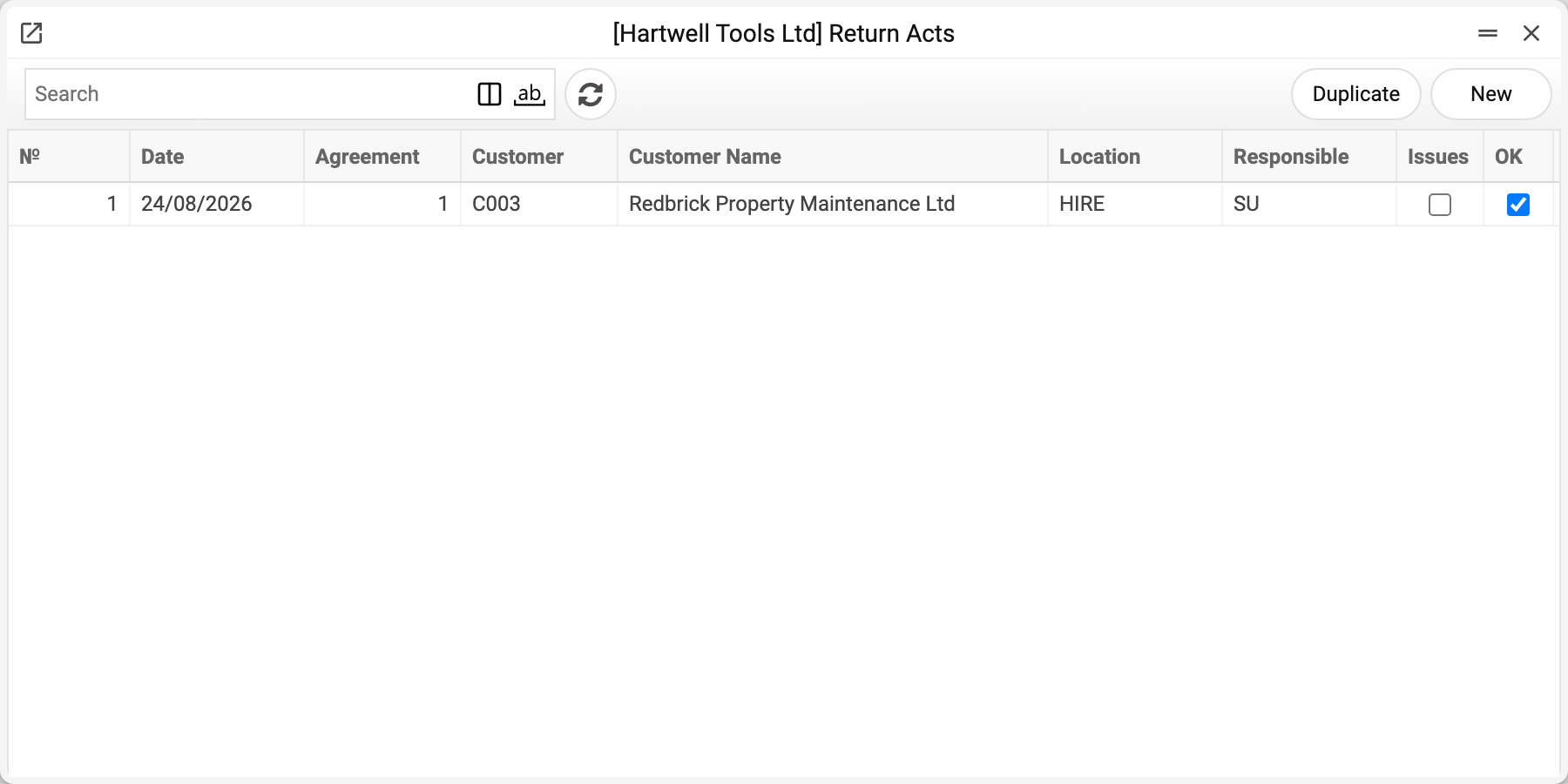
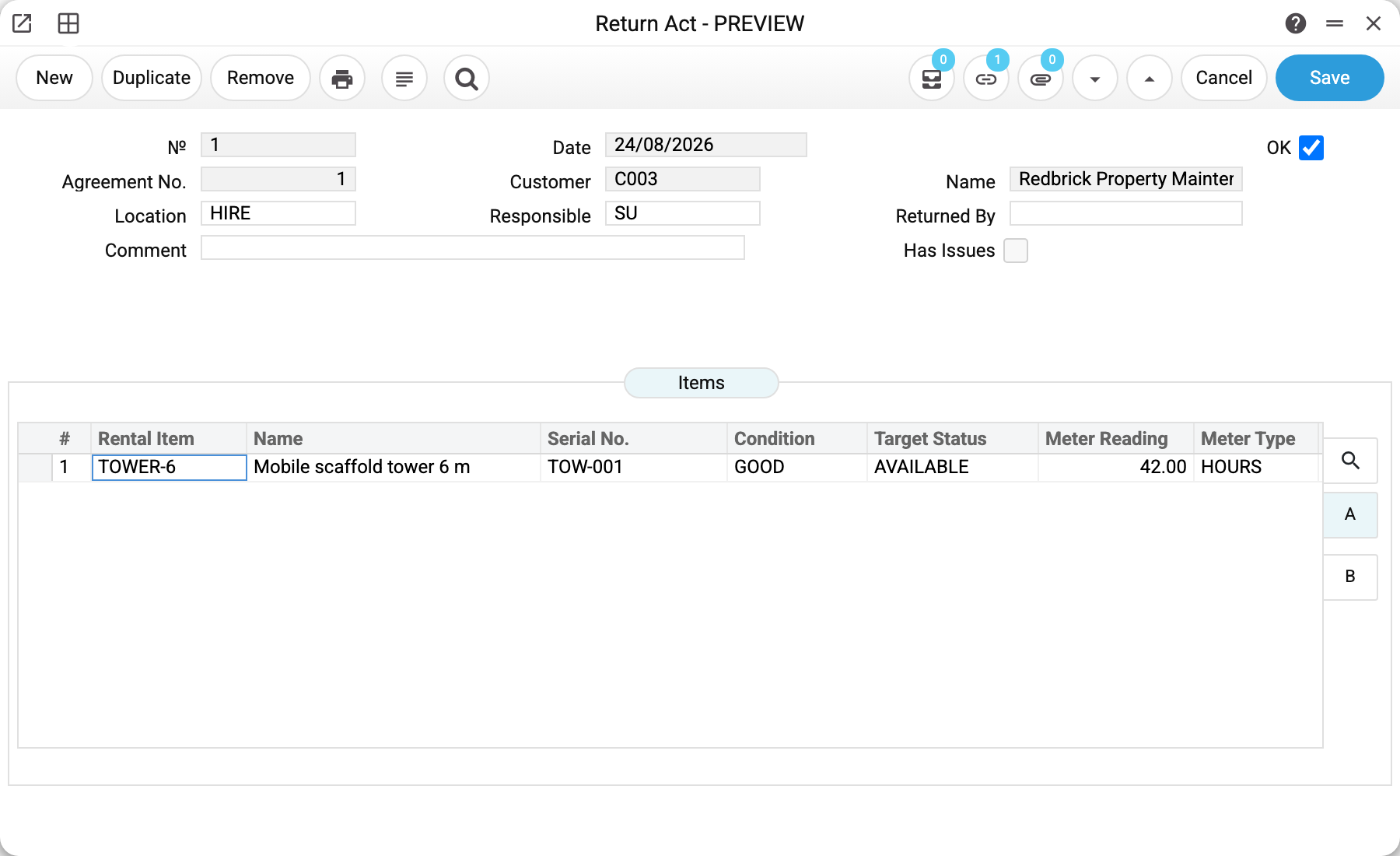
Act No. 1 of 24/08/2026 under agreement No. 1: the customer returned the scaffold tower early, the hire ran to 31/08.
The line reads:
| Item | Serial No. | Meter reading | Condition | Target status |
|---|---|---|---|---|
| TOWER-6 | TOW-001 | 42.00 | GOOD | AVAILABLE |
It went out at 0 and came back at 42 — that is the usage for the hire. The GOOD condition comes from the condition types register.
What posting does
- the unit moves to the status in the Target Status column — usually AVAILABLE (or RESERVED when another agreement has already booked it), and MAINTENANCE for damaged kit. The act accepts no other target: with any other one (DECOMMISSIONED, say) saving the act refuses with "Invalid target status" and lists the allowed ones;
- the agreement line becomes RETURNED, and the agreement's «Return Date» becomes the act date (from every confirmed act, not only the last one);
- a usage record is created: previous reading (from the last record of this unit, or from the card when there is none), current reading and the difference — if "Use Meters" is on in the rental settings and the line's reading is not zero. A reading below the previous one stops the confirmation: «Current meter reading cannot be less than previous reading»;
- once every issued unit on the agreement is back, the system ticks "Returned" and closes the agreement — status CLOSED; bookings of lines that were never issued are dropped at that moment.
Remove the OK and it all unwinds: the unit returns to RENTED, the usage record from this act disappears, and a closed agreement becomes ACTIVE again (bookings of never-issued lines dropped on closing do not come back). Removing the OK is refused when the agreement is cancelled or the unit has meanwhile been booked or issued under another agreement.
Fields for the post-mortem
- Condition — the overall verdict from the register;
- Damage Notes — what exactly is broken;
- Missing Parts — what is absent from the kit;
- Has Issues in the header — a flag that makes problem returns easy to find later.
None of these calculate anything, but they are what turns the act from paperwork into grounds for a deposit deduction or a repair invoice.
Typical situations
Not everything came back. Raise the act for what arrived: the agreement stays ACTIVE while a line is still open.
The equipment came back broken. Target status MAINTENANCE, condition DAMAGED, details in the notes. The unit will not enter the next hire until it is repaired.
The customer returned early. The act date is the actual one; the agreement closes, and any hire recalculation is done by invoice, not by the act.
Where to look next
- Issue acts — the start of the cycle.
- Usage records — where meter readings end up.
- Pool transfers — how to take a unit out of the fleet for repair.
Print variables
Values available in this document's printed form templates. How to write a variable in a template — see Print Forms.
Header fields:
| Variable | What it holds |
|---|---|
| RRA_No | № |
| RRA_Date | Date |
| RRA_Agreement_No | Agreement No. |
| RRA_Cust_Code | Customer |
| RRA_Cust_Name | Name |
| RRA_Location | Location |
| RRA_Responsible | Responsible |
| RRA_Returned_By | Returned By |
| RRA_Comment | Comment |
| RRA_Has_Issues | Has Issues |
| RRA_Agr_Start | Start Date |
| RRA_Agr_End | End Date |
| RRA_Currency | Currency |
| RRA_Manager | Salesman |
Row fields:
| Variable | What it holds |
|---|---|
| RRA_Obj_No | Row position number |
| RRA_Obj_Code | Rental Item |
| RRA_Obj_Name | Name |
| RRA_Obj_Serial | Serial No. |
| RRA_Obj_Condition | Condition |
| RRA_Obj_Target | Target Status |
| RRA_Obj_Meter | Meter Reading |
| RRA_Obj_Meter_Type | Meter Type |
| RRA_Obj_Damage | Damage Notes |
| RRA_Obj_Missing | Missing Parts |
| RRA_Obj_Notes | Notes |
The records the document refers to through its form fields (location, customer, currency…) also expose the rest of their variables — code and name are already listed in the tables above, the rest is described in the register's article:
- Company details — name, addresses, bank accounts, officers, the printing user: Main Company