Rozetka items
A mirror of the marketplace catalogue on your side. Each record is a product as Rozetka sees it: its id, its name, its category — and the article code that couples it to your item card.
Where to find it: Modules → Rozetka → Registers → Rozetka items
A worked example
The demo company has two Rozetka items — 100002 and 100001 (articles 000002 and 000001), both available.
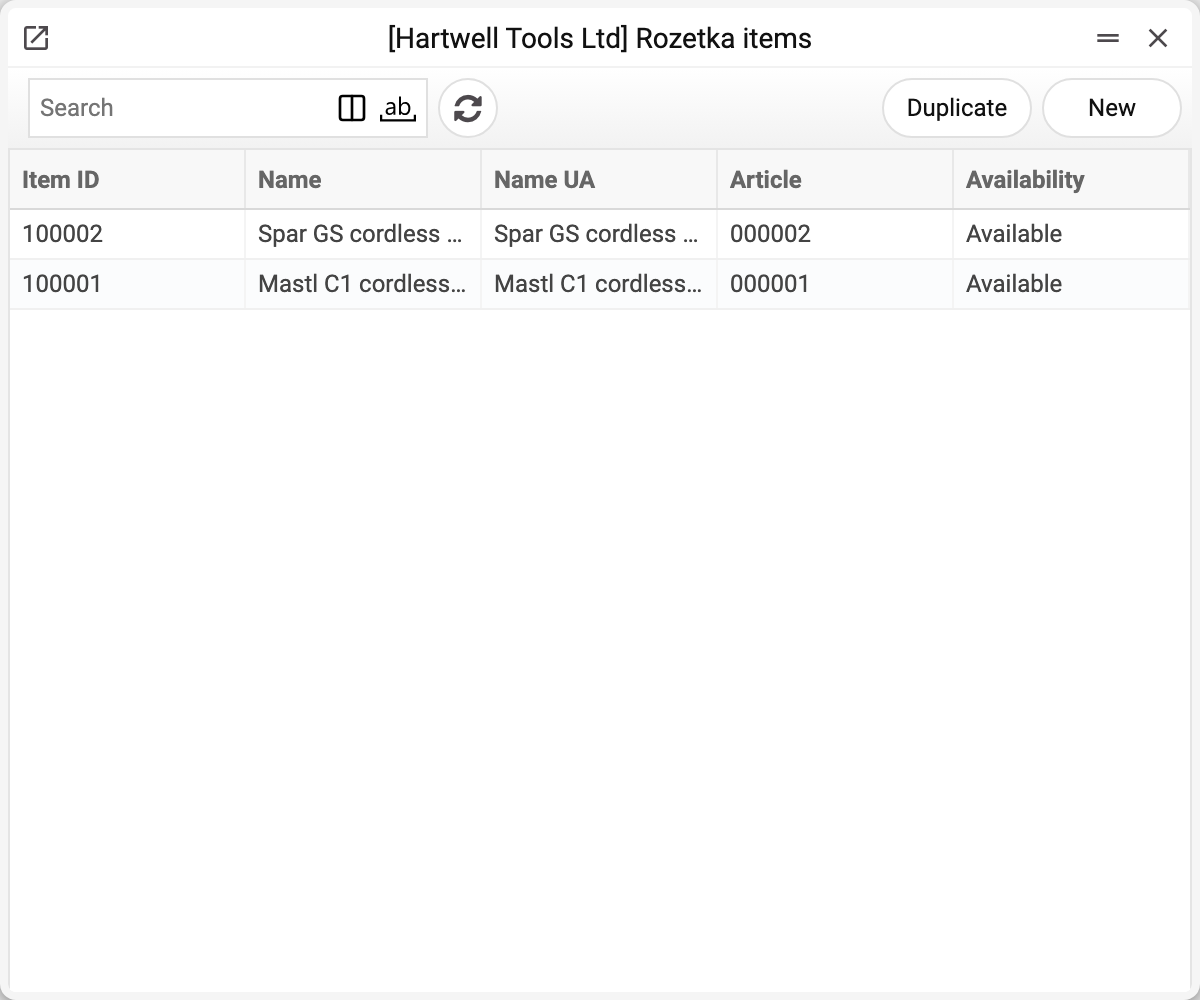
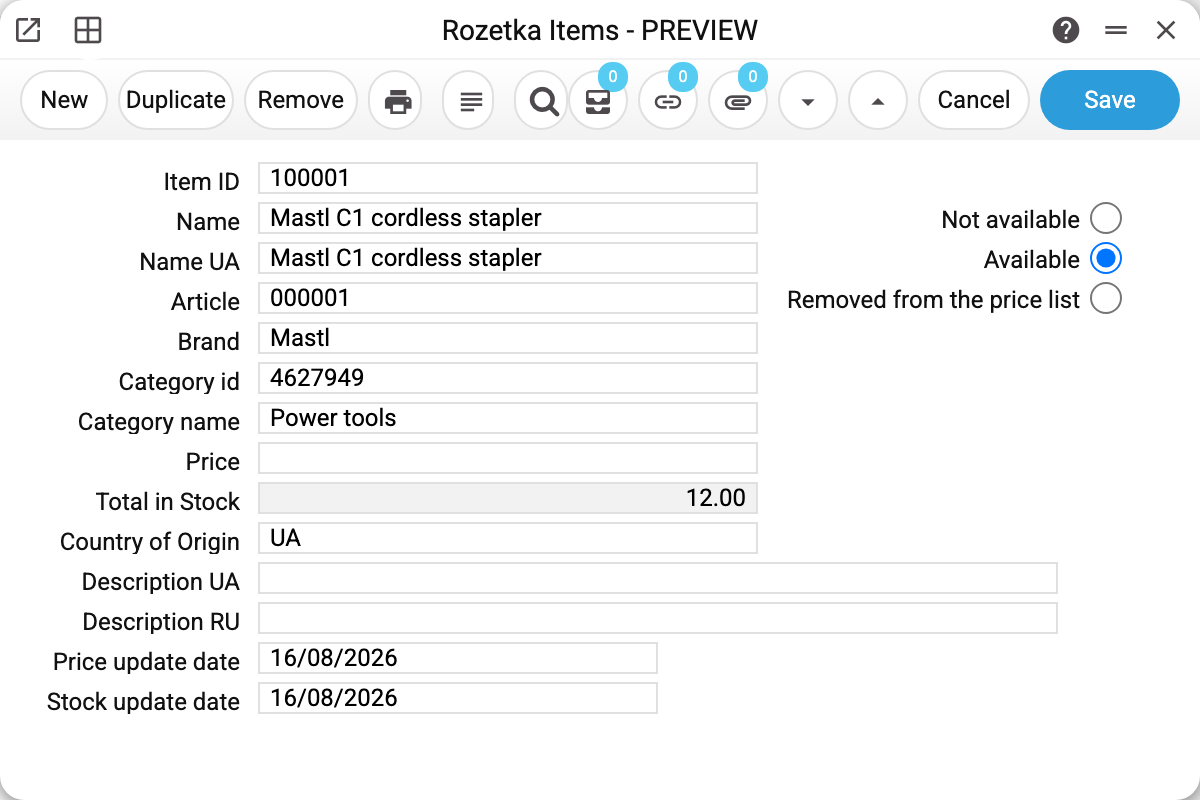
Item 100001: the Rozetka id, the names (Ukrainian separately), article 000001, brand, category, price, stock quantity and the dates price and stock were last updated.
Availability has three states, as Rozetka reports them: "Not available" (out of stock), "Available" (in stock) and "Removed from the price list". It is the item's state on Rozetka at the moment of the download: changing it here changes nothing on the marketplace — only the price and stock go there.
The article code is the coupling
The whole synchronisation rests on the article code. The Rozetka Price Stock Update service takes a record here, looks for an item with the same code in your register, and writes its price and stock into this very record. Another service sends them to the marketplace — Rozetka Items Update. No price for the article code — the price in the record stays as it was, and the code goes into the price service's summary ("Price not changed…").
Both names in the record — "Name" and "Name UA" — are the Rozetka storefront names: the download brings them from the portal, as it does the brand, category and description. What the product is called in your system is on its item card, found by the article code; names and descriptions are not sent from here to the marketplace.
Where the records come from
The catalogue is filled by the item download service, which pulls positions from the Rozetka portal and replaces the company's records with them wholesale. A position whose article code has no item card in your register is stored with the article "Not found …" — no price or stock is computed or sent for it. Records are created by hand only for testing: the next download wipes them.
Typical situations
A product does not update on the marketplace. Check the article code: it must match the code in the items register exactly.
The update dates are frozen. The service has not touched this product — read its message.
"Stock update date" is fresh, "Price update date" is old. The price and stock update found no rate for the price list's currency or no price for the product (neither in the price list nor on the item card) and kept the previous price — the article code is named in the warning of its summary.
A product vanished from the storefront. Check the minimum stock in Rozetka Options: while the stock is not above the threshold, Rozetka receives 0. Availability in this record is not sent to the marketplace — it is the state at the moment of the download.
Where to look next
- Rozetka categories — the tree the product lives in.
- Price and stock update — where the price and stock in a record come from.
- Items update — what actually goes to the marketplace.
- Rozetka Options — the exchange rules.