Rozetka Get Items
The service fetches product cards from the marketplace portal into the Rozetka items register. It is a snapshot of the storefront: what is listed right now, under which ids and names.
Where to find it: Modules → Rozetka → Maintenances → Rozetka Get Items
A worked example
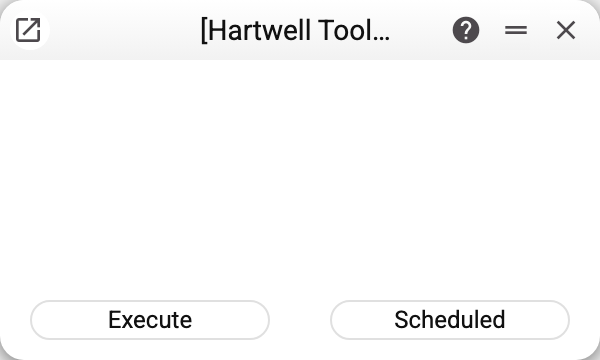
No parameters — just "Execute" and "Scheduled". The service knows where to go: the credentials live in the settings.
Why pull products back to yourself
The catalogue is yours already, surely. But the marketplace keeps its own position ids, and without them neither price nor stock can be updated: every later request goes by the Rozetka id. This service is what pairs the two systems as "your article code — their id".
The register is rewritten within the current company, so in a multi-company database each sees its own catalogue. If the account returns an empty catalogue, the register is left alone — the previous snapshot stays, and the service warns: "Rozetka returned an empty catalogue: "Rozetka items" was not changed". After an ordinary download it reports how many positions arrived: "Items loaded from Rozetka" and the count.
Products come in pages, separately for each availability state, and all pages are collected before writing: a Rozetka failure on any of them leaves the register unchanged — the previous snapshot stays, and the service refuses ("API request failed. Contact the administrator!" or "MAINTENANCE ERROR!"). If the Rozetka item register is shared from another company and yours is a subscriber, the service refuses before any exchange: only the main company updates a shared register.
The order of work
- Fill in the settings.
- Optionally, download the categories: a reference list the next steps do not need.
- Download the items with this service.
- Then two steps in a row: compute prices and stock and send them to the storefront. The module does not send card names or descriptions.
Typical situations
An article in the register starts with Not found. The storefront position has an article code that none of your items has (or it is spelled differently; letter case alone does not matter: abc-1 finds the item ABC-1 and goes into the register as the item code). The service warns about such positions right away: how many there are and the first ten article codes. They also stay in the register, and the price and sending services skip them. Create an item with that code or correct the article on Rozetka, then download the items again.
Prices did not change after the download. That is a different service — this one only brings the catalogue.
Where to look next
- Rozetka items — the result of the run.
- Price and stock update — what it is all for.