Recipes
A technological map answers one question: what it takes, and how much of it, to make one unit of a product. Not "which fields to fill in", but a recipe: this much material, this many hours of work on this machine — and one finished unit comes out.
Where to find it: Modules → Production → Registers → Recipes
The whole production module rests on it. A production order expands the map to the quantity you need, a production document consumes materials by it, and operations are cut from its stages.
A worked example
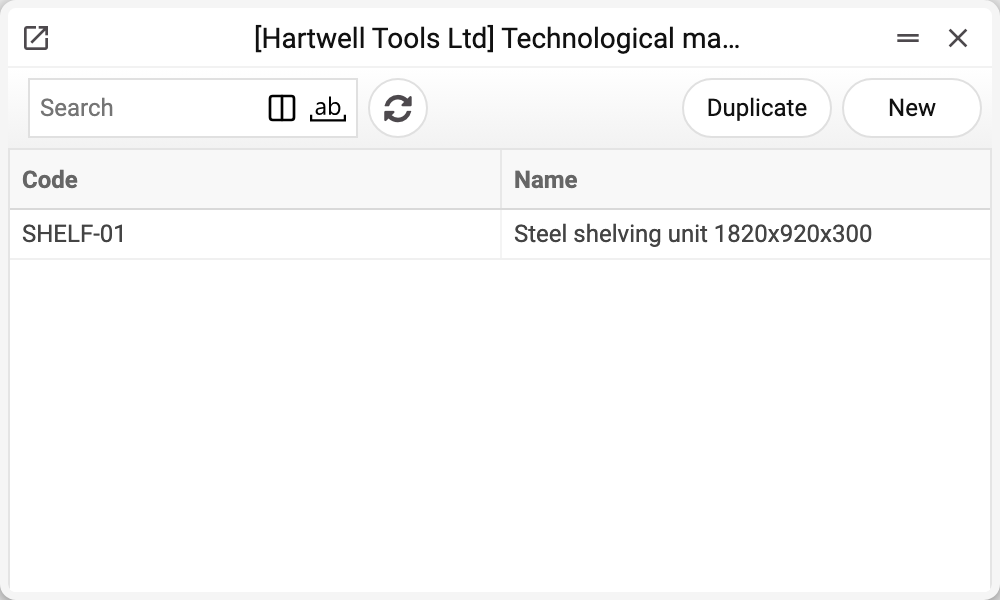
The demo company has one map — SHELF-01 «Steel shelving unit 1820x920x300».
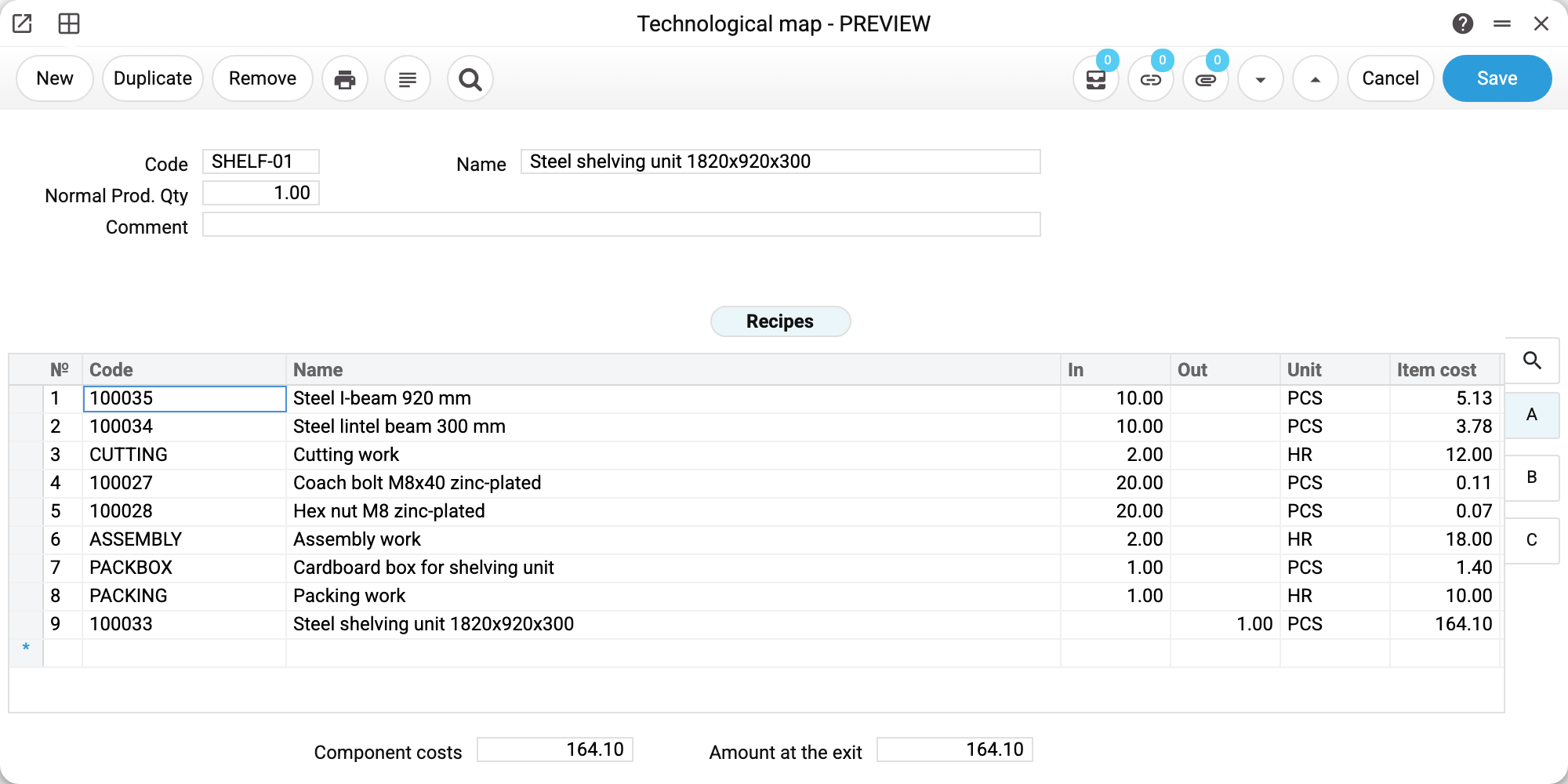
Map SHELF-01 "Steel shelving unit 1820x920x300", normal production quantity 1. The matrix reads top to bottom as a sequence:
| № | What | In | Unit | Item cost |
|---|---|---|---|---|
| 1 | Steel I-beam 920 mm | 10 | PCS | 5.13 |
| 2 | Steel lintel beam 300 mm | 10 | PCS | 3.78 |
| 3 | Cutting work | 2 | HR | 12.00 |
| 4 | Coach bolt M8x40 zinc-plated | 20 | PCS | 0.11 |
| 5 | Hex nut M8 zinc-plated | 20 | PCS | 0.07 |
| 6 | Assembly work | 2 | HR | 18.00 |
| 7 | Cardboard box for shelving unit | 1 | PCS | 1.40 |
| 8 | Packing work | 1 | HR | 10.00 |
| 9 | Steel shelving unit | out 1 | PCS | 164.10 |
The eight rows with an "In" figure are what gets consumed. The ninth, with "Out", is what comes out. Two totals sit at the bottom: component costs 164.10 and amount at the exit 164.10. They match because the price of the output row is the whole sum of the inputs, and the output here is one unit. With an output of more than one unit, the map's "Amount at the exit" total is that many times the component costs; production and the production order work out the unit cost themselves by dividing by the output.
Note rows 3, 6 and 8: cutting, assembly and packing are not materials but labour, measured in hours. Their item cards are of the "Work/Service" type with an hourly price; in the map they sit next to the materials and feed the cost the same way.
Stages and machines
Other tabs of the matrix (the shot shows tab A) carry more columns: machine on tabs B and C, stage and queue on tab C. They are what turns a flat list into a route:
- rows 1–3 (beams, cutting) — stage 1, "Cutting station no. 1";
- rows 4–6 (bolts, nuts, assembly) — stage 2, "Assembly bay no. 1";
- rows 7–9 (box, packing, output) — stage 3, "Packing area no. 1".
When production runs against this map, the system cuts one operation per unique stage — three operations carrying the same sets of rows. So the stage is not decoration: without it production is a single indivisible step.
More precisely, an operation is created per "stage + queue" pair: next to the stage there is a second column, Queue, worth splitting by when the same stage runs in several parallel streams. Both must be filled in, on every row: once a stage or queue is set on any row, the map (and a production made from it) will not save until every row has both a stage and a queue above zero — "Stage number is missing" or "Queue number is missing". In our map the queue is 1 on every row.
The machine has no say in how operations are cut: it is carried into the created operation — its description and the "Used Machine" and "Machine Group" fields — so the shop floor can see what to work on. A machine or group is set either on every row of the map or on none: otherwise the map will not save — "Enter machine or machine group". Who posts the stock is decided by the stages too, not the machine: with a stage and queue in the rows, the operations consume the materials and receive the output; without them, the production document does.
Typical situations
The product is made in batches of ten. "Normal Prod. Qty" does not change consumption: the quantity in the order and production header multiplies the map rows as they are, and the norm only raises the warning "Quantity must be a multiple of production norm" when the quantity is not a multiple of it. That leaves two working setups. Rows per single unit and a norm of 10 — the order states units (10, 20, 30), and the system warns if you enter, say, 15. Or rows for the whole batch with an output of 10 and a norm of 1 — the order states the number of batches. Do not combine batch rows with a norm of 10: an order for one batch gets the warning, and an order for 10 "by the norm" consumes materials for ten batches.
One product contains another. That is fine: put its code in a row. The second map is not expanded automatically — the sub-assembly has to be produced by its own production document and taken into stock.
The prices in the map are out of date. The cost in the map is planned. The actual cost comes from stock balances by FIFO, so a gap between plan and fact is normal and visible on the production document.
The map needs changing for one order only. Don't touch the map — edit the rows in the production order itself. The map stays the reference for everything that follows.
Where to look next
- Product orders — the plan assembled from the map.
- Production — the fact: materials consumed, goods received.
- Production operation — the map's stages as separate documents.
- Machines — the equipment the map's rows point to.
Print variables
Values available in this document's printed form templates. How to write a variable in a template — see Print Forms.
Header fields:
| Variable | What it holds |
|---|---|
| Code | Code |
| Str_name | Name |
| Normal_Prod_Qty | Normal Prod. Qty |
| Comment | Comment |
| In_Sum | Component costs |
| Out_Sum | Finished goods value |
Row fields:
| Variable | What it holds |
|---|---|
| No | Row position number |
| Item_Code | Code |
| Name-Full | Name |
| In_Qty | In |
| Out_Qty | Out |
| ItemCost | Item cost |
| W-cost | W-cost |
| Rel | Rel |
| Description | Description |
| Tech_map | Tech. map |
| Material | Material |
| Unit | Unit |
The records the document refers to through its form fields (location, customer, currency…) also expose the rest of their variables — code and name are already listed in the tables above, the rest is described in the register's article:
- Company details — name, addresses, bank accounts, officers, the printing user: Main Company