Shipments Report
The question this report answers: what left the warehouse during a period, and how much of it. Not stock balances and not movements, but a list of shipments broken down by line — with the quantity, price and sum of each item.
Where to find it: Modules → Stock → Reports → Shipments Report
!!! note "A shipment has no price or sum — the report takes them from the order" A shipment line only knows how much left. The «Price» and «Sum» in the report come from the line of the sales order the shipment was made from — more on that below.
A worked example
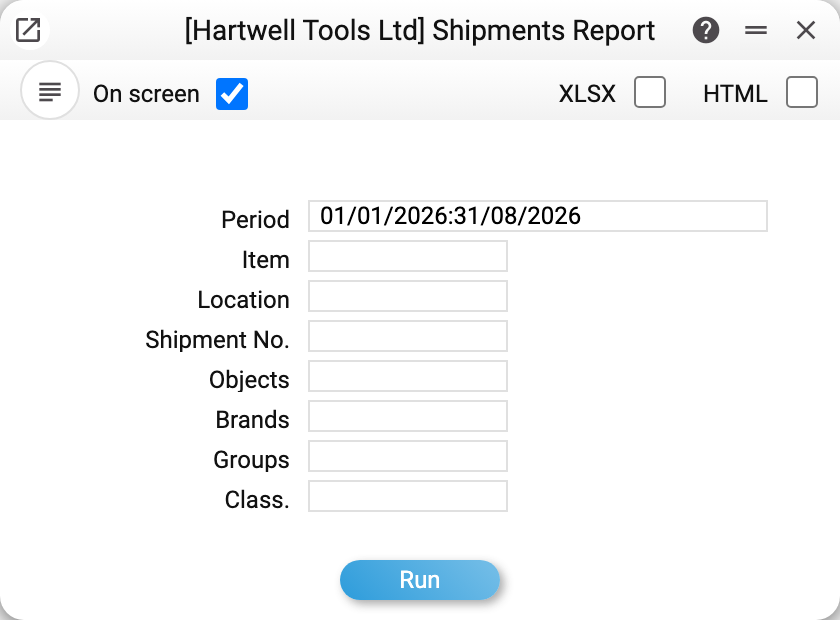
The report selects shipments by period — by the shipment date. The other fields of the window narrow the selection: item, location, shipment number, objects, brands, groups and classification. There are no «OKed / Not OKed» boxes as in the goods receipts journal: approved and unapproved shipments both get into the report.
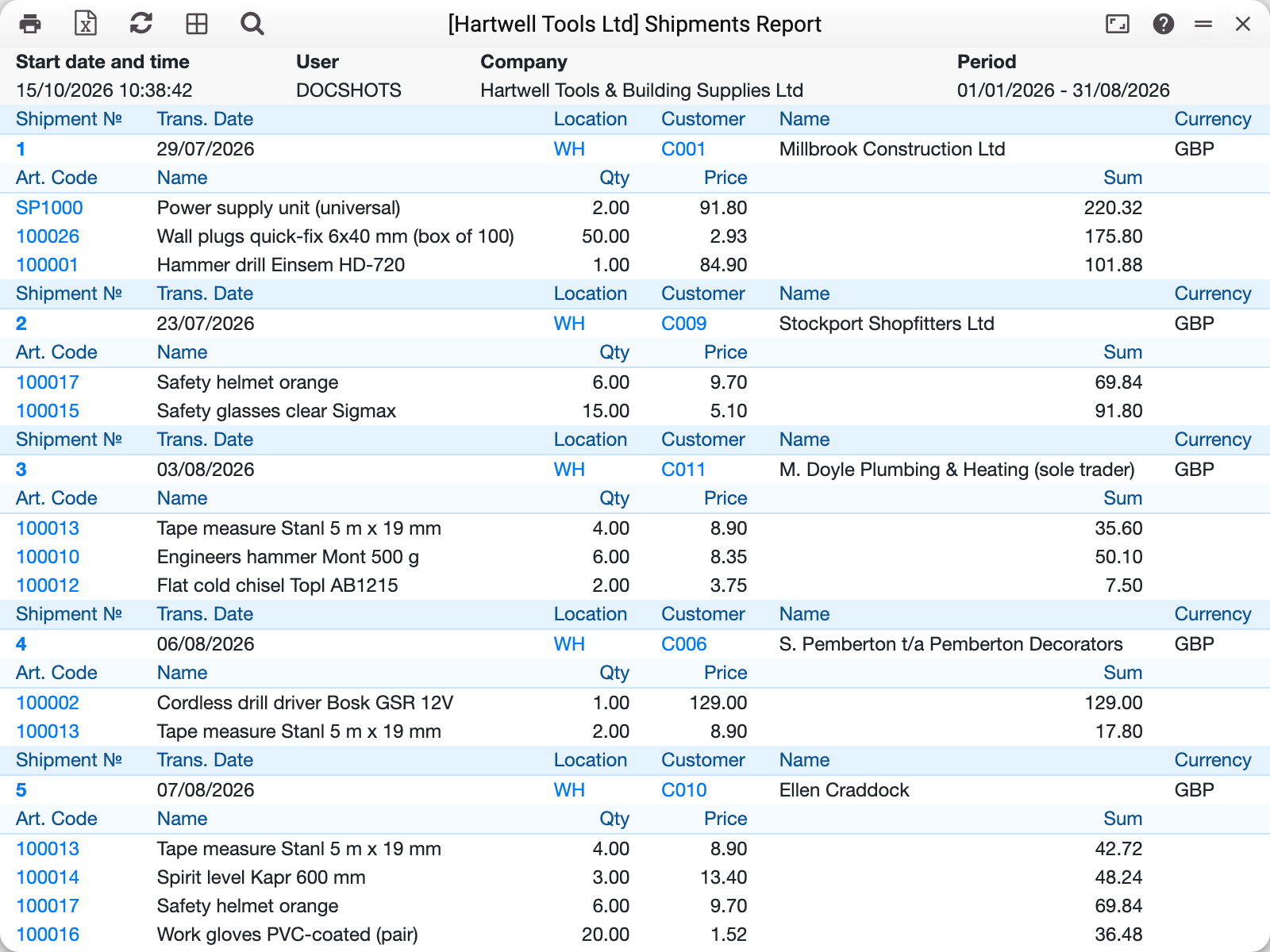
For January–August 2026 the demo company has five shipments, Nos. 1–5. They all sit in one table, document after document: a header row (number, shipment date, location, customer, customer name and currency) with the document lines below — item code, name, quantity, price, sum. The number, the location, the customer and the item code are links that open the matching card. The layout is the same as in the goods receipts journal and the stock movements journal, and, as with them, the report can be exported to Excel.
Documents come in the order they were created, not by date: shipment No. 1 of 29/07 comes before No. 2 of 23/07. At the end comes a «TOTAL» block: a row per location with the shipped quantity and sum, one row per currency. Currencies are never added together; a line without a price (see below) counts in the quantity but not in the sum.
Where the price and sum come from
Every shipment line remembers the order line it was made from. That is where the report takes the money from:
- «Price» — the price of the order line;
- «Sum» — the sum of the order line divided by the ordered quantity and multiplied by the shipped one, rounded the same way as an invoice made from this order.
Shipment No. 2 is the first part of order No. 4 for Stockport Shopfitters Ltd: 6 helmets at 9.70 and 15 pairs of glasses at 5.10. The sum for the helmets is not 58.20 but 69.84: the order prices exclude VAT, and the sums of its lines already carry 20% tax. So the report's «Sum» is what the order says: with tax if the order includes it, net of the line discount, and in the order's currency — shown in the «Currency» column of the document header. A shipment without an order shows its own currency, or the base one if it has none.
The report finds the order line by the link the shipment line remembers when it is created from the order, so reordering the lines in the order does not mix up prices. A shipment line without that link is matched to the order line by its position in the order. The price and sum stay empty when there is nowhere to take them from: the shipment has no order, or the order line now holds a different item (the order was edited after the shipment). If the ordered quantity is zero, the price is shown but the sum stays empty.
How the filters work
- Item, location, shipment number — exact match;
- Objects — by the «Objects» field of the shipment header: a shipment qualifies if it has at least one of the filter's objects. A shipment with objects
A,Bis found byAand byB; several objects in the filter — comma-separated; - Brands, groups, classification — take several comma-separated values; an item fits if it has at least one of them. An item card may carry several classifications — any of them counts;
- the item filters apply to LINES: a shipment gets into the report if at least one of its lines fits, and it shows only those lines.
Common situations
The report is empty. Check the period — it goes by the shipment date, not the order date.
The report shows a shipment, but the goods are still in stock. The report does not tell approved shipments from unapproved ones and does not show the document state. A shipment that was created but not approved is already here, although the stock has not moved. Check the state in the document itself.
The price and sum are empty. The shipment was made without an order, or the order was changed after the shipment — see «Where the price and sum come from».
The sum is not quantity × price. That is expected when the order adds VAT on top: the price is without tax, the sum is with it. The same happens when the order line has a discount: the price is before the discount, the sum after it.
Where to look next
- Shipments — the document itself.
- Sales Orders Status — what has already left, been invoiced and paid for one order.
- Goods receipts journal — the same for incoming goods.