Cash Book by Operation Records
The cash balance and every movement behind it for a period — per till and per account. It answers the cashier's main question: how much money should be in the till today, and where did that figure come from.
Where to find it: Modules → Cash Book → Reports → Cash Book by Operation Records
The key difference from the cash in journal and the cash out journal: those are built from cash documents, while the cash book is built from postings. That is why it sees every document that touches the cash account — customer payments, retail sales, service invoices — not only receipts and payments.
Parameters
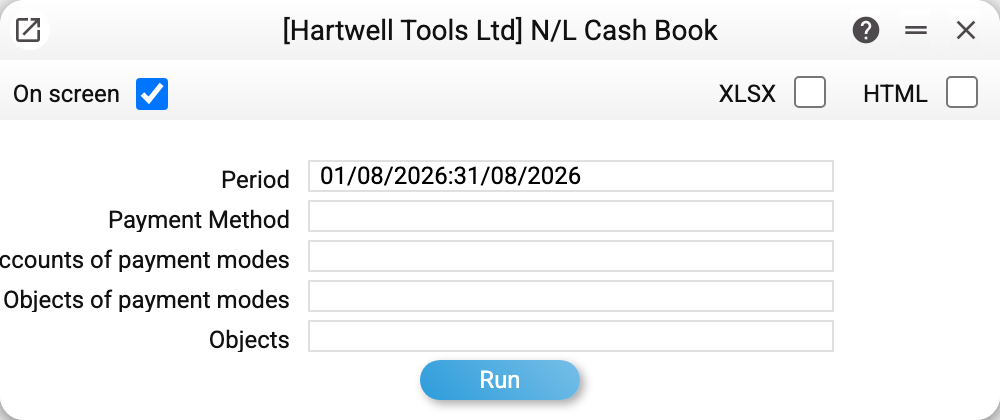
- Period — the frame of the report. The opening balance is calculated from every movement before that date.
- Payment Method — show one till or several: codes separated by commas. The window expands each code to its till, adding every payment method of the same till (same account, objects and currency) to the field. Picking from the list also fills empty "Accounts of payment modes" and "Objects of payment modes" with the till's values, when all the chosen tills sit on one account with the same objects.
- Accounts of payment modes — the tills on one account. One account, matched exactly: "301" shows the tills that sit on 301 itself, not those on sub-accounts 3011, 3012.
- Objects of payment modes — selects tills by the objects attached to the payment method. The whole objects entry of the payment method is compared: a till with objects "A,B" is found by "A,B", not by "A".
- Objects — filters the entries themselves: only those carrying all the listed objects stay; an entry with no objects does not qualify. The filter also applies to the opening and closing balances and to the "Total for the accounts" row.
- Display empty accounts — also show the tills that have neither a balance nor any movement in the period. Unchecked by default. When a payment method is chosen, its till with neither a balance nor a movement shows even without the box if it has at least one entry — before the period or in it (in the period — even one dropped by the "Objects" filter); a till with no entry at all shows only with the box.
The till filters work together. If together they match no till — say, the payment method sits on account 301 while "Accounts of payment modes" holds 311 — the report does not run and says: "No payment method matches the selected filters".
A worked example
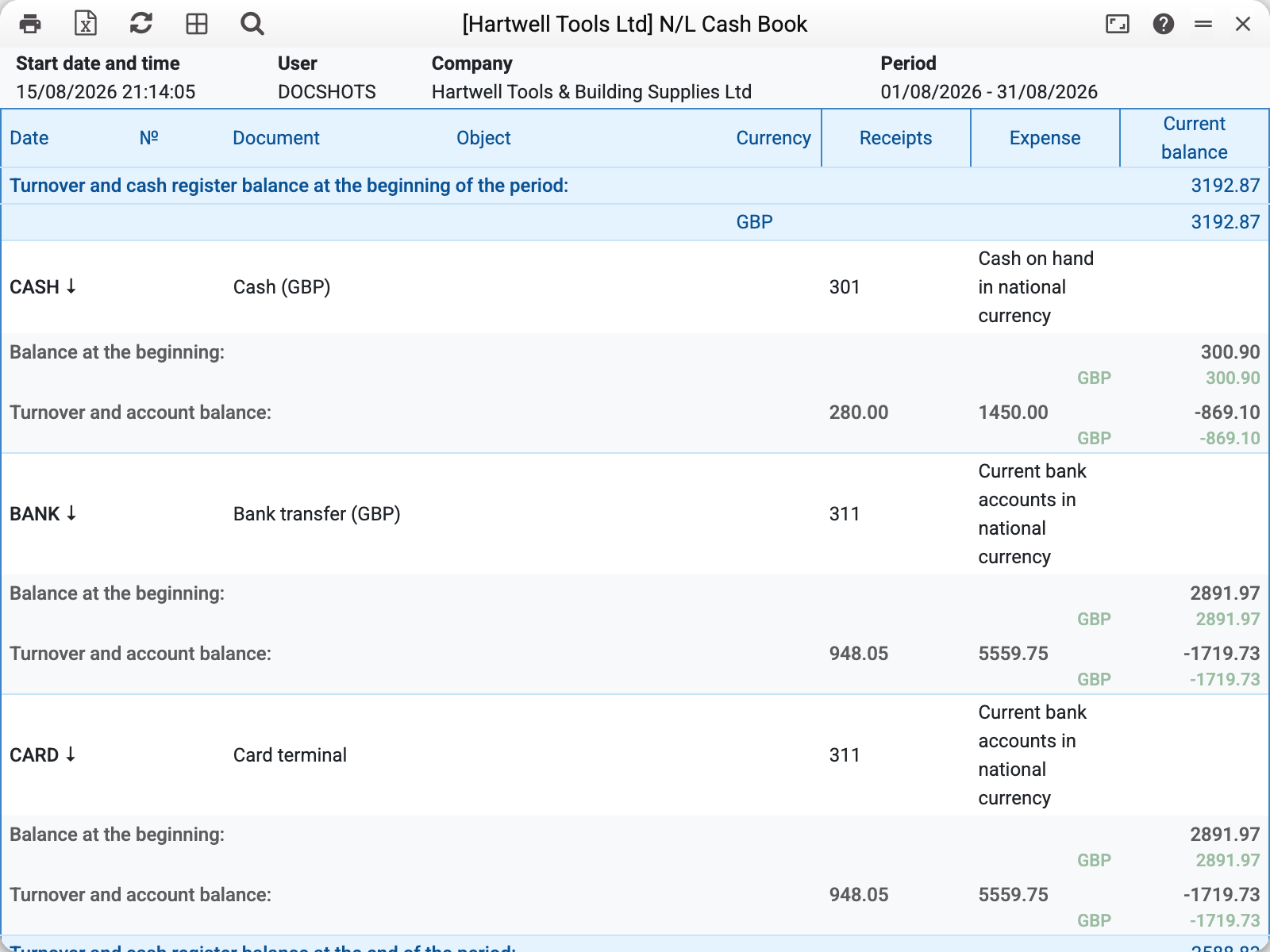
The report is split into blocks per till. Each has an opening balance, the turnover for the period and the closing balance; a currency till also shows its opening and closing balance in the currency. The totals for all tills open and close the report. With more than one block each is collapsed into a line; click a till's header to expand its movements.
A till is a payment method together with its account, objects and currency. Several payment methods that share all of these are one till: the report shows them as one block, with the codes comma-separated in the header. A block shows the account's entries carrying that till's objects and currency. So two tills on the same account that differ, say, only in currency, while the account's entries do not tell them apart, show identical figures — that is not a bug: they are two views of the same money.
That is why the totals count each entry exactly once. If the totals added the blocks up, they would overstate the balance by as many times as there are tills seeing the same entry.
Account entries that belong to no cash register. An entry on a cash account with no object of any cash register, with an object no payment method has, or an exchange revaluation in the base currency on a currency account falls into no cash register. If there are such entries and they do not net to zero, the report adds two more rows under the cash register totals, at the beginning and at the end of the period: "Account entries outside cash registers" — their sum, and "Total for the accounts" — the balance of the accounts with all their entries, as in the Nominal Ledger Report (with the "Objects" filter — only entries with those objects). For asset accounts (cash and bank) "Money now" in the Payment calendar and the "Money on accounts" dashboard tile count the same way. The rows appear only without a cash register filter (payment method or "Objects of payment modes"): with a filter the report is about the chosen cash register.
The movements of a single till
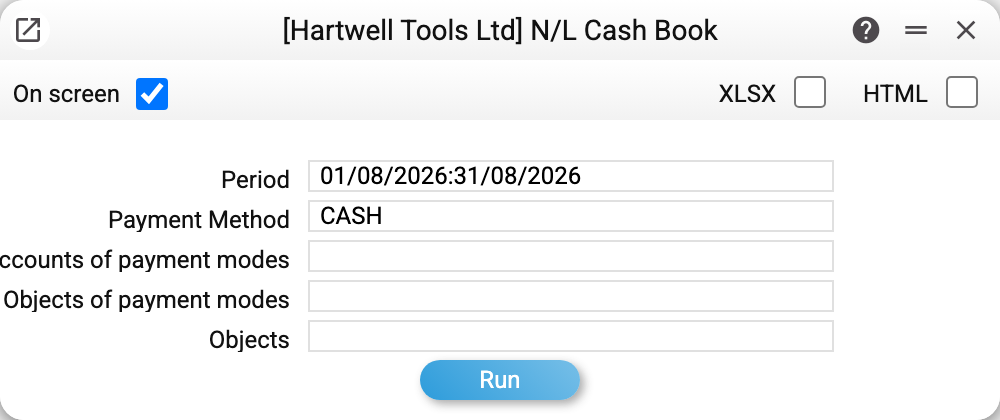
Filtering by payment method (here CASH for August 2026) leaves one block — and it comes expanded into the cash book proper, a ledger of movements:
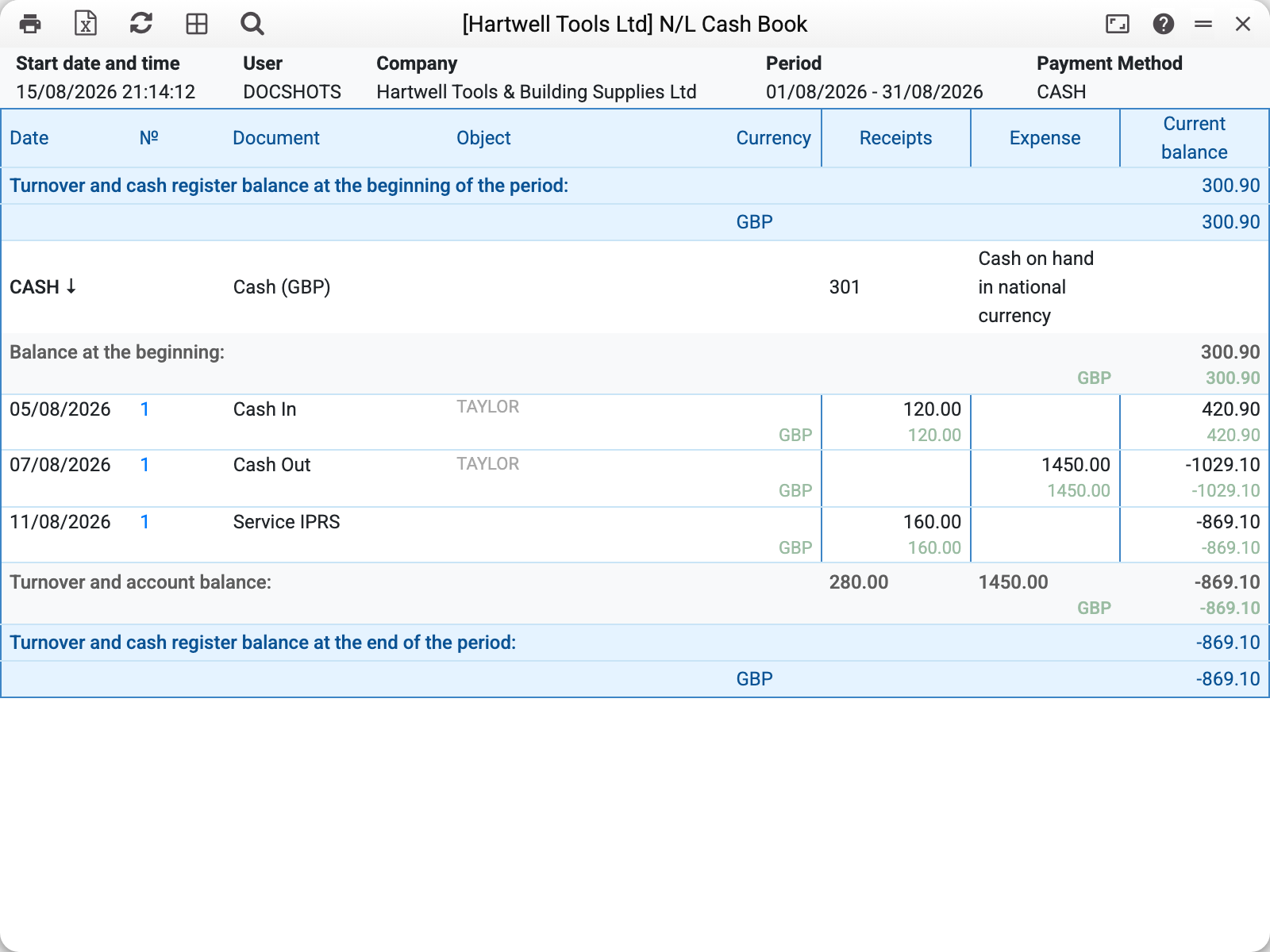
Here you can see which documents brought the money in and took it out:
| Date | Document | Object | Receipts | Expense | Current balance |
|---|---|---|---|---|---|
| 05/08/2026 | Cash In No. 1 | TAYLOR | 120.00 | 420.90 | |
| 07/08/2026 | Cash Out No. 1 | TAYLOR | 1450.00 | −1029.10 | |
| 11/08/2026 | Service Payments No. 1 | 160.00 | −869.10 |
The current balance column is the running balance after every operation. Use it to find the moment the till went negative or drifted away from the money actually in the drawer.
Note the third line: a service invoice is not a cash receipt, yet the money landed in the same till. So of the documents in the cash in journal for the same month only one (No. 1) concerns this till, while the till was topped up twice.
The number in the "№" column links to the operation record the line was made from; the document itself opens from its menu — "Open original transaction". A Forward Balances line opens its document directly.
How to use it
The daily cash count. The closing balance is what should be in the drawer. If it disagrees with reality, walk the ledger of movements to find where they parted.
A negative balance is a signal, not a broken report. It means more money was paid out than was ever booked in: some receipts are unapproved, or were never entered at all. Another cause: a payment landed on the cash account without the till's object or currency — then it is in "Account entries outside cash registers", not in the till's balance. Check for unapproved documents, that row, and money that bypassed the system.
Reconciling against the journals. The cash in journal lists cash receipt documents of all tills (by default unapproved ones too), the cash book — the approved entries of one till's account. So they are not subtracted from each other directly: the cash book also has customer payments, retail, service, forward balances and manual operation records, while the journal has other tills' documents and drafts.
A bank account is a till too. For the system a "till" is any account behind a payment method. The same report follows a current account and reconciles it against the bank statement.
Where to look next
- Cash In and Cash Out — the documents that move the till directly;
- Cash In Journal, Cash Out Journal — the same money in terms of cash documents;
- Payment Methods — which tills the company has and which accounts they sit on;
- Trial balance — the balance of the same account as the accountant sees it.