Vendor Payments Journal
How much money went out to suppliers over a period, to whom and for what. It mirrors the client payments journal: there money comes in, here it goes out, and the total is broken down by payment mode in the same way — cash desk, bank, card terminal.
Where to find it: Modules → Purchase Ledger → Reports → Vendor Payments Journal
A worked example
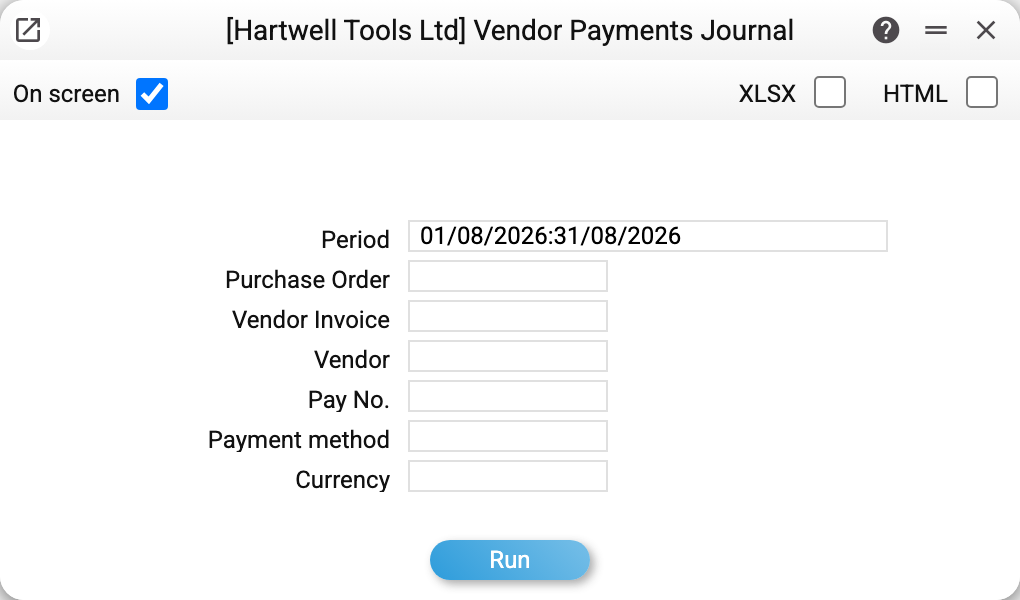
Let us take August 2026:
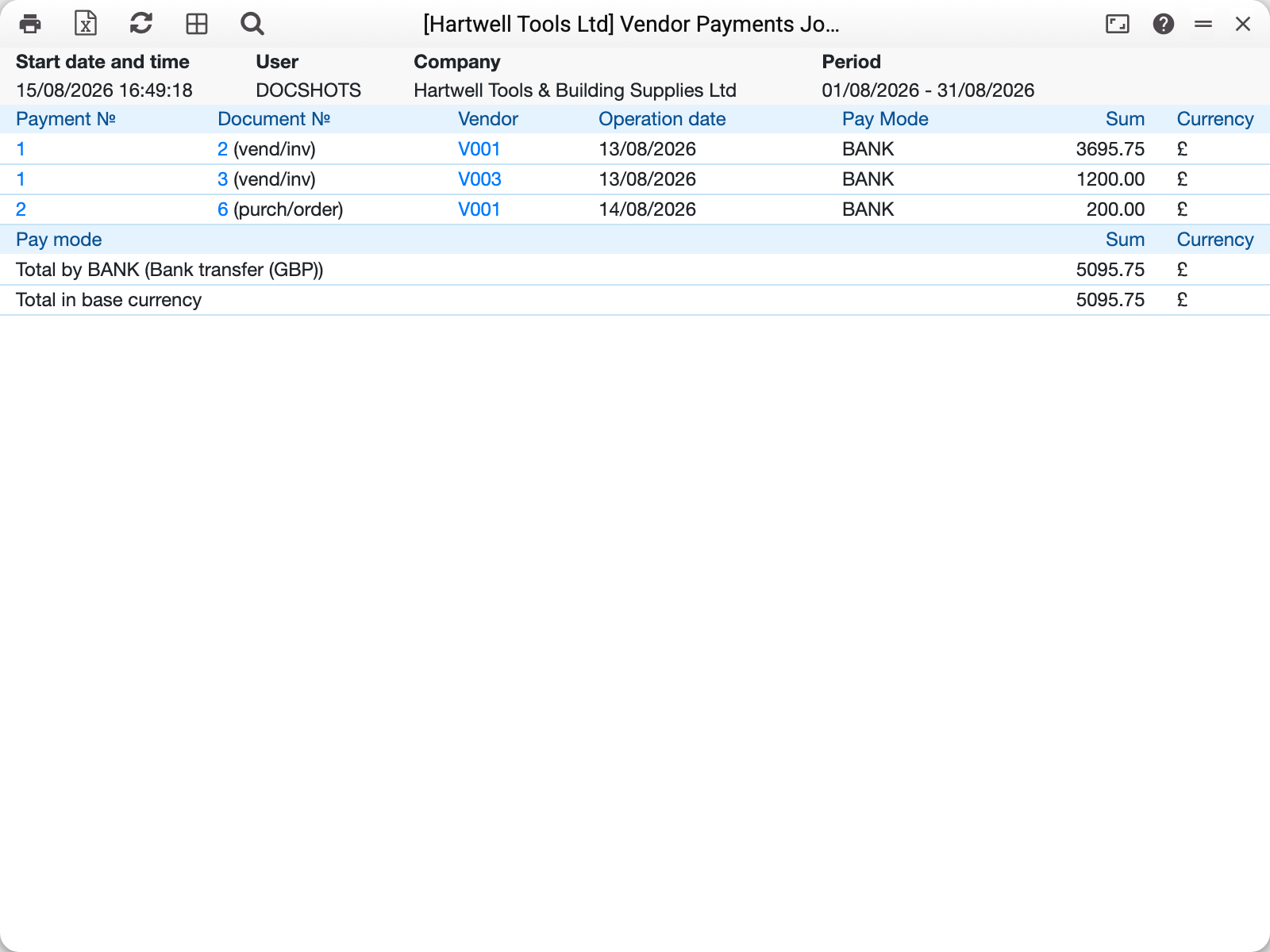
Three rows, each with its own reason — and that is the point of the report:
- payment No. 1, document 2 (vend/inv) — 3695.75 GBP against vendor invoice No. 2 (Sheffield Tool Distribution Ltd);
- payment No. 1, document 3 (vend/inv) — 1200.00 GBP against invoice No. 3 (Union Fixings Wholesale Ltd); the same payment, because one document settled two invoices;
- payment No. 2, document 6 (purch/order) — 200.00 GBP paid in advance against purchase order No. 6.
The tag in brackets next to the document number answers the question "what was this paid for": vend/inv — against an issued invoice, purch/order — in advance against an order. An advance with no order has no document number at all.
The lower table is the total by payment mode: "Total by BANK (Bank transfer (GBP)) 5095.75" and "Total in base currency 5095.75". If the month included both cash and bank payments, each mode gets its own line — the bank figure can be matched against the statement, the cash figure against the cash book. Strictly, a line goes to each pair of payment mode and currency: payments by one mode in two currencies give two lines, each in its own currency.
Where the figures come from
Only approved payments (with the OK flag) dated inside the period get into the report. A draft prepared for the next payment run does not appear — rightly so: the money has not left yet.
A report row is a payment row, not a whole document. A payment that settled three invoices produces three rows with the same number. That is why the journal always ties up with what physically left the account rather than with the number of documents.
The amount is shown in the payment currency, while the bottom line "Total in base currency" converts everything into the company's base currency at the row's rate. In a multi-currency company these two figures will differ — as they should.
Parameters
| Parameter | What it does |
|---|---|
| Period | Range by the payment transaction date |
| Purchase Order | Keep only advances against a particular order |
| Vendor Invoice | Keep only settlements of a particular invoice |
| Vendor | A single supplier |
| Pay No. | A particular document |
| Payment method | Cash desk, bank, terminal — one code at a time |
| Currency | Keep payments in one currency |
The order and invoice filters narrow the report down to one reason: give an invoice number and the advances disappear, give an order number and only the advances against it remain. The order filter does not show the settlement of an invoice raised from that order: such a payment row carries the invoice, not the order. Give both numbers and the report shows the advances against the order and the settlements of the invoice together.
Before running, the report checks that the vendor, order, invoice, payment number, payment method and currency you entered exist and that the period is not reversed — and refuses, naming what was not found.
Common situations
We paid, but the journal is empty. Most often the payment is not approved: open the vendor payment and check the OK flag. The second reason is a transaction date outside the reporting period.
The total does not match the bank statement. Look at the total for the relevant payment mode, not at the overall one: "Total in base currency" adds cash, bank and terminal together and by definition matches no single statement.
It is unclear what the money was for. The "Document №" column with the tag in brackets is the answer. If it is empty, the payment is an advance tied neither to an invoice nor to an order; its fate is shown by the prepayments history.
A comparison with debts is needed. The journal only shows cash movement. How much is still owed is the vendor payments information and the aged debt report.