Financial Result
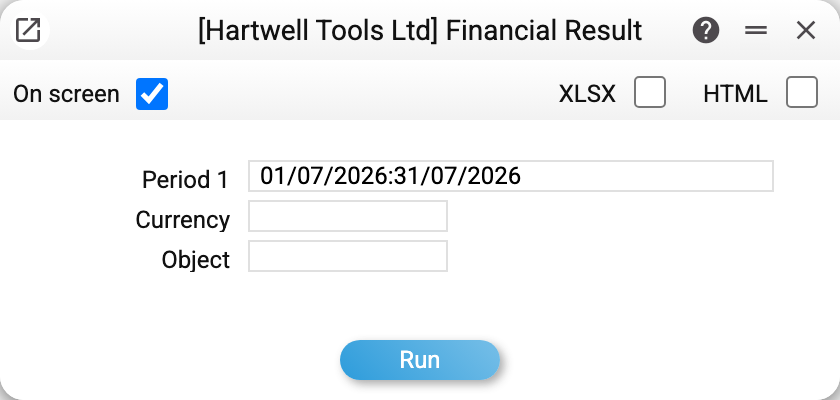
A ready-made income statement following the Ukrainian statutory Form 2: rows coded 2000–2350, with the method and accounts of every row hard-wired. Nothing to configure — pick a period and run. If you need your own report structure (different rows, different accounts, budget comparisons), that is what the Financial Report Builder is for.
Where to find it: Modules → Nominal Ledger → Reports → Financial Result
Worked example
July 2026 in the demo database:
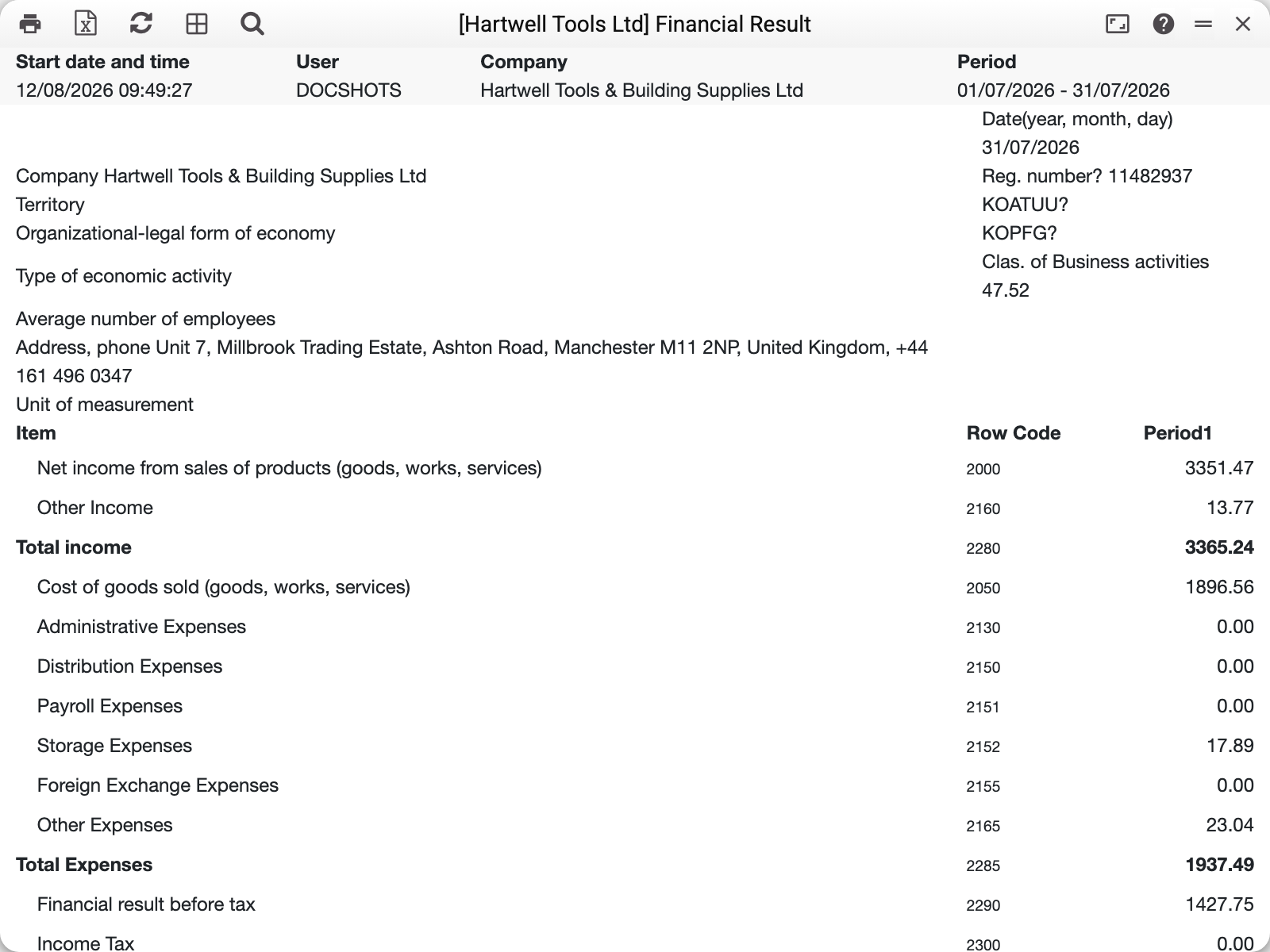
- 2000 Net income — 3,351.47: credit turnover of accounts 701–704 minus debit turnover (returns reduce revenue).
- 2050 Cost of goods sold — 1,896.56; together with the other expense rows it makes 2285 Total expenses 1,937.49.
- 2290 Financial result before tax = 2280 − 2285 = 1,427.75; there was no tax in the period, so 2350 Net profit (loss) is the same.
Cross-check: the Financial Report Builder with the demo "PNL" definition for the same July reports a profit of 1,427.75 — to the cent. Two different reports, one ledger.
Hover over a row name — the tooltip shows its method: which accounts, which side, what gets subtracted.
Where the data comes from and what to know about the method
- The form reads postings (Transactions) and opening balances (Forward Balances) for the period — every document that produced postings; drafts with no postings are ignored. Forward balances are the exception: they count as soon as they are saved, with OK or without.
- Every row is the turnover of a fixed set of accounts for the period: credit minus debit for income, the reverse for expenses. Each account is taken together with its subaccounts — the chart accounts whose number starts with it: postings to 7011 land in the row of account 701.
- Transactions whose correspondence involves the closing accounts 791–794 or their subaccounts (7911…) are excluded: the year-end closing does not inflate the form's income and expenses.
- The total rows (2280, 2285, 2290, 2350) are formulas over other rows, just like the paper form.
- The header details (name, registration number, activity code, address) come from the "Main Company" setting.
Parameters
| Parameter | What it does |
|---|---|
| Period 1 | The report period |
| Currency | Count only transactions in this currency — in its amounts (for the base currency — base amounts); empty — all transactions in the base currency |
| Object | Only transactions whose row carries this object |
Common situations
The numbers differ from "my" P&L built in the constructor. Compare the account sets: Form 2 is fixed (701–704, 901–904, 921, 931…), while the ranges in your definition may differ. The second difference is period-closing transactions (entries with accounts 791–794): «Financial Result» leaves such a transaction out entirely, while the constructor counts its turnover. The third is subaccounts: Form 2 takes an account together with its subaccounts, while in a constructor definition a single account is taken exactly, without subaccounts, and a range follows the order of numbers: «701:704» covers 7011 but not 7041. With identical account sets and an empty «Currency» field the totals match when the period has no closing transactions. With a currency selected, even the base one, the reports can differ: Form 2 takes only transactions where that currency is set explicitly, while the constructor counts transactions with no currency as base-currency ones.
"Income tax" is empty. There were no transactions on accounts 981–982 in the period — the form shows ledger facts, not what "should have been" accrued.
Setting an object made the revenue drop. By design: only the share of transactions whose row carries that object is counted. Rows without the object do not enter the filtered report.