Rozetka Price Stock Update
The module's most frequently run service: it works out two things — what it costs and how many there are — and writes them into the Rozetka items register. The numbers reach the storefront in the next step — the Rozetka Items Update service.
Where to find it: Modules → Rozetka → Maintenances → Rozetka Price Stock Update
A worked example
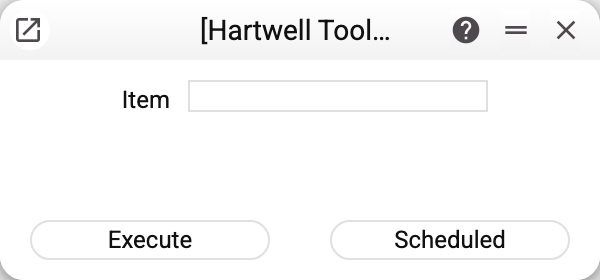
It runs either across the whole catalogue or for a single product — handy when one position needs fixing urgently, without waiting for a full pass.
How the stock figure is worked out
This is the interesting part. For each product the service:
- takes the article code from the Rozetka register and looks for the same code in the items register;
- collects stock across every location listed in the settings and adds it up;
- subtracts what is ordered or reserved, depending on the counting method chosen there (a negative result becomes zero);
- takes the price from the nominated price list (if it has none, the "Price" on the item card) and converts it into the company's base currency at the price list currency's rate (for a Ukrainian company, into hryvnias). The "Currency" in the settings matters only when the price list has no currency of its own: its prices are then taken to be in that currency;
- writes the quantity and the stock update time into the product's row of the Rozetka items register, and the price with the price update time only when the price comes out above zero.
With no rate for the price list's currency, or no price for the product either in the price list or on the item card, no zero is written: the previous price stays, while the stock is updated as usual.
If a product has no "Item Statuses" row on any location of the settings, the stock stays as it was while the price is updated: it does not depend on the location. Several register rows can carry one article code — all of them are updated.
The minimum stock from the settings is not applied here — sending to the storefront takes it into account.
A product with no article-code match simply never enters the selection — which is why the coupling matters so much.
When it finishes, the service reports how many rows it updated: "Rozetka items updated: …". If some products kept their previous price, the summary comes as a warning listing their article codes: "Price not changed (no exchange rate for the price list currency or no item price): …" — the first 20 codes, the rest as a count.
Typical situations
The register shows new numbers, the storefront does not. This service sends nothing to the marketplace: run Rozetka Items Update after it.
The quantity is lower than the warehouse figure. By design: what is ordered or reserved was subtracted, per the counting method in the settings.
The price did not update. Look at the service's summary: if the article code is named in the "Price not changed…" warning, there was no rate for the price list's currency or no price — neither in the settings' price list nor on the item card — or the price list has 0 for it: a 0 in the price list is a price too, and the item card is then not used. Add the rate or the price and run the service again.
One product needs fixing. Run the service for that article code — quicker than a full pass.
Where to look next
- Rozetka options — locations, counting method and minimum stock.
- Rozetka items — the article-code coupling and the computed numbers.
- Rozetka Items Update — the next step: sending prices and stock to the marketplace.