Print Receipt Settings
This setting holds two values — a computer name and a printer name. At present it is a precondition for printing a receipt from an order: while the fields of the setting record are empty, the receipt does not print. It does not decide where the receipt goes: the receipt lands in the print queue, where a device collects it.
Where to find it: Modules → Print Receipt → Settings → Print Receipt Settings
A worked example
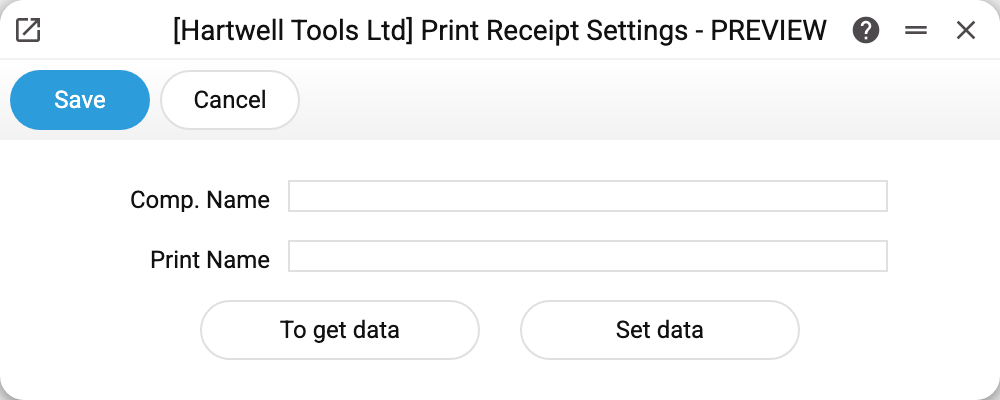
Two fields and two buttons:
- the first field is the computer name;
- the second is the printer name;
- "To get data" — the ERPJS server asks the print service on port 3000 of its own computer for those values and fills them in; if the service does not answer — "Contact the Administrator";
- "Set data" passes the form's values to that same service on the server's computer; if the service does not accept them — the same "Contact the Administrator", if it does — no message. This button writes nothing to the setting itself.
The fields show what is stored in the setting. Fill them in by hand or with "To get data"; they are written by the window's ordinary save.
What the system does with these values
Not much. Printing a receipt from a sales order only checks that both fields of the setting record are filled: empty — the refusal "You need to set a 'Print Receipt Settings'". The receipt itself lands in the print queue without the workstation or the printer, and it is printed by the device that polls the queue. The server does not see the printers of the user's workplace and does not print on them.
Typical situations
The receipt does not print and the system asks to set "Print Receipt Settings". The computer name or the printer name in the setting is empty. Fill in both fields and save the setting.
"Receipt added to queue", but nothing on paper. Look at the print queue and the printers: the receipt is printed by the device that collects jobs from the queue, not by the printer named here.
The printer was replaced. The new device is registered in printers; the values of this setting do not affect where the receipt prints.
Several tills. The setting is one per company and does not decide which device prints the receipt anyway.
Where to look next
- Default labels — label printing rather than receipts.
- Print queue — where an order receipt and labels made from "Items Labels" templates go (labels by the labels print setting are a PDF in the browser, bypassing the queue).