Service Locations
Separate stores for customer devices: this is where the units taken in for repair physically go. These are not goods warehouses — your own goods and parts live in the ordinary locations, while here lies other people's property that must not get lost.
Where to find it: Modules → Service Orders (also in modules: Stock) → Registers → Service Locations
The register lives in the Service Orders module.
A worked example
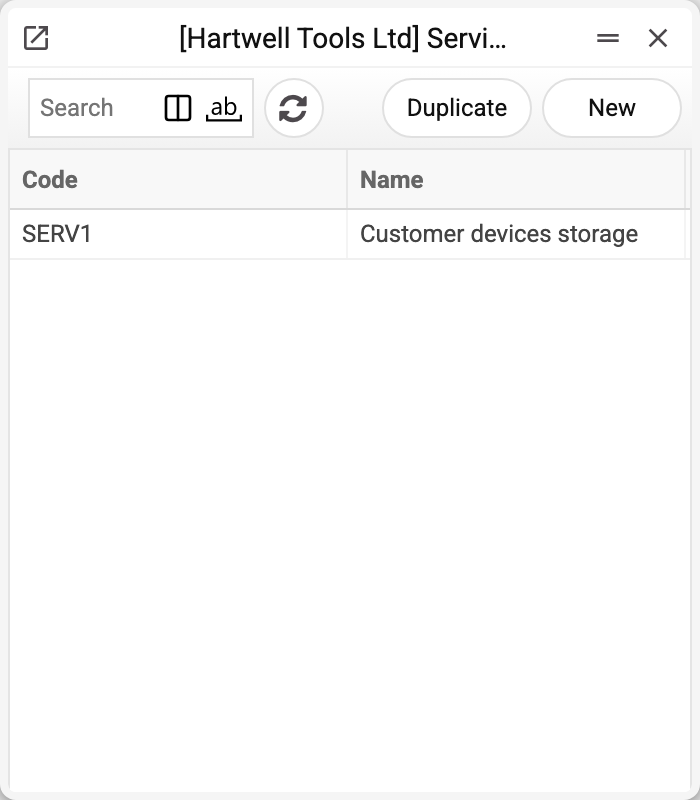
The demo keeps one customer devices store, SERV1 — say, the intake shelf of the workshop.
They work through the service order: the «Device accepted» checkbox with its «Acceptance place» puts the device onto the location, «Gave out» with the «Giving location» takes it off. So at any moment it is clear how many devices are in the workshop and where exactly. The «Service Item History Report» shows, per order, which location the device is on now and where it was accepted and handed out — but not the service stock movements between locations, so it does not rebuild a unit's route. The movements themselves are recorded in the «Service Item Histories» register.
Print variables
Values this record adds to printed form templates — its own and those of the documents that refer to it.
Record variables:
| Variable | What it holds |
|---|---|
| Service_Loc_Code | Code |
| Service_Loc_Name | Name |
| Service_Loc_Acc | Location acc. |
| Service_Loc_Objects | Objects |
| Service_Loc_Blocked | Service location state: open or closed |
Common situations
The device won't hand over: «Please indicate your pick-up location!» The «Giving location» is required — pick the store the device lies on. If the field is left empty, the system fills in the «Place of receiving» from the user card by itself, but only when the device lies exactly there. Handing it out from another store is refused — move the device with a service stock movement first.
A device is «stuck» on the location. The device was given to the customer, but the «Gave out» checkbox in the order was never ticked — for the system it is still on the location. Find the order through the device history and mark the handover.
A location won't delete: «A record of «Service Locations» is used in: Service Orders!» A location can be deleted only while no record holds it: a service order (receiving or giving place), a service stock movement, a serial number balance, device history or status, the «Place of receiving» on a user card. Otherwise the order would be left with a place that is no longer in the list. Location no longer needed — mark it «Closed»: orders and service stock movements can no longer pick it, accepting a device onto it or moving devices from or to it is refused («The location is closed!» in the order, «Warehouse closed!» in a movement), while handing out to customers what still lies there is allowed. Before closing, bring the service stock movements in transit from or to this location to «Accepted (OK)»: a movement's locations are checked on every save, so after closing such a movement can no longer be accepted.
Field reference
| Field | Description |
|---|---|
| Code, Name | The location's identity |
| Location acc. | For reference: the account must exist in the chart of accounts and goes into printed forms, but the system makes no postings to it |
| Objects | Analytics: pulled into the order together with the receiving or giving place. Each object must exist in the register and not be closed, and there can be no more than one of each type |
| Closed | The location is no longer in use: see above |