POS Tips Setting
A red ticker runs along the bottom of the till screen with short reminders: "Do not forget to close the till!", "Count the money carefully!". Those are the tips, and this is where you write them.
Where to find it: Modules → POS → Settings → POS Tips Setting
They are not gratuities and not interface tooltips: it is simply a scrolling line of messages for the cashier, visible the whole time the selling screen is open.
Menu: Modules → POS → Settings → POS Tips Setting.
Worked example
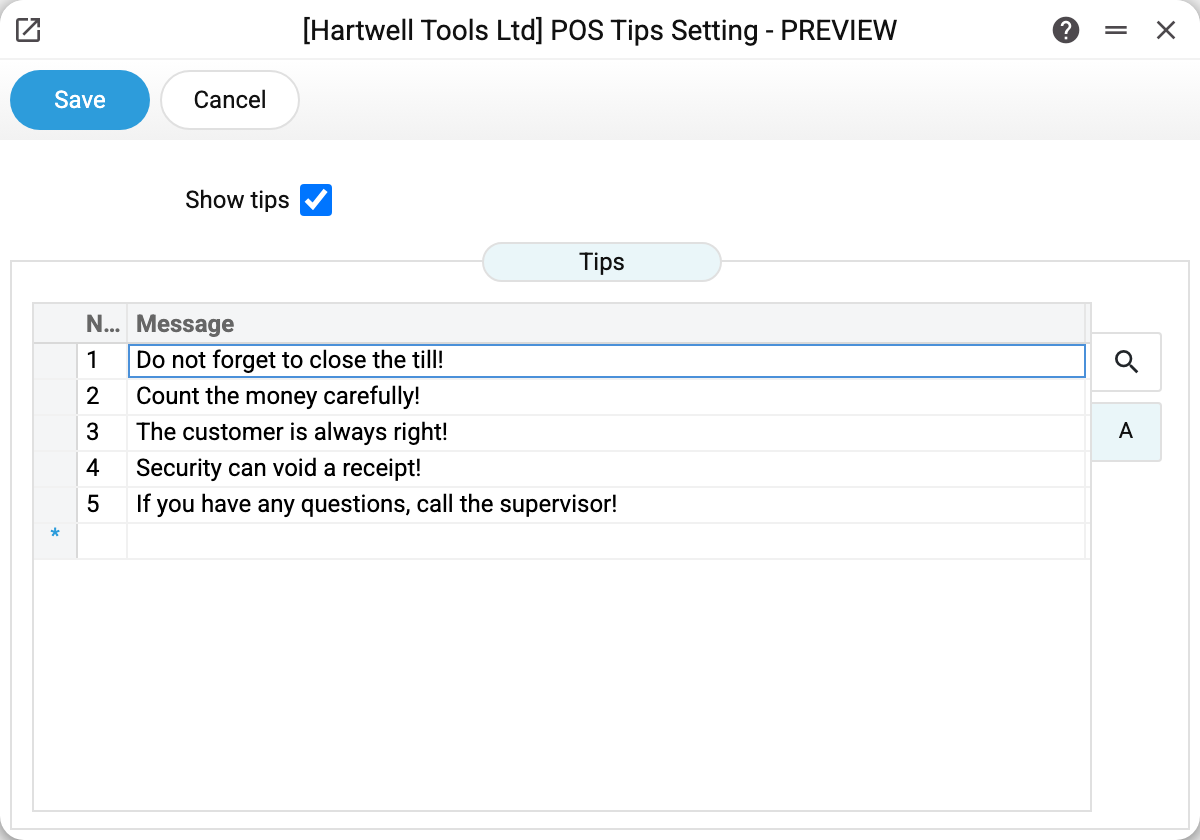
Show tips switches the whole ticker on and off. Cleared, the strip disappears from the till screen while the messages themselves are kept.
Below is the list of messages. The demo stand has five, and they are typical: two about till discipline ("Do not forget to close the till!", "Count the money carefully!"), one about the customer, and two service ones ("Security can void a receipt!", "If you have any questions, call the supervisor!").
All messages are shown in turn, on one line, in the order they appear in the table. There is no limit on their number, but long text is hard to read on a till screen — keep to short phrases.
Where the data comes from
Nothing external here: you write the text. The till receives it together with the receipt header setting when the cashier opens the selling screen — which means the till sees changes when the selling screen is opened again (a new sign-in or a page reload), not in the middle of work.
There is one setting per company. Different sets of tips for different shops or departments are not supported.
The language is yours too: the system does not translate these messages; the screen shows the same text, only in capitals (the line always shows it that way). Tips do not go into the receipt.
Parameters
| Field | Description |
|---|---|
| Show tips | Show the ticker at the bottom of the till screen. |
| Message | Text of the tip. As many rows as needed; their order is the display order. |
Common situations
The ticker does not show up. Check the "Show tips" box and make sure the cashier re-entered the till — the set of tips is read when the selling screen opens. The tips travel to the till in one request with POS Sale Header Setting; if that setting has never been saved, the till uses its default values and still shows the tips.
Reminders need to be off for a while (during training, say). Do not delete the rows — just clear the box and set it again afterwards.
I want to announce a promotion. Add a row with the text, and delete it when the promotion ends. It is the fastest way to reach every cashier at once.
See also
- POS Sale Header Setting — the rest of the till screen
- POS Buttons — the buttons the cashier works with