Resources
A resource is whatever is occupied while the work goes on: a technician, a chair, a bay, a lift. The register answers the question «who (or what) performs the task and whose time do we book».
Where to find it: Modules → CRM → Registers → Resources
Resources are used first of all by two mechanisms: booking, which calculates free time from them, and actions, where the resource is set on the task record. «Leave Application», «Rental items» and «Resource Accounting List» rely on them too.
Some resources appear by themselves: a card in «Employees» creates a resource with the employee's code; approval tasks in «Cash In», «Cash Out» and «Invoices» create a resource with the login of whoever saved the document; the «Sync rental resources» maintenance creates the resources of rental items.
A worked example
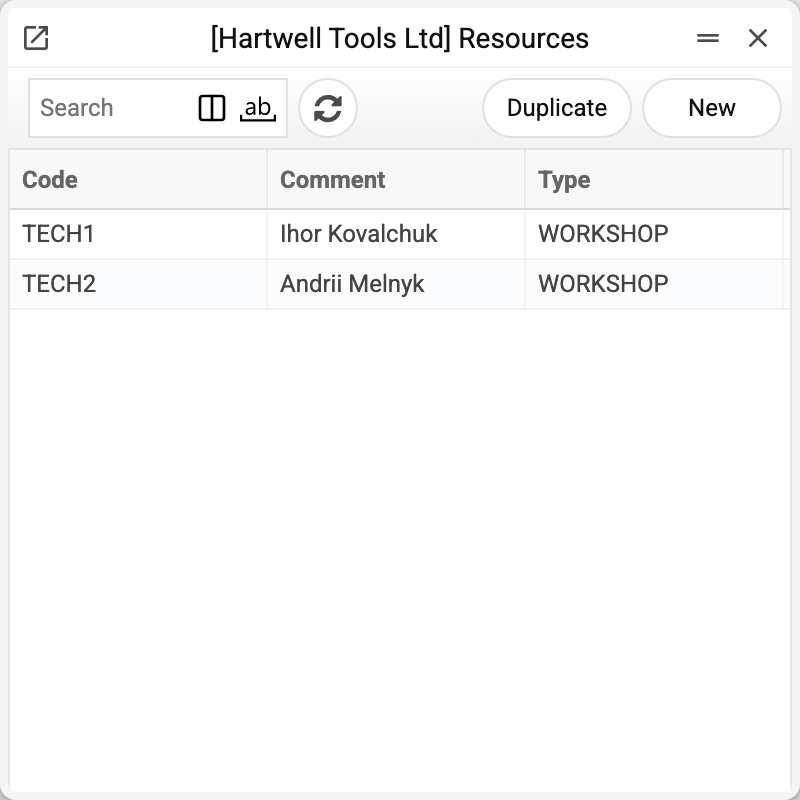
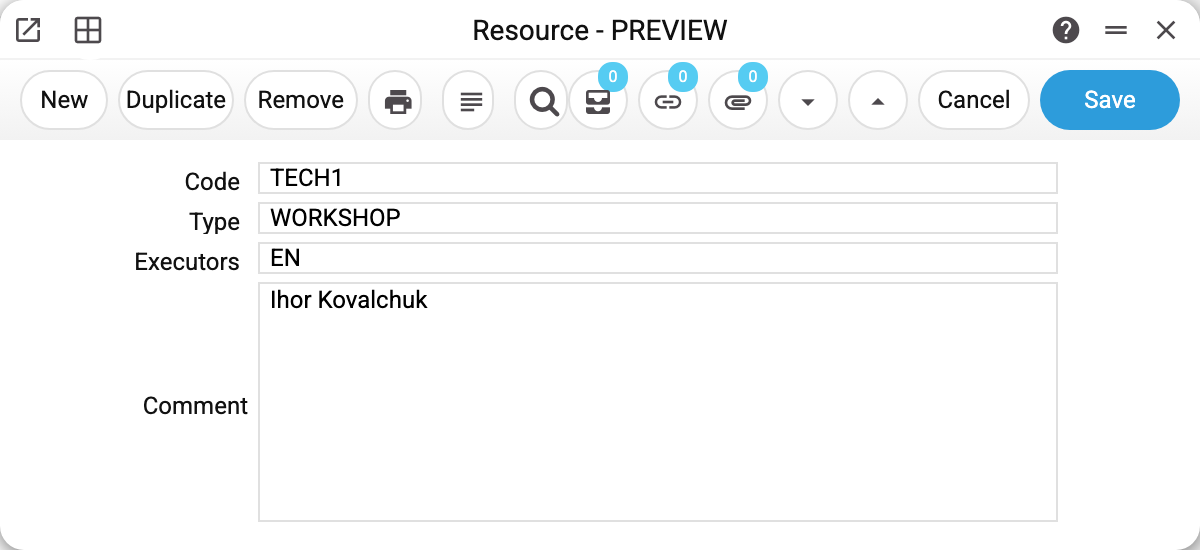
The record has only four fields, but each of them decides something:
| Field | What for |
|---|---|
| Code | The name of the resource in the system. It is used to pick the resource in bookings and tasks; when there are several candidates, the code decides who gets the job (see below) |
| Type | The resource type — a team whose members are interchangeable. The type must exist, otherwise — "This type of resources not found!" |
| Executors | Logins of users, comma separated, no spaces: they become the executors of the created task and receive the notifications. A login that is not among the users is not saved — "IVAN User not found". An executors group code may be entered too — the field is filled with the logins of its members at once, but only when it holds nothing but the group code |
| Comment | The name of a real person or a description of the place — something readable in the list |
In the example TECH1 is Ihor Kovalchuk, backed by the user EN.
Worth knowing
An empty «Executors» field is not a mistake but a substitution rule. If a booking from the website goes to a resource with no executors, the task lands on the employee set in the booking header. This makes it easy to keep «nameless» resources such as bays with no permanent technician.
A resource stays busy until the task is completed. Time is counted by the tasks without the «Completed» mark: close the task and the time is free again.
The type defines interchangeability. A resource without a type can only be picked by name in a booking. As soon as resources share a type, a service can be assigned to that type — and the system picks a free one itself. With «Uniform separation» it takes the free resource with the fewest uncompleted tasks on that day, and among equals the first by code in alphabetical order. With «Separation in turn» it always takes the first free resource in alphabetical order, so that one gets the work while it is free.
A resource that is referred to cannot be deleted. While its code stands in actions, leave applications, bookings, the «Resource Accounting List» or rental items, the system refuses and names the first such place. Likewise, a user whose login stands in a resource's «Executors» cannot be deleted.
Print variables
Values available in this document's printed form templates. How to write a variable in a template — see Print Forms.
Header fields:
| Variable | What it holds |
|---|---|
| ResCode | Code |
| ResType | Type |
| ResComment | Comment |