Register sharing
In a database with several companies some data is identical: items, contacts, units of measure. This setting lets you stop duplicating them and read them from the main company instead.
Where to find it: Modules → System → Settings → Register sharing
A worked example
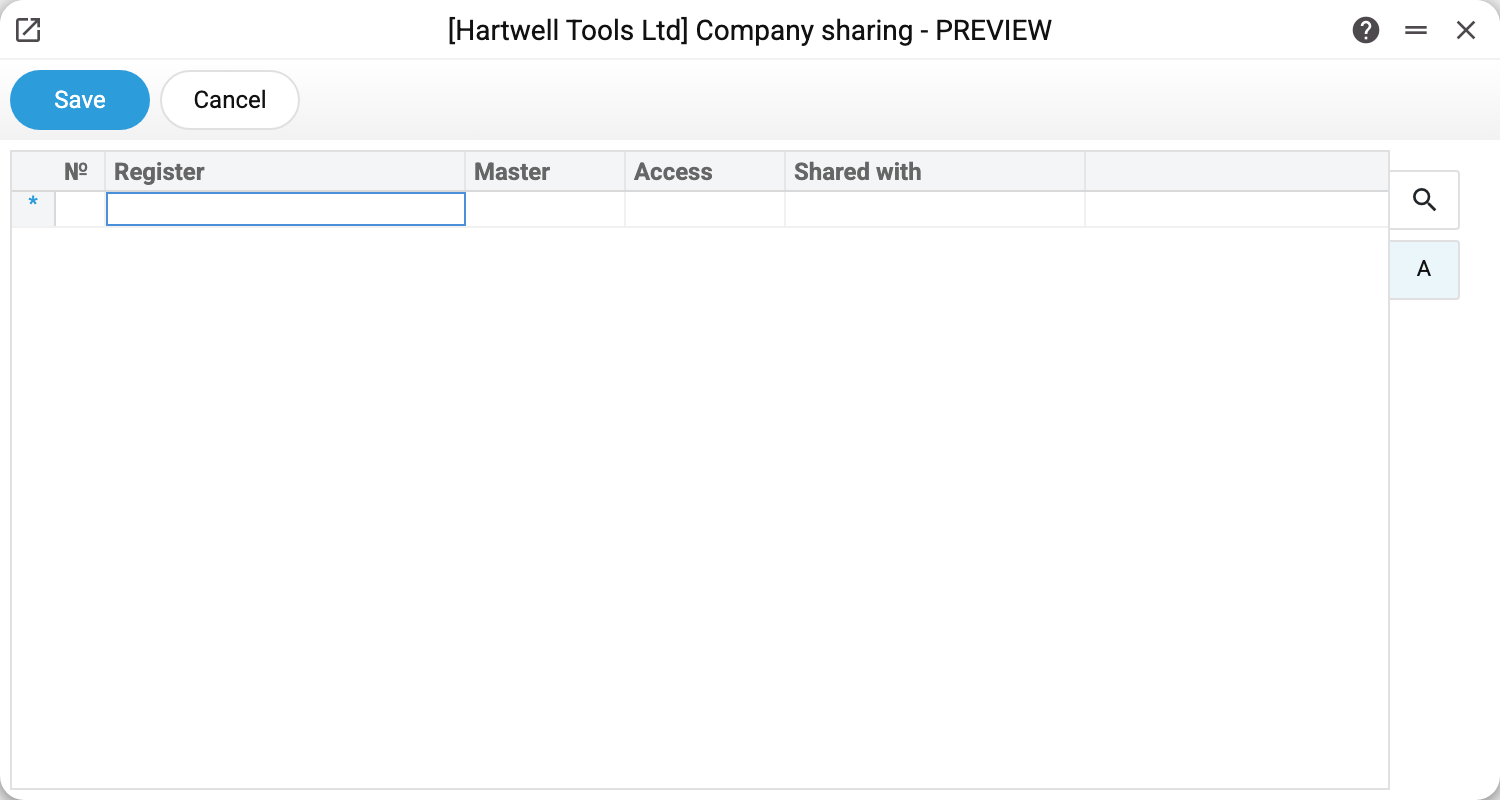
A table of four columns:
| Column | Meaning |
|---|---|
| Register | which register is shared (together with its rows) |
| Master | the source company (company number) |
| Access | what the subscriber companies may do: «Read only» — only read; «Read + Create» — also create records; «Full access» — also edit and delete the main company's records. The main company always writes to its own register |
| Shared with | who the access is granted to: company numbers separated by commas; empty — all companies |
In the demo company the table is empty — each company keeps its own registers. That is a legitimate arrangement too: the three demo companies exist precisely to show different languages and different data.
When to switch it on
When companies in one group trade the same goods: maintaining three identical item lists is expensive and error-prone. The items are then created in the main company and the others read them through this mechanism.
Share what genuinely is identical. Charts of accounts, number series and company details are the opposite — each company needs its own.
Typical situations
An item is invisible in a subsidiary. Check the row for the items register: is the main company named, and does the access cover the company in question?
The data has drifted apart. Sharing serves the main company's records; if a subsidiary holds its own records under the same codes, the clash has to be sorted out by hand.
A main-company record saved, but its table was not recalculated. Whatever the system assembles from other registers is recalculated only by the main company. An example is the rows of a quotation price list, built from items, prices and stock. Run from a subsidiary, such a recalculation would take the subsidiary's items and prices instead of the main company's and overwrite the main company's record with them. So from a subsidiary only the fields you type yourself are saved, and the recalculation is done by the main company.
A maintenance refuses, naming the register: it is shared from another company, and only that company runs this maintenance. The maintenance recalculates the register's records, and the records of a shared register belong to the main company. Run from a subsidiary, it would compute them from the subsidiary's data, so it refuses and changes nothing. This applies to the maintenances that recalculate, import or synchronise records of shared registers — among them «Calculate Prices for Items» (shared prices), «Contract billing» (shared contracts), «Sales orders statuses» and «Purchase orders statuses recalculation» (shared orders), and «Prom: update item keys» (shared items); likewise depreciation, exchange rates, FIFO, receipt import, Rozetka, Nova Poshta and others. Run the maintenance in the main company.
A subscriber cannot write: «Shared register is read-only» or «Only full access allows changing or deleting records of a shared register». That is the level in the «Access» column: with «Read only» a subscriber only reads, with «Read + Create» it also creates, and editing or deleting the main company's records needs «Full access». Raise the level in the register's row or edit the record in the main company.
A shared card means shared values. A shared item has one «Cost in base currency» and one «The price of the last purchase» for all companies: a receipt posted against an order in any company updates them. A shared contact has one legal address: an address entered in any company updates it. If the companies need different values, better not to share that register.
When changes take effect. Right after the setting is saved: the server re-reads it by itself, no need to sign in again.
A company card will not save: "This company number would change which company the register sharing settings refer to. Change the sharing settings first or choose another number!" The setting remembers companies by number. A number already used in the "Main" or "Access for" column can neither be taken from its company nor given to another one: the shared data would silently move to a different company. This happens when a new company gets a number the setting already mentions, or when the number is changed through the API (in the window it is locked). Fix the setting's rows first.
Where to look next
- Company information — the details that are always per company.