Price Groups
A price group is a label on items that lets a pricing rule be written in a single line. Without it, the price list matrix would have to name every item separately; with it the row reads «all consumables — formula RRP-10».
Where to find it: Modules → Prices → Registers → Price Groups
The register lives in the Prices module.
A worked example
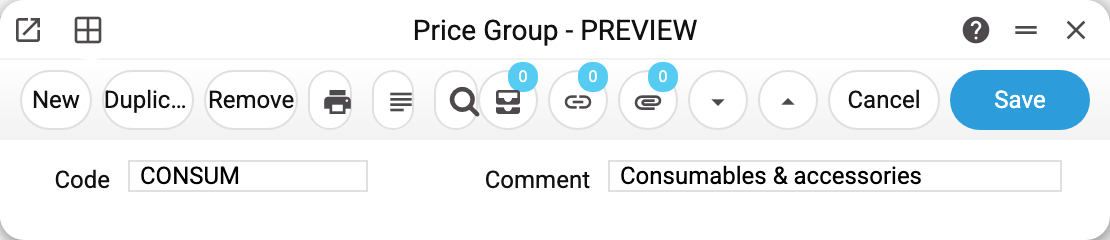
The whole card is a code and a comment: the CONSUM group, «Consumables & accessories». Its content lives in two other places:
- on the item card, the «Price» tab, the «Price group» field — this is how an item joins the group. In the demo database CONSUM holds drill bits, cutting discs and the respirator;
- in the price list matrix, the «Price Group Code» column — a «group + formula» row sets the rule for every item of the group at once (how that works is covered in «Price Forms»).
How to work with it
1. Create the group
A code and a comment — nothing else is needed.
2. Assign the items
Fill in «Price group» on the item cards. An item can be in one group only.
3. Use it in a price list
A «group + formula» matrix row and a run of the «Calc. Prices for Items» maintenance.
Print variables
Values available in this document's printed form templates. How to write a variable in a template — see Print Forms.
Header fields:
| Variable | What it holds |
|---|---|
| PrGrCode | Code |
| PrGrComm | Comment |
Common situations
Are groups mandatory? No. A small database is easier to price by hand in «Prices», and a rule «for all items» is an empty matrix row that needs no groups. Groups earn their keep when there are several rules, each covering its own circle of items.
Added an item to the group but it has no price. The group itself computes nothing — after changing the group's membership, run the price recalculation.
The group is no longer used. It can be deleted only while no item and no price list row carries it. Otherwise the system refuses and names where the group is set: «A record of «Price Groups» is used in: Items!». A saved group's code cannot be changed — to move to another code, create a new group, move the items and price list rows to it, then delete the old one.
Field reference
| Field | Description |
|---|---|
| Code | The group's name; this is what goes into item cards and price list matrices |
| Comment | The group's full name |