VAT Invoice Fail Reasons
The register of reasons why a VAT invoice is not handed to the buyer. Such invoices are still drawn up and registered, but kept in-house — and the document itself states why. The codes are official, taken from the rules for completing a VAT invoice.
Where to find it: Modules → Sales Ledger → Registers → VAT Invoice Fail Reasons
What is inside
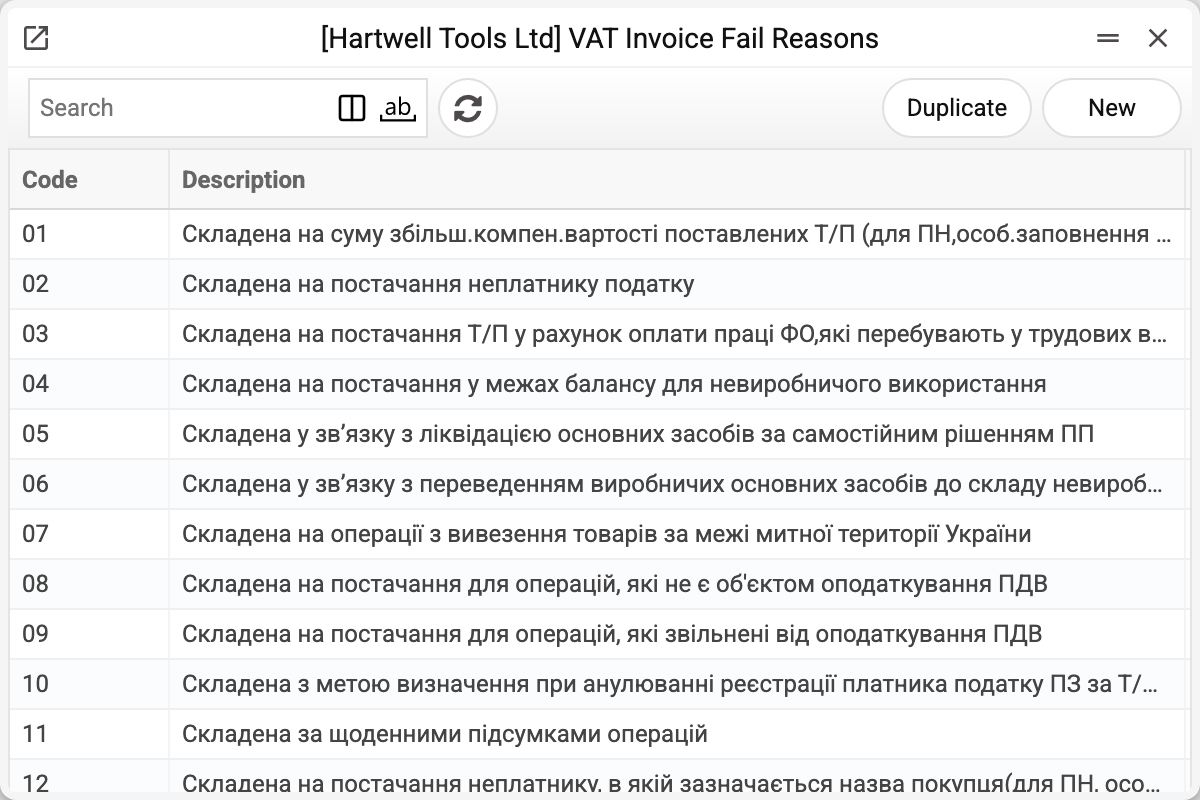
A new database gets the register with 16 standard cases (codes 01–16): a supply to a non-payer of VAT, wages paid in kind, disposal of fixed assets, transfer of production assets to non-production use, the tax base exceeding the actual price, and so on.
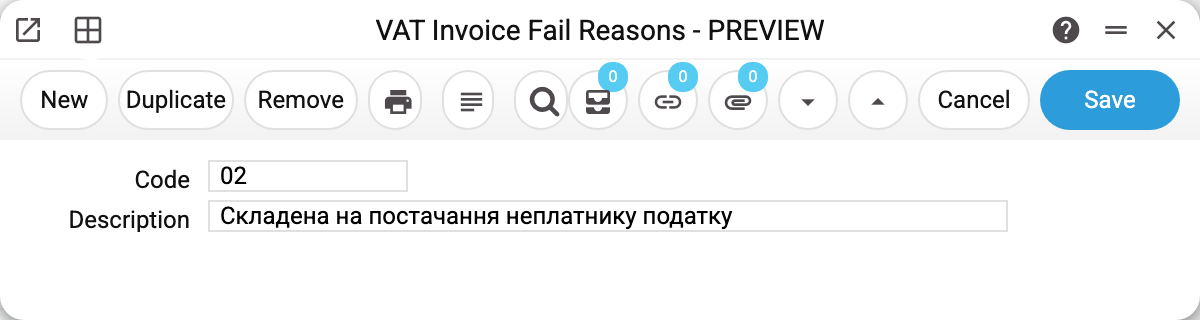
The card holds the code and its official wording; the register stores nothing else. Both fields are required: an empty one is refused with "Field "Code" must be filled!" or "Field "Description" must be filled!", a code that already exists with "The record already exists!". The code of a saved record cannot be changed — "Can't change code"; only the description can be corrected.
Where it appears
The Acceptance status field sits in the header of the VAT invoice, on the Terms tab. Filled in, it means the document is not passed to the buyer; empty, it is an ordinary VAT invoice the customer receives.
Its practical use is in retail and in supplies to non-payers: there are many such transactions in a day, the VAT invoice is drawn up as a consolidated one, and the reason explains to the tax authority why it names no buyer.
Print variables
Values available in this document's printed form templates. How to write a variable in a template — see Print Forms.
Header fields:
| Variable | What it holds |
|---|---|
| VatFailRes_No | Code |
| VatFailRes_Desc | Description |
Common situations
Unsure whether a reason is needed. If the buyer is a VAT payer and the invoice goes to them, leave the field empty. A reason belongs where there is no buyer in the ordinary sense, or the buyer is not a VAT payer.
The code you need is missing. Add an entry: the code and the wording come from the current rules. The code is unique within a company.
Can I add a code of my own. Better not. A filled reason goes into the XML export for M.E.Doc: the file marks the invoice as not issued to the buyer and records the reason code next to it. A code of your own that is not in the official rules lands in the file as is. So stick to the official codes — the register's initial content holds 01–16.
The reason is set but the document still reached the customer. The system sends nothing by itself: the field only records the grounds for the tax authority and the printed form. Passing the document to the counterparty is a separate act.
A reason cannot be deleted: "A record of «VAT Invoice Fail Reasons» is used in: VAT Invoices Issued!" A reason can be deleted only while no VAT invoice holds its code in the "Acceptance status" field. Deleted, it would leave invoices with a code the register no longer has, and such an invoice could no longer be saved. If you no longer use a reason, keep the record and simply stop choosing it on new invoices.