VAT Invoice Status Report
What is left in a VAT invoice after the adjustment. The report takes one VAT invoice, applies the adjustment calculation raised against it, and shows the resulting picture row by row: how much of the goods the invoice actually covers, at what price and for how much VAT.
Where to find it: Modules → Sales Ledger → Reports → VAT Invoice Status Report
It answers "we adjusted this twice — what is in it now?", a question you would otherwise settle by hand, comparing documents.
A worked example
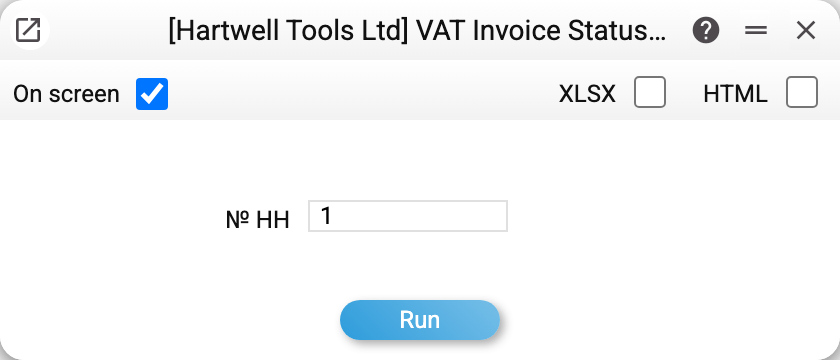
There is one parameter — the VAT invoice number.
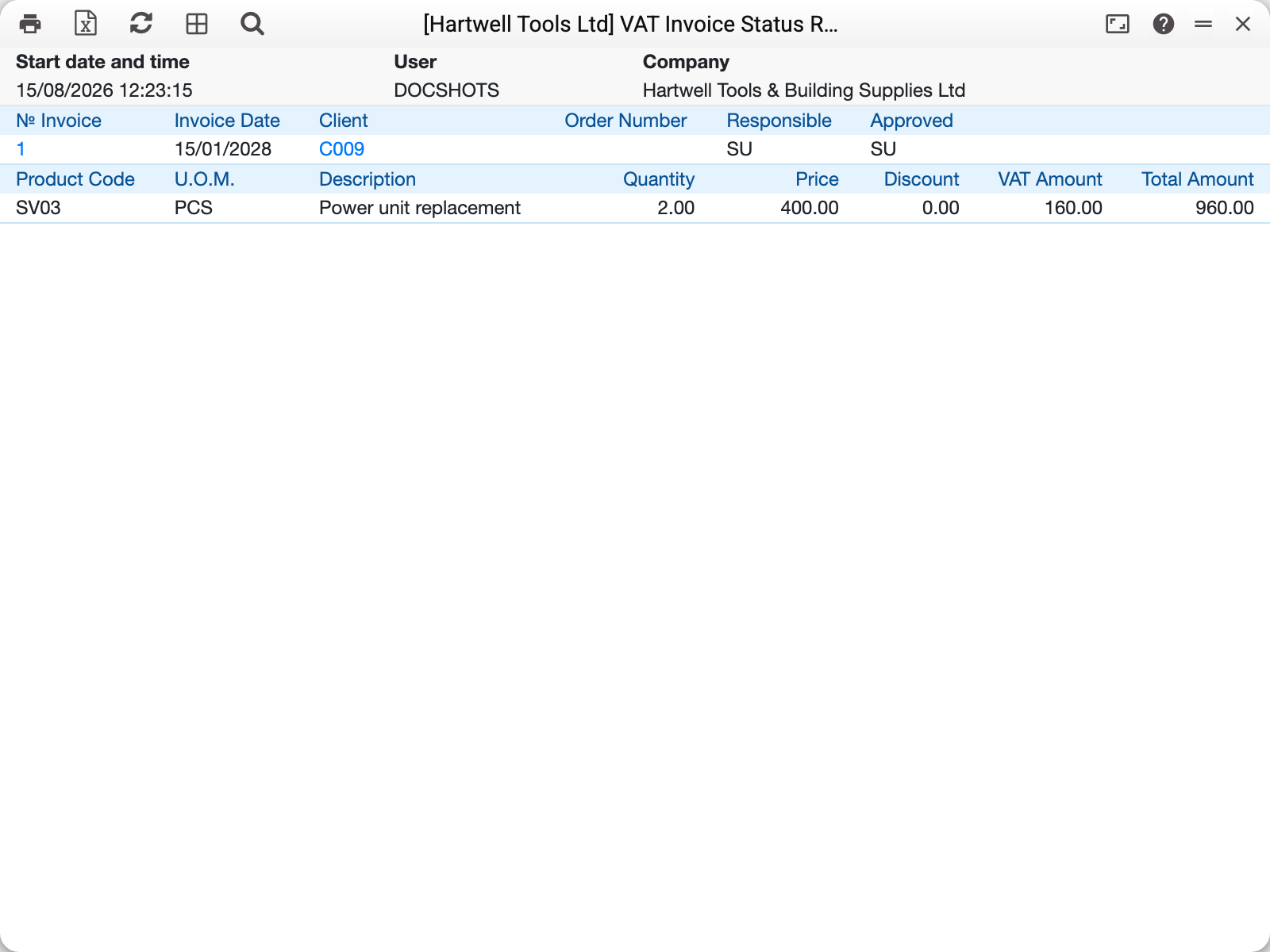
VAT invoice 1 of 15/01/2028 was issued for three power units (1200.00 net, VAT 240.00). After the adjustment that returned one of them, the report shows the remainder: 2.00 × 400.00, VAT 160.00, 960.00 gross.
The header carries the customer, the order number (if the VAT invoice is tied to one), who drew the document up and who approved it.
Where the numbers come from
A report row is a row of the VAT invoice with the adjustment applied. An adjustment row with a negative quantity reduces the invoice row: quantity, VAT and total are added with their signs. A row with a positive or zero quantity replaces the row's values with its own. The link is not by item but by row number: every adjustment row states which row of the original it changes.
Only posted adjustment calculations count: a draft does not affect the report. With several adjustments the report does not add them up: only one acts on an invoice row — the posted calculation with the lowest number among those that have a row pointing at that invoice row (and in it, the last such row). The other adjustments do not affect the report; in that case reconcile the documents by hand.
The price shown is the one in force after the adjustment. Where an adjustment changes the price rather than the quantity, the new value appears here.
A zero quantity means the row was reversed in full — everything came back.
Common situations
The report will not run. The VAT invoice number is empty: this report covers one document.
The quantity went negative. Nothing prevents it — the adjustment returned more than the invoice row held. Check the quantity in the adjustment calculation and which row it points at.
A row shows no change although an adjustment exists. The adjustment row has no original row number, so the report has nothing to apply it to. Or there are several adjustments and the report took another one (see above).
You need every VAT invoice of the period, not one. That is not this report's job: the register of VAT invoices issued lists the documents, and the M.E.Doc export service prepares them for filing.