Stock Shortages Report
How much stock is left relative to the minimum you set for it yourself. The report answers the buyer's question: "what needs ordering already".
Where to find it: Modules → Stock → Reports → Stock Shortages Report
It works solely off the "Min. qty" field on the item card, under the "Stock" tab. With no thresholds set the report is empty — not because all is well, but because nothing was asked to be watched.
Parameters
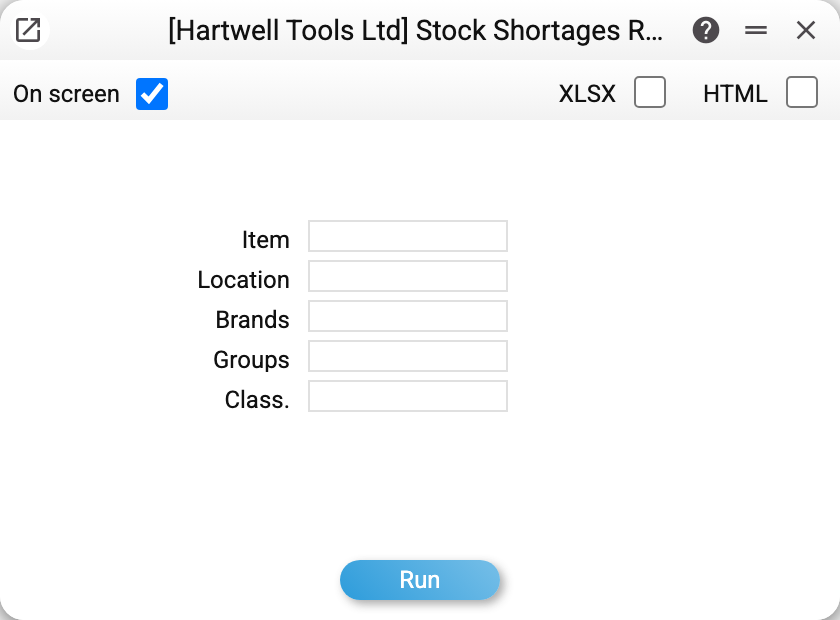
- Item, Location — narrowing to a position or a place;
- Brands, Groups, Class. — filters by card attributes;
- Show all controlled items — show every item with a minimum, not only the ones running short.
A worked example
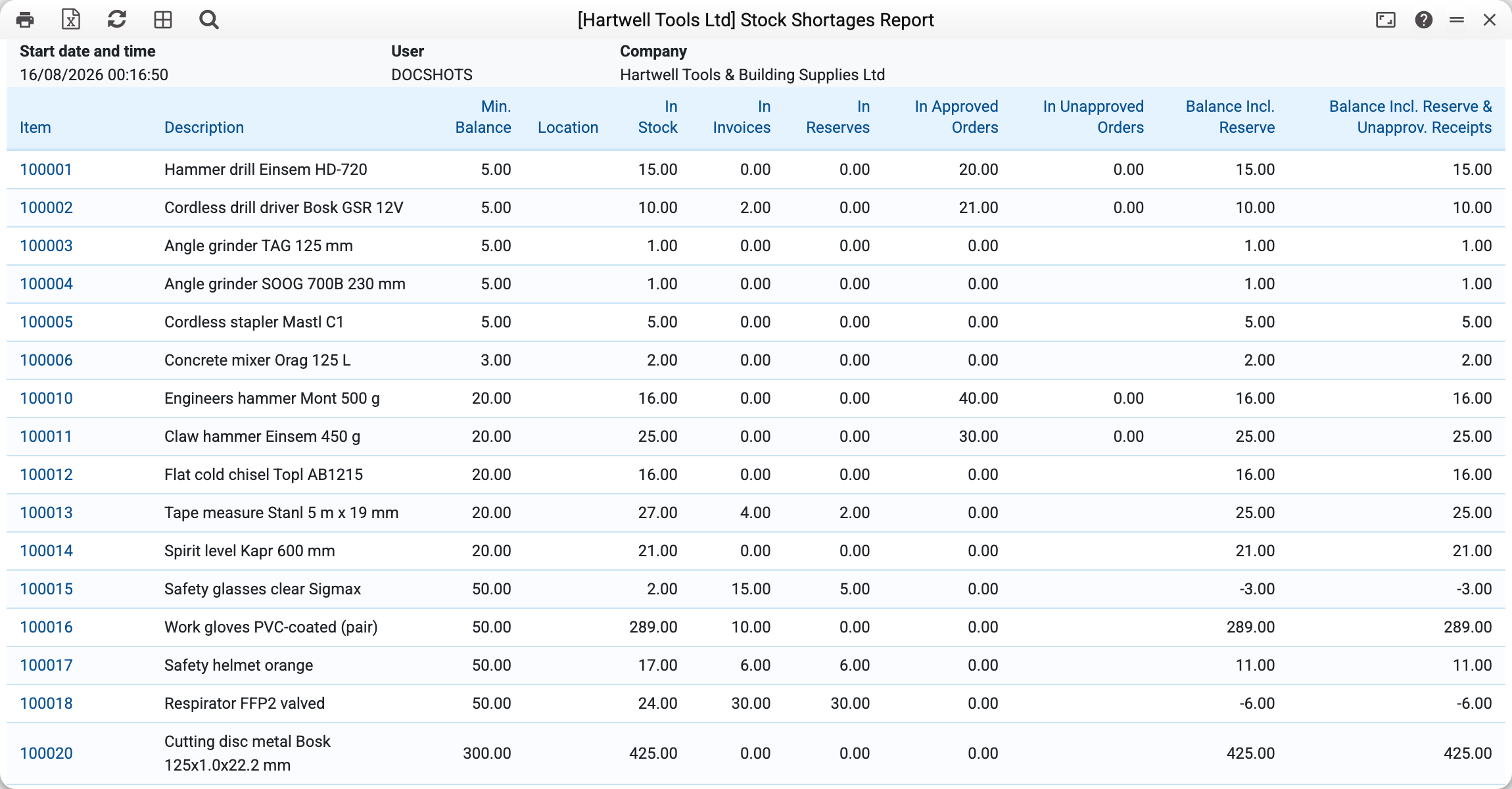
Every line is an item with a minimum set, surrounded by several columns:
| Column | What it shows |
|---|---|
| Min. Balance | The threshold from the item card |
| In Stock | The physical balance |
| In Invoices | The quantity not yet shipped on open (not closed) sales orders, unapproved ones included — the same figure as "Ordered by customer" in the Item Status Report. With the Location filter — only orders of that location |
| In Reserves | Held against orders |
| In Approved Orders, In Unapproved Orders | How much is coming from suppliers on approved and unapproved purchase orders |
| Balance Incl. Reserve | What is genuinely free: in stock minus reserves |
| Balance Incl. Reserve & Unapprov. Receipts | The same, plus goods on receipts not yet approved, minus the material that productions not yet started will take. With the Location filter — only receipts and productions of that location |
⚠️ By default the report shows only what is running short — items whose "Balance Incl. Reserve" is below the minimum (an item with no stock at all counts as short too). The Show all controlled items box brings back the summary of every item with a minimum; the short lines are then highlighted in colour. That is how a respirator (minimum 50, 299 in stock — four times the norm) sits next to carbon brushes (minimum 15, 9 in stock — a genuine shortage) on the screenshot.
That is why the last two columns matter more than "In Stock": goods may be physically present yet already promised, or absent yet already on their way.
How to use it
The weekly order to suppliers. Run down the lines where the balance less reserves is under the minimum and turn them into a purchase order.
Tuning the minimums. Hundreds of lines while there is in fact enough stock means the thresholds are too high; shortages found by customers rather than by the report mean they are too low or not set.
Not the same as a stocktake shortage. "Shortage" here means falling below a stock norm, not a mismatch with what is on the shelf — that is what the stocktaking comparison is for.
Where to look next
- Items/Services — where "Min. qty" is set;
- Item status — the same picture for one item, with reserves and orders;
- Purchase orders — how a shortage gets closed.