Customer Prepayments History
The life story of every prepayment: how much the customer paid up front, which invoices later consumed that money, and how much of it is still unused. The question it answers is "the customer wired an advance some time ago — has it been worked off, or is it still sitting there?"
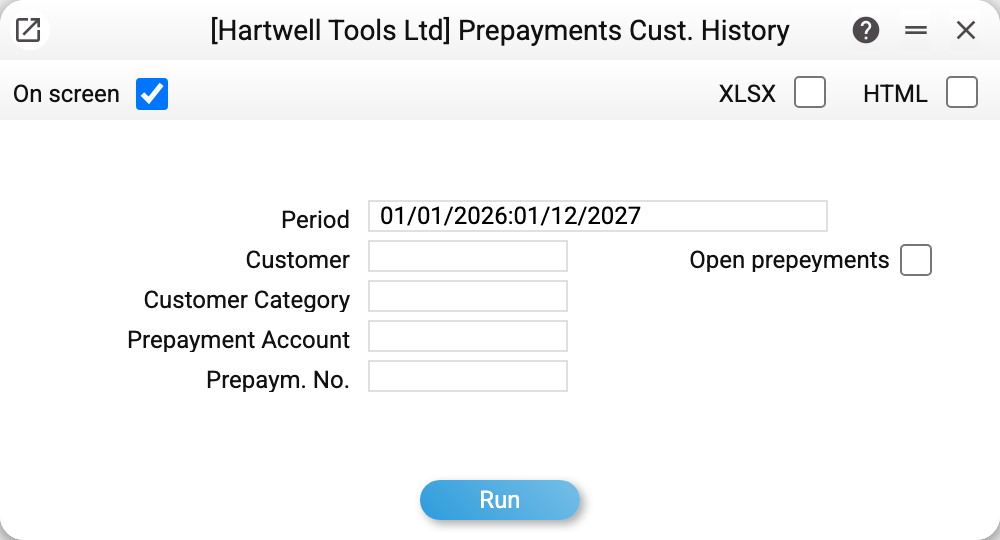
Where to find it: Modules → Sales Ledger → Reports → Customer Prepayments History
A worked example
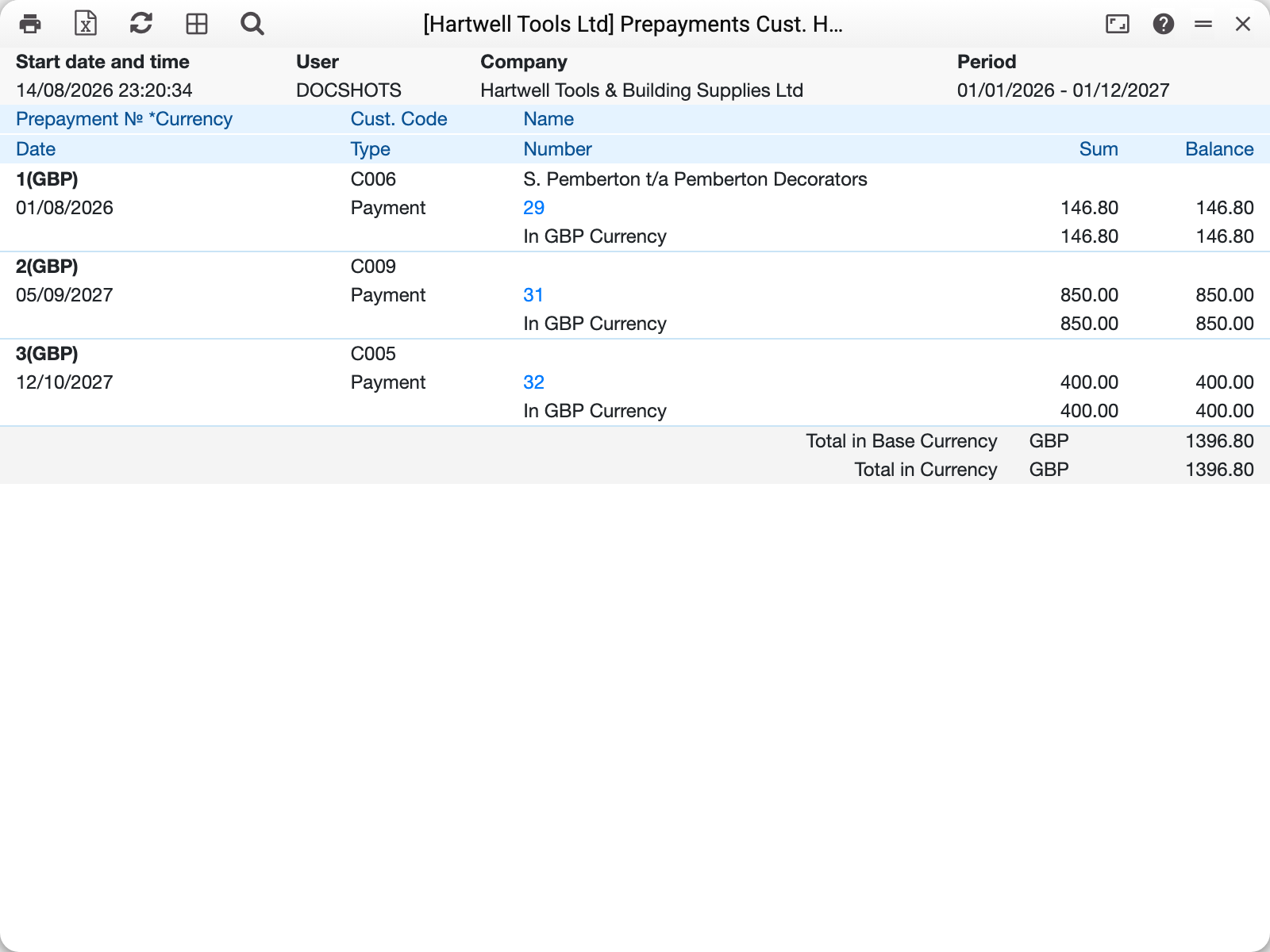
Every block is one prepayment: its number and currency in the header, then the customer code and name. Inside are the movements in chronological order, and the "Balance" column shows what is left after each one:
- prepayment 2 (Stockport Shopfitters): a payment of 850.00 on 05/09/2027 — balance 850.00. No invoice has drawn on it yet, so the advance is still outstanding;
- prepayment 3 (Gable & Frame Carpentry): 400.00 on 12/10/2027 — balance 400.00.
Had the advance been applied to an invoice, an "Invoice" row with the same amount as a negative figure would appear underneath and the balance would fall to zero — that is what a fully consumed prepayment looks like.
At the bottom the report totals the outstanding balances in the base currency and in document currency. The same amounts appear in the statement of reconciliation as a credit balance — what your company owes the customer.
Where the numbers come from
A "Payment" row is money received marked as a prepayment (a payment whose row carries a prepayment number). Such a payment closes no particular invoice; it creates an advance instead.
An "Invoice" row is the invoice that consumed the advance; the amount is negative and reduces the prepayment balance.
The duplicated "In currency…" row beneath each movement is the same amount in the document currency: with a foreign-currency prepayment the base currency comes first and the document currency second.
The balance is the running remainder — how much of the advance is still unused. Zero means fully worked off.
Parameters
| Parameter | What it does |
|---|---|
| Period | Selects the prepayments whose money arrived within this span; all their movements are shown, including applications after the period end |
| Customer | A single customer |
| Customer Category | A group of customers |
| Prepayment account | Filter by the ledger account holding advances |
| Prepaym. No. | A single prepayment by its number |
| Open prepayments | Keep only prepayments that posting has not closed (the balance in the prepayment currency is not zero) — the quick answer to "whose advances are still outstanding" |
Common situations
The customer insists they paid an advance, but it is not in the report. Most likely the payment was entered as an ordinary invoice payment, with no prepayment number. Open the payment and check the prepayment column in its row.
The balance is negative. More has been applied against the prepayment than was received: usually the same advance was consumed by two invoices.
You only want live advances. Tick "Open prepayments" — the closed blocks disappear and what remains is what the company still owes its customers.
The amounts look doubled. They are not: every movement is followed by an extra "In currency" row carrying the same amount in the document currency.