Action Groups
Groups collect tasks into lines of work: «tool repair», «customer work», «rollout». This is neither the task type (which says WHAT is being done) nor the executor — it answers the question «which part of the company's work does this task belong to».
Where to find it: Modules → CRM → Registers → Action Groups
A worked example
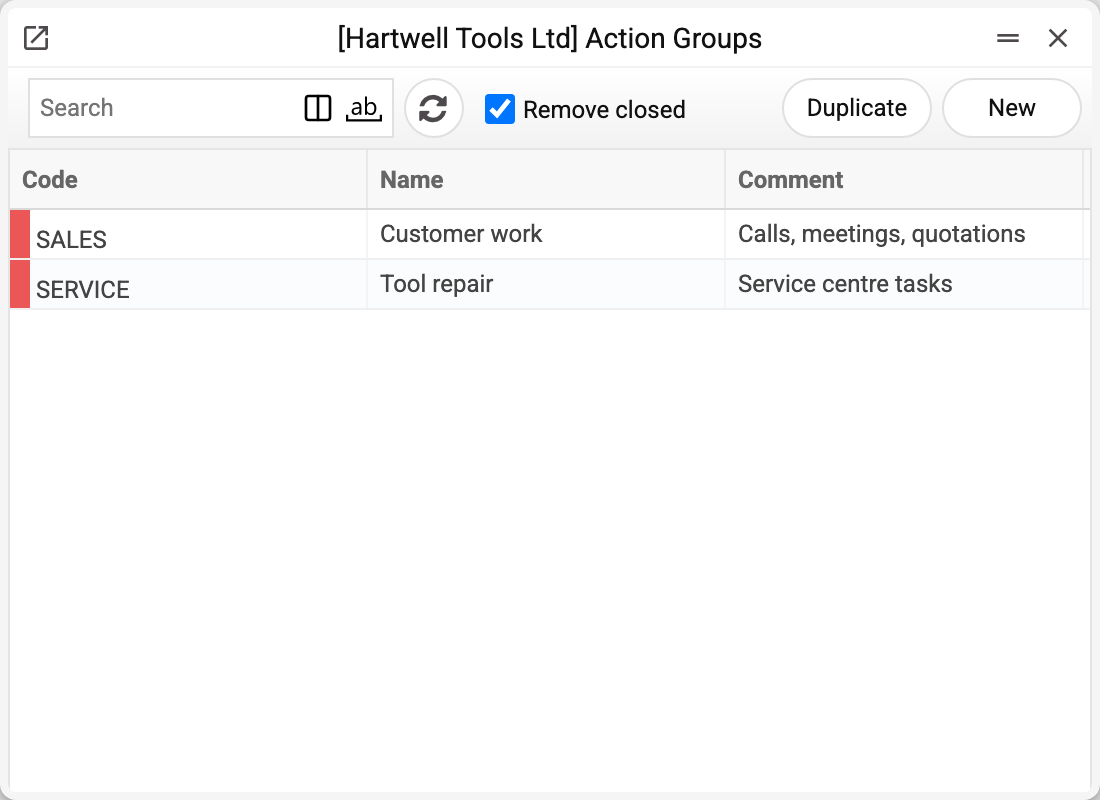
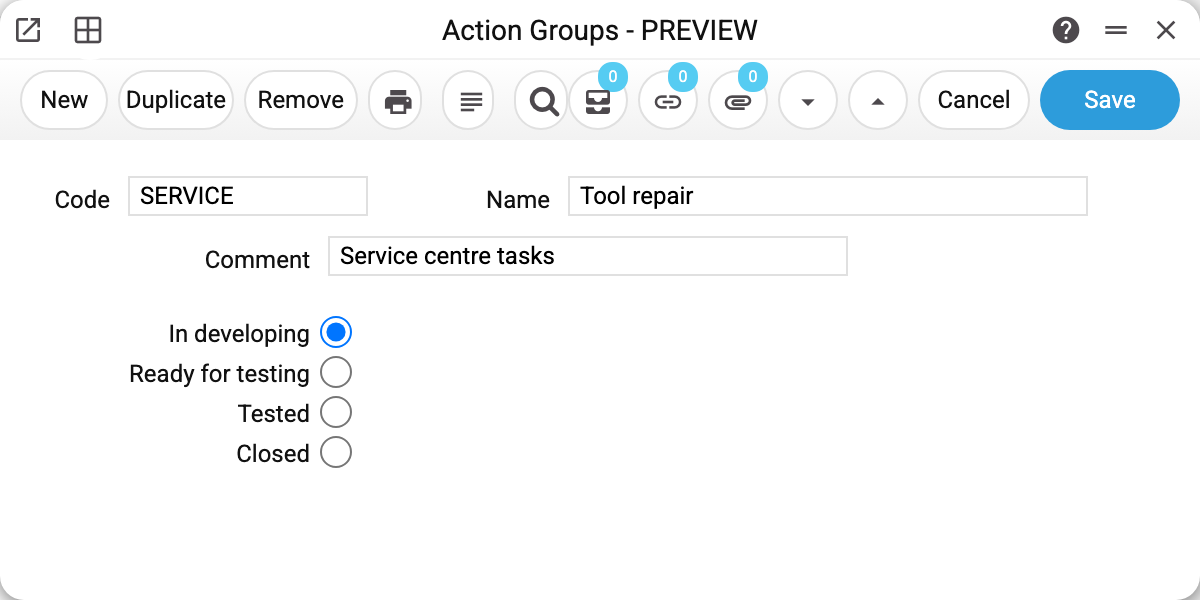
- Code — what is picked in the «Group» field of a task record;
- Name — a readable name of the line of work; it is unique within the company;
- Comment — an explanation for colleagues;
- Type — the state of the line: «In developing», «Ready for testing», «Tested», «Closed». It matters to those who run projects as groups: a closed group shows the line is finished. In the group list the «Remove closed» box is ticked by default and hides closed groups.
What it is for in practice
The group is the main filter of the Company Workflow task board: the board has a «Group» field and shows only the tasks of that line. Without groups the board mixes repairs, calls and internal work into the same columns.
There is no separate report by group: the group lives in the «Group» field of the task card and in the board filter.
Typical situations
The group cannot be deleted: "A record of «Action Groups» is used in: Actions!" A task names the group. Without it such a task would no longer save — "Group not found". When a line of work is finished, do not delete the group: set its type to «Closed».
Print variables
Values available in this document's printed form templates. How to write a variable in a template — see Print Forms.
Header fields:
| Variable | What it holds |
|---|---|
| ActionGr_Code | Code |
| ActionGr_Name | Name |
| ActionGr_Comment | Comment |
| ActionGr_Type | Type |