Budget Keys
A formula for spreading an annual amount across sub-periods. A key is a column of share numbers: the budget period gets split into as many chunks as the key has rows, and each chunk's share = row value ÷ sum of all rows. One key serves any number of budgets: enter the sales seasonality once and it spreads both revenue and cost.
Where to find it: Modules → Nominal Ledger → Registers → Budget Keys
Walkthrough
The SEASON key in the demo database — twelve rows, one per month, totalling 100:
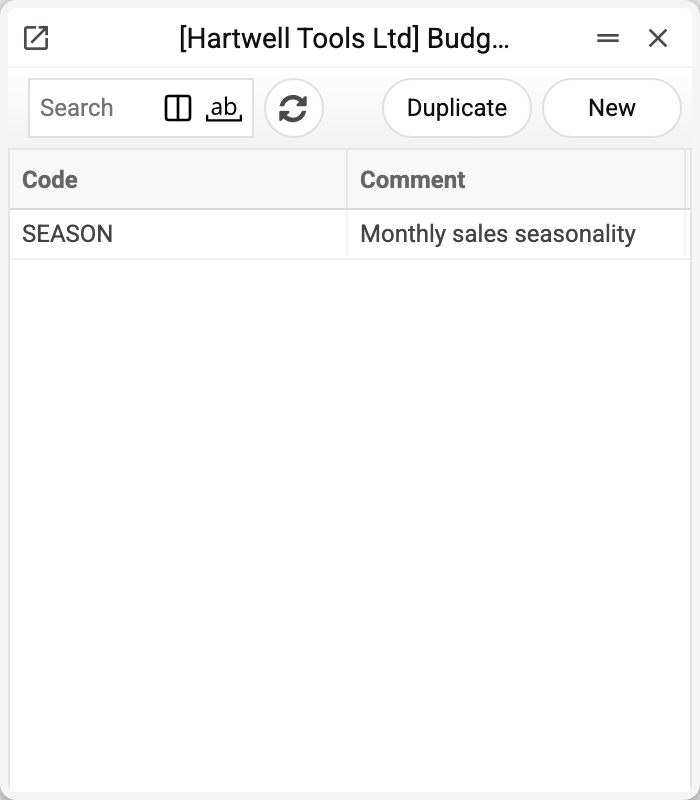
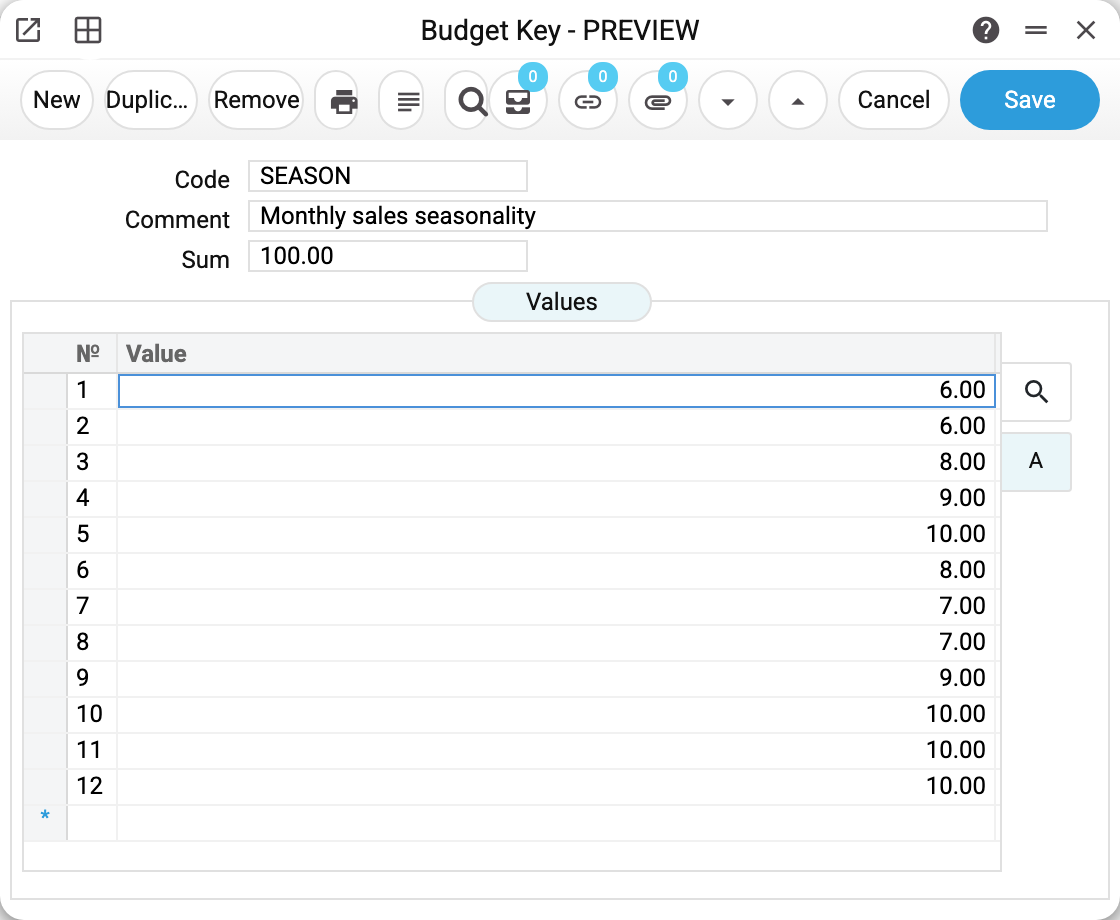
The values are each month's percentage of annual turnover: January 6, May 10, December 10. Budget 702 with base value 12,000 and this key gets January 720 (6%), May 1,200 (10%) — the breakdown is shown in the budgets article.
The rows do not have to add up to 100 — that is merely convenient. A key of "1,1,1,1" splits the amount into four equal shares, "1,2,2,4" ramps up towards year-end. These are not calendar quarters, though: the chunks are equal in days, so an annual budget (365 days) gets chunks starting 01/01, 02/04, 02/07 and 01/10. And shares are computed against the key's "Sum" field, which the system fills with the row total rounded to two decimals — so pick shares with an exact total, such as "1,1,1" or "25,25,50": three rows of 0.333 give a "Sum" of 1.00 and distribute 999 out of 1,000. Do not edit the "Sum" field by hand: the system recalculates it only when rows change in the window, and a hand-typed number stays the divisor of the shares.
How the key is applied
A key does nothing by itself — it is invoked by two operations on the budget card:
- Fill sub-periods — splits the budget period into equal-length chunks (one per key row) and assigns each its share. Dates can be edited afterwards. A key cannot have more rows than there are days in the period.
- Recalculate — the dates already exist; the operation only refreshes the amounts by the key's shares. Requirement: the budget matrix must have exactly as many rows as the key. The "Values" column in the budget matrix is a manual correction added to the computed row amount.
Common situations
"Days in period less than rows in Budget key matrix". A 12-row key cannot spread a one-week budget: fewer days in the period than rows. Short budgets need short keys.
"Rows count of Sub-periods and Budget key matrix must match". "Recalculate" demands an equal row count in the budget matrix and the key. Added a month to the key — regenerate the sub-periods.
Changed the key — budgets did not recalculate. And they will not, on their own: the key is read at operation time. Open the budget and press "Recalculate".
The key cannot be deleted: "A record of «Budget Keys» is used in: Budgets!" A budget or a revised budget holds the key — the refusal names the first place. Without the key such a budget would no longer save or recalculate. Leave a key that budgets use as it is; for a new seasonality create another one.