Checkbox Accounts
The bridge between the ERP and the Checkbox fiscal service. A record holds the cashiers the system signs in to the service with and the tills whose receipts it collects from there — without it, receipts from Checkbox have nowhere to land.
Where to find it: Modules → Checkbox → Registers → Checkbox Accounts
A worked example
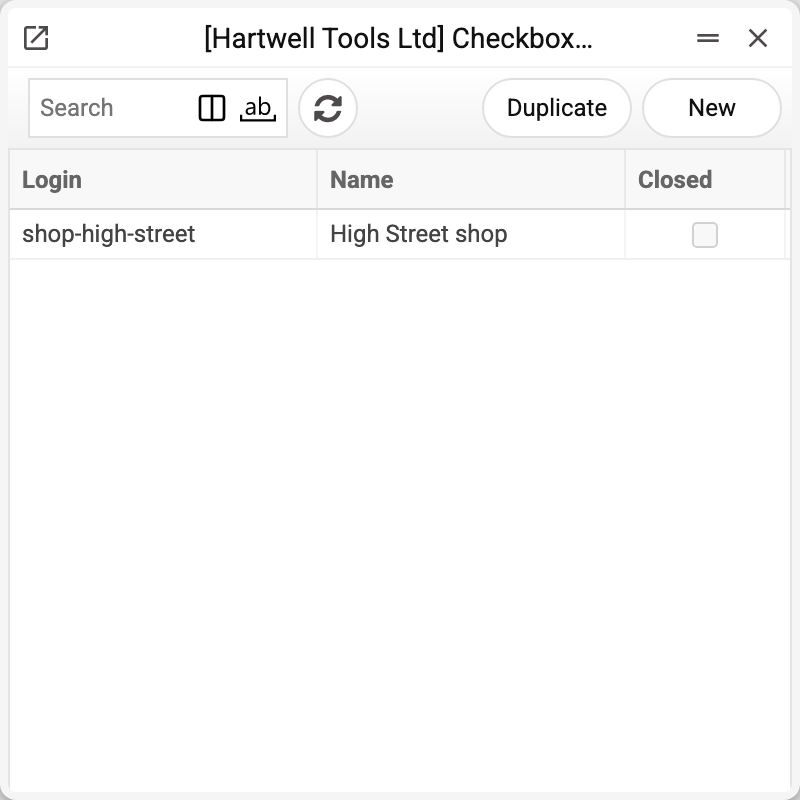
The journal shows the record's login, the name and the «Closed» flag. There is one record here, the High Street shop, and that is the one we take apart.
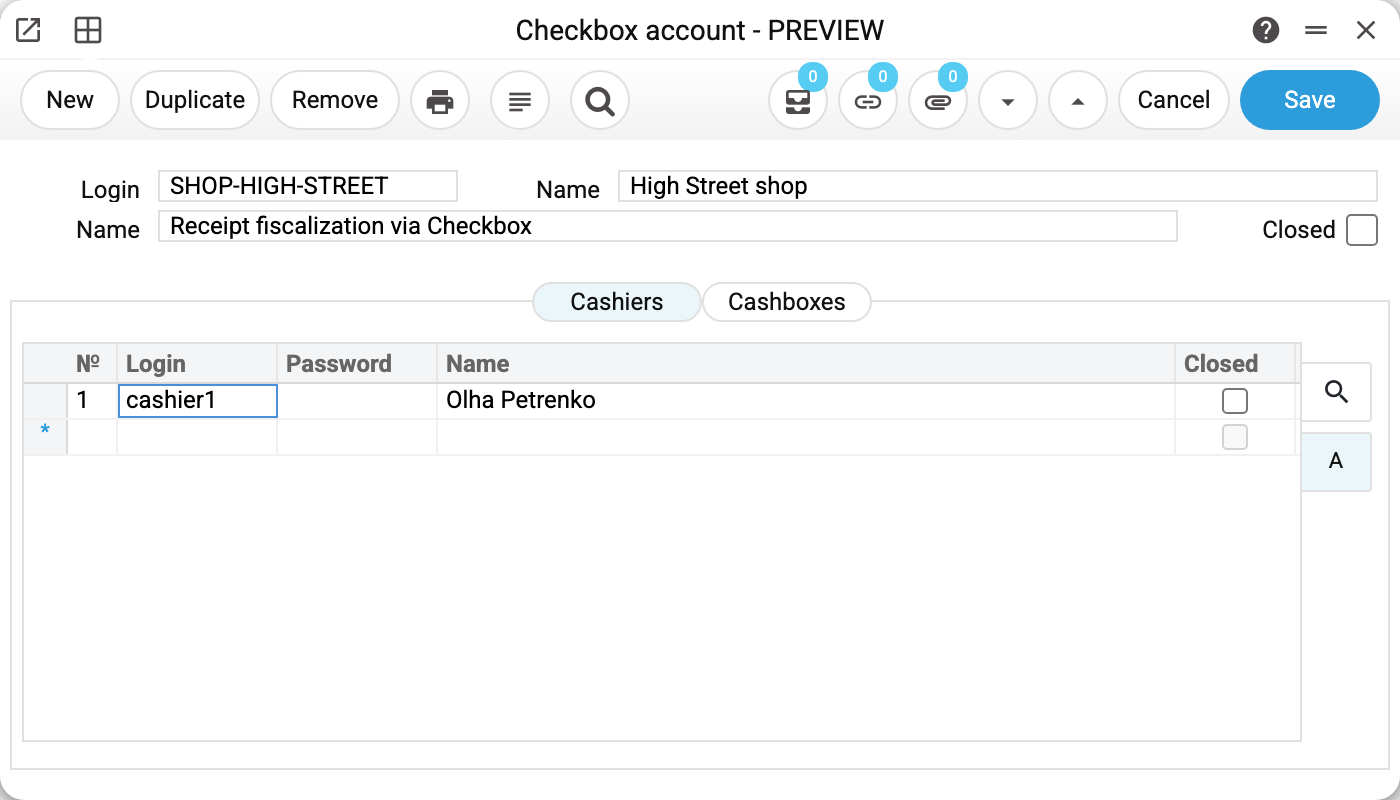
The account for the High Street shop: the record's login, the business name and a free-text comment. The record's login is for reference only: the system logs in to Checkbox not with it but with the cashiers' logins (below); it only names the record in the import summary when the name is empty. The Closed flag retires the record without deleting its history.
Below sit two tabs, each mirroring an entity in Checkbox.
Cashiers — the people receipts are fiscalized under:
| Login | Password | Name |
|---|---|---|
| cashier1 | (blank) | Olha Petrenko |
The blank password is not a mistake: it is stored encrypted and never returned to the interface. Blank means "keep the current one"; a typed value replaces it; a «-» erases the stored password (the import skips a cashier without a password).
The cashier's login and password are what the system signs in to Checkbox with: it takes the first cashier not marked Closed who manages to sign in, and collects the receipts of all the record's tills that are not closed and have a fiscal number under that cashier.
Cashboxes — the physical points of sale:
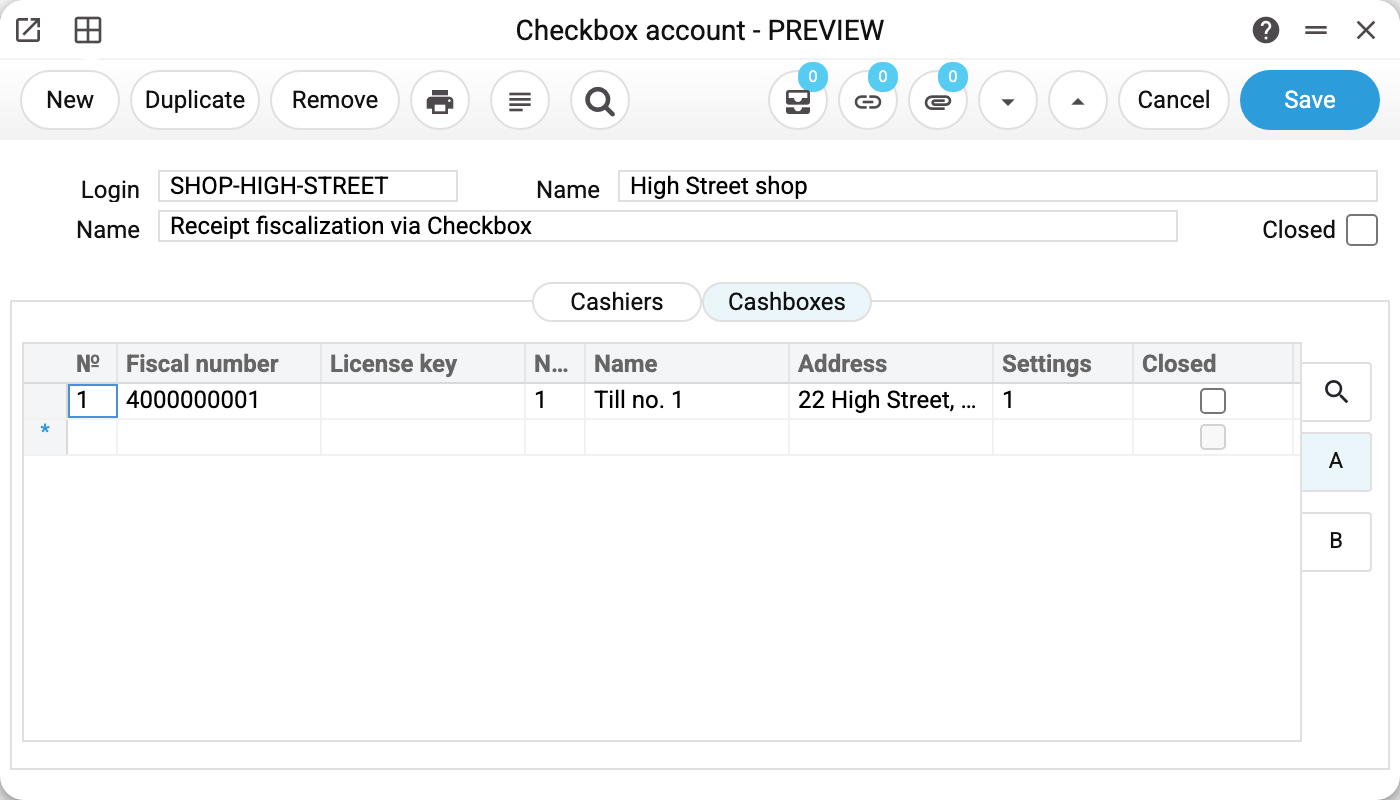
Three things matter here: the fiscal number (by it the system finds the till in Checkbox and remembers its identifier in the "Cashbox id" column), the license key (also encrypted and invisible) and the Pay mode column — the code of a POS payment mode.
Why a till needs a POS payment mode
A Checkbox receipt is not yet an accounting document. To turn it into an invoice the system needs the point of sale, the payment terms and the payment modes for cash and card. All of that lives in the POS payment mode, which is why every till must point at one: without the code the record will not save.
Typical situations
Receipts are not importing. Check the till's fiscal number: the import service looks the till up by exactly that — while "Cashbox id" on the row is empty; once found, it writes the till's identifier there and fetches receipts by it from then on. Check the cashiers too: if no open cashier could sign in, the import summary says that no cashier could log in and receipts are not imported.
The cashier's password changed in Checkbox. Type the new one into the cashier row — the old value is replaced.
A till has closed. Tick "Closed" on its row: the receipt history stays, new ones stop being accepted.
Where to look next
- Checkbox Receipts Import — how receipts enter the system.
- Fiscal Receipts — what they become.
- Encrypt Checkbox secrets — a one-off service for older databases.