Prom: update orders
The heart of the integration: it brings buyer orders from Prom into ERPJS. Each run walks the shop's orders and makes sure the base has them — with a customer, product rows and a status. From there they are handled like any order: shipment, invoice, payment.
Where to find it: Modules → Prom → Maintenances → Prom: update orders
Walkthrough
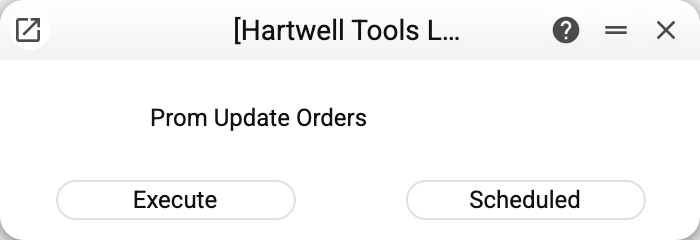
No parameters: "Execute" for a one-off, "Scheduled" for the regular exchange.
What one run does
- Pulls the orders of the shop from Prom (in pages, all of them).
- Finds or creates the customer: search by the "series + phone" code, the card's phones, the email; nothing found — a new card by the "Prom Creation of New Cust." rules. The phone goes into the code as digits (from a long number — the last ten), so "+380671234567" and "0671234567" lead to the same card. The service never searches by an empty phone or email, and without a phone it creates no new card: an order for which no card was found by email is skipped.
- Finds or creates the order — a "Sales Orders" document: it is recognised among documents of class
PROMby the buyer's order number (the Prom number lands in "Customer Order No."; spaces at the edges and leading zeros do not matter). The status travels back to Prom by the same rule. An ordinary order with the same number does not stop the Prom order from being created. When several documents of classPROMcarry this number, the maintenance rewrites none of them, creates no customer card for that order and names the Prom numbers in the warning "Not updated from Prom.ua: … orders — several orders of class PROM carry the same Prom order number": fix the extra documents by hand. A new order gets classPROMand a filled "Prom" tab: the status, the buyer's notes, the delivery address and cost, the payment and delivery options; the location comes from "Prom Options" (if it lists several separated by commas, the first one). An order cancelled on Prom before its first load does not become a document and starts no customer card. - Product rows are matched by sku: the Prom position's
skuis looked up among the codes, barcodes and alternative codes of the items, like a row in the order window; letter case does not matter. The quantity comes from the buyer's order, ERPJS sets the name, VAT and sums by the same rules as manual entry, and the row price comes from Prom: the document matches the buyer's order, the customer's price list and discounts do not apply to a loaded row. The Prom price includes VAT: if the document's prices are without VAT, the row gets the price without VAT, and the row sum equals the ordered one. The ERPJS price stays if the Prom price could not be read or the order is not in the base currency (the currency of the customer's card); the warning names such rows: «Prom.ua order rows left at the ERP price: the Prom.ua price could not be read or the order is not in the base currency (order: SKU): …». Prom trades in hryvnia, so the company's base currency is taken to be hryvnia. - Updates: if the order already exists and changed on Prom later than in ERPJS, the maintenance rewrites it with the marketplace's fresh data. A posted order is not rewritten: only its "Prom" tab is updated (status, buyer notes, delivery address and cost, payment and delivery options), while items, quantities and the customer stay as they are in ERPJS. Likewise only the "Prom" tab is updated in an unposted order with something already shipped or invoiced: rewriting the rows would reset those counters. An order with the same number but a class other than
PROMis not changed.
The Prom order list is pulled in full before the first write: a Prom failure on any page changes nothing in the base. Each order is written separately: a refusal on one of them (for example, the price currency has no exchange rate) rolls back only that order with its new customer card, the others load, and the window shows the warning "Prom.ua orders not loaded: … — …" with the number and the reason.
Worth knowing
- A product absent from the base does not make it into the rows — the maintenance skips the position and names it in the warning "Prom.ua order rows without an item (order: SKU): …". If no item is found at all, there is no new document and no new customer card (the warning "Prom.ua orders not loaded, none of their items was found: …"), while an existing order keeps its rows. Keep the catalogues stitched ("Prom: update item keys") and the skus identical.
- Avoid editing a Prom order in ERPJS before it is fulfilled: while the order lives on Prom, the next refresh may overwrite your edits with the marketplace data.
- Changing the status on the "Prom" tab travels BACK to the marketplace — see "Prom Statuses". A status that came from Prom is not sent back: only a change made by a person in the window travels.
- The order is recognised by its Prom number among documents of class
PROM: delete it in ERPJS or change its class and the next run recreates it.
Common situations
"Prom options are empty". The token or the host in "Prom Options" is missing. Without a Location the maintenance refuses differently — "Set Stock in Prom options settings!": this maintenance needs both the token and the Location.
The order has fewer rows than the buyer's on Prom. Some skus were not found in the base — the maintenance named them in a warning. Create/align the items and wait for the order's next refresh.
The customer doubled. The buyer ordered with a different phone or email — the maintenance could not recognise the existing card. Close the redundant card by hand; the search rules live in the new-customer article.