POS payment modes
The card of a point of sale: it records how this particular till settles and where its money goes. It is part of the fields of the company-wide POS settings — payment modes and terms, the fiscal cash register, the cash collection account — but for one shop.
Where to find it: Modules → POS → Registers → POS payment modes
Why it exists: in a chain, shops often settle differently — different terminals, different bank accounts, different fiscal devices. The general setting is the default rule; the till card is the exception.
Worked example
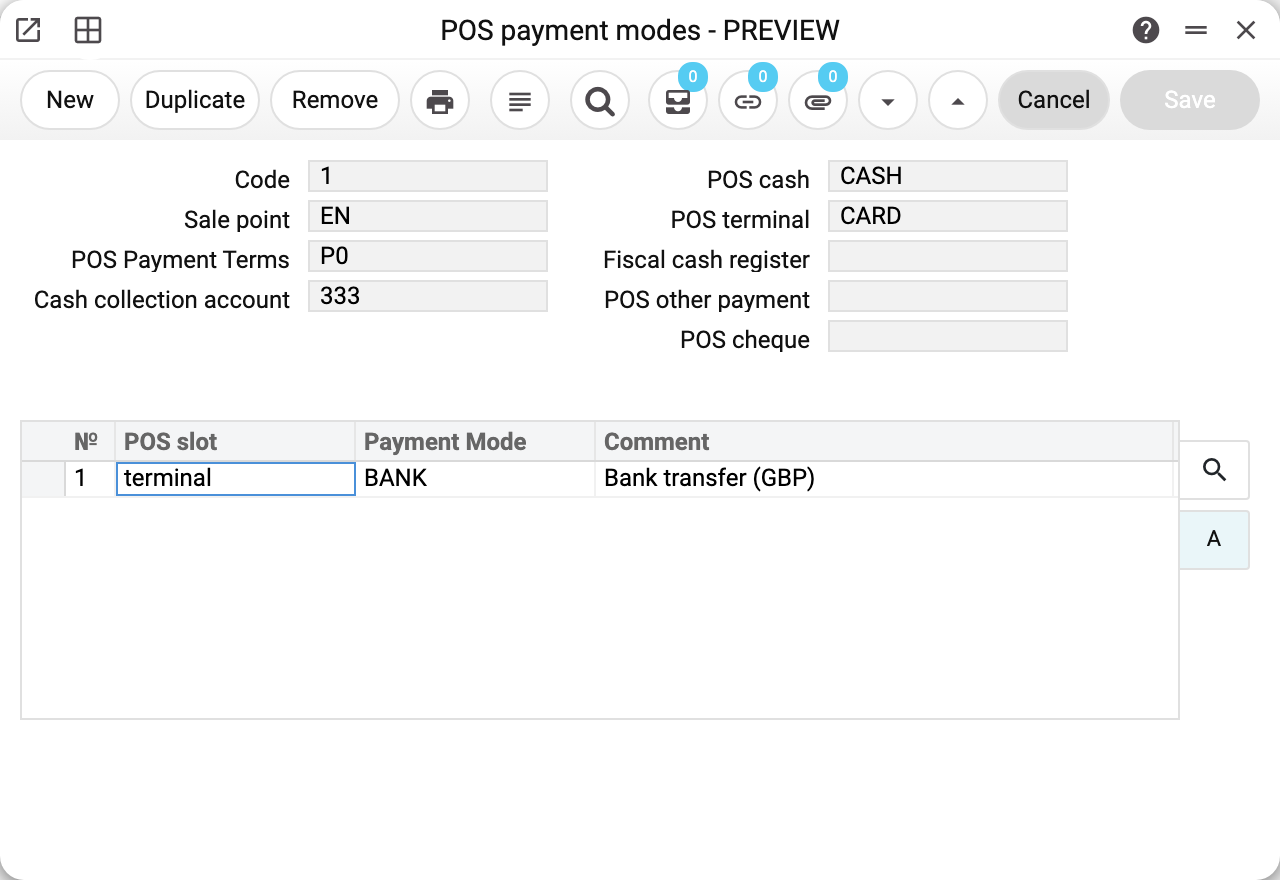
Sale point is neither the shop name nor a till number — it is the user login the till signs in with. In the example it is EN. Till and cashier are two separate logins: first the point of sale (the shop) authorises itself in the till application, then the cashier standing at the counter identifies themselves.
That is why the "Sale point" field does not accept just anybody: users flagged as cashiers are excluded from the list, and typing one in by hand is refused with "You cannot insert users with the cashier type".
The remaining fields describe how this till settles:
- POS cash
CASH— payment method code for banknotes (account 301); - POS terminal
CARD— code for card payments (account 311); - POS other payment — a third non-cash method, such as mobile money (empty on the demo stand);
- POS cheque — the method for payment by cheque: the bank the cheques are paid into (empty on the demo stand);
- POS Payment Terms
P0— paid on the day of sale; - Fiscal cash register — the fiscal account of this very shop (empty on the demo stand);
- Cash collection account
333— where the cash goes once handed over for collection.
The Code (1) is assigned by the system — it is just the record number.
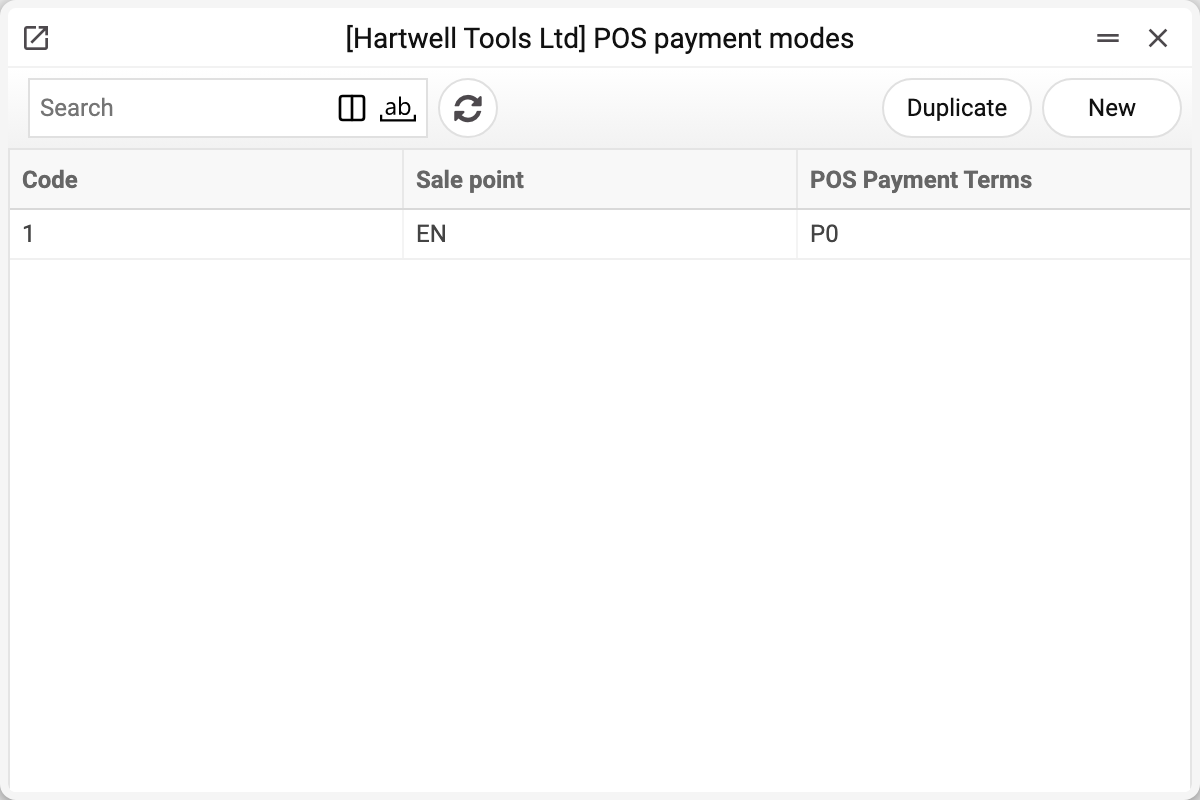
Several terminals on one till
A till may have terminals of different banks, or several mobile money methods. The main code of a method goes into its field on the card; additional codes go into the table below the fields:
- POS slot — which method the code is added to:
terminal(POS terminal),other(POS other payment) orcheque(POS cheque); - Payment Mode — a code from the Payment Methods list;
- Comment — the method's name, filled in by the system.
In the screenshot at the top, the EN card has one such row: terminal — BANK "Bank transfer (GBP)". So when paying by terminal, the cashier chooses between CARD and BANK.
When a method has several codes, the till's payment window shows a "Payment method" choice: the cashier marks the terminal the card was actually run through, and the money lands on that bank's account. The main code is selected by default, or, if the receipt is already partly paid by this method, the code of that payment. With a single code the window is the same as before, with no choice.
The system checks the table on save:
- a row can be added only to a method whose main field is filled: the table adds to the field, it does not replace it. An empty field is refused with "Fill in the main payment method of this POS slot before adding more";
- a code appears in one place only: the same code in a field and a row, or in two rows, is refused, because the amounts would merge into one line of the reports by payment method;
- cash is not in the table. A till has one cash code: the drawer balance, change, the cash withdrawal and collection are counted by it. Cash going to two different accounts means two tills, each with its own card.
The till accepts only the codes of its own card: a code the card does not have is rejected by the payment window and when the receipt is closed.
Where the data comes from
Every field is a reference to a list, and each one is validated on save:
| Field | List | Validation |
|---|---|---|
| Sale point | Users without the cashier flag | the user must exist |
| POS cash, POS terminal, POS other payment, POS cheque, table codes | Payment Methods matrix | the code must exist |
| POS Payment Terms | Payment Terms | the code must exist |
| Fiscal cash register | Vchasno.Kasa Accounts | the code must exist and the account must be open: a closed one is not in the picker, and typed in by hand it is refused: "Field "Fiscal cash register" is not found!" |
| Cash collection account | Chart of accounts | the account must exist |
The fiscal cash register and the collection account are checked when the code is entered or changed. If the code later disappears from its list, the card can still be saved with changes to other fields.
How the system decides what to apply. At the moment of an operation it looks up the card by the point-of-sale login.
- Receipt payment takes the methods from the card found, as a whole. An empty payment-method field on the card is not filled in from POS settings: the till's button for that method refuses at once, for example "The terminal payment method is not set for this till", and says where to set it. So fill in every method the point takes money by. At payment, the methods from POS settings apply only when the point has no card at all.
- Cash in and cash out take the cash code field by field: empty on the card means it comes from POS settings.
- The fiscal cash register and the collection account are also taken field by field. If the card's field is filled, that value is used; if it is empty, the value comes from POS settings.
It applies to: cash in and cash out at the till, closing a shift (the cash withdrawal), the cash collection posting, and automatic fiscalisation.
Parameters
| Field | Description |
|---|---|
| Code | Card number, assigned by the system. Mandatory, unique. |
| Sale point | Login of the till user. Mandatory. Users flagged as cashiers are not allowed. |
| POS cash | Payment method code for this till's cash settlements. One per till. |
| POS terminal | Main payment method code for card settlements. |
| POS other payment | Main code of the third non-cash method. |
| POS cheque | Main code of the method for payment by cheque. |
| POS Payment Terms | Payment terms code for this till's receipts. Empty — the receipt takes the customer's terms, and if the customer has none either, it gets the terms from POS settings, with the due date by them, when it is closed. With terms of the "Cash" type a receipt closes only when it is paid in full. |
| Fiscal cash register | Vchasno.Kasa account that fiscalises this shop's receipts. |
| Cash collection account | Account the cash of this till is moved to on collection. |
| Table: POS slot, Payment Mode | Additional codes of non-cash methods — see Several terminals on one till. |
Common situations
One till, one card. The system does not stop you from saving a second card for the same login, but the till takes only one of them, and which one is not defined. Keep one card per till login.
A new shop opened but the till does not see its settings. Check that the card holds exactly the login the till signs in with — not the cashier's login and not an administrator's. If the system has several companies, the card is created in the company the till signs in to.
A payment button refuses: "The cash payment method is not set for this till" (terminal, cheque, other payment). The point's card has this method's field empty, or, with no card, POS settings have it empty. Fill in the field: table rows do not replace it. When the till has a card, POS settings do not affect it.
A receipt does not close: "Invoice not paid", although "POS Payment Terms" on the point's card are empty. The receipt then takes the customer's terms, and if the customer has none — the terms from POS settings; with terms of the "Cash" type the receipt must be paid in full. If this point really sells on credit, set terms of another type on its card.
The payment window offers no choice of terminal. The choice appears when the method has at least one table row on this point of sale's card. Check that the row is on the card of the till login and has the right POS slot (terminal for terminal payments). The "Payment Modes" tab of a Department does not configure the till: it is used by the payment window of Service Orders.
Several cash codes are needed. A till has one cash code. If the cash of one drawer has to go to different accounts, those are different tills, each with its own card.
Card money "disappears" at collection. That is by design: only cash is collected, because card money is already in the bank. The card line stays in the collection document but is left out of the posting.
The till does not fiscalise. If one fiscal device serves the whole company, leave "Fiscal cash register" empty here and it will fall back to the general setting. When every shop has its own device, fill it in here: Vchasno.Kasa.
The card cannot be deleted: «A record of «POS payment modes» is used in: Checkbox Accounts!» A card can be deleted only while its code is on no till row of a Checkbox account. Deleted, it would leave the till row with a code that no longer exists: the account could not be saved, and the Checkbox receipt import would skip that till, so its receipts would not load. Change the payment mode on the till row first. The till itself finds its card by the point-of-sale login, not by the code: without a card it takes the payment modes from POS settings.
See also
- POS settings — the company-wide rules
- Users — where tills and cashiers are created
- POS Cash Collection — where the cash goes at the end of the day