Prepayments Vendor History
What happened to every advance the company paid up front: when the money left, which invoice consumed it and how much of it is still unearned. The question the report answers sounds roughly like this: "we sent the supplier a prepayment — have the goods arrived, or is the money still sitting there?"
Where to find it: Modules → Purchase Ledger → Reports → Prepayments Vendor History
A worked example
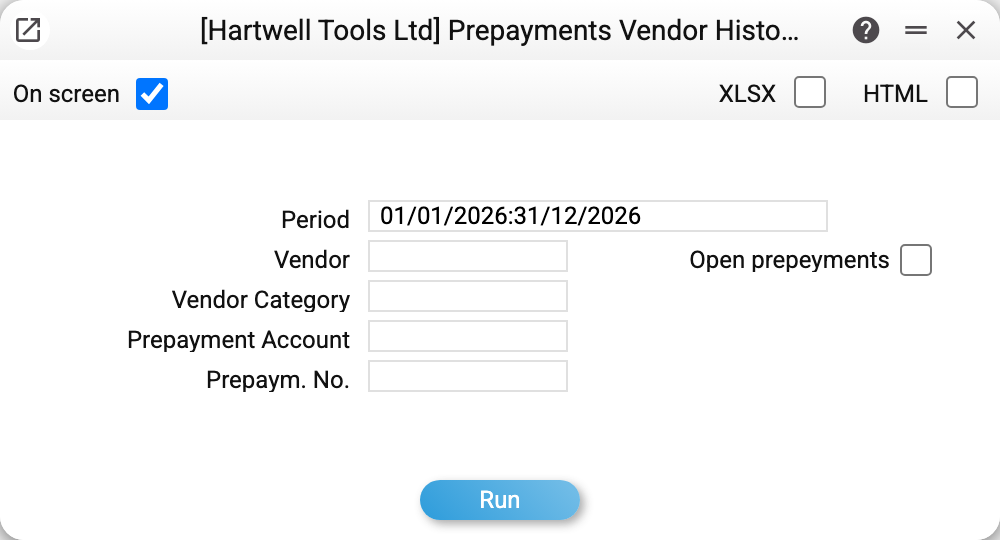
Let us take the whole of 2026:
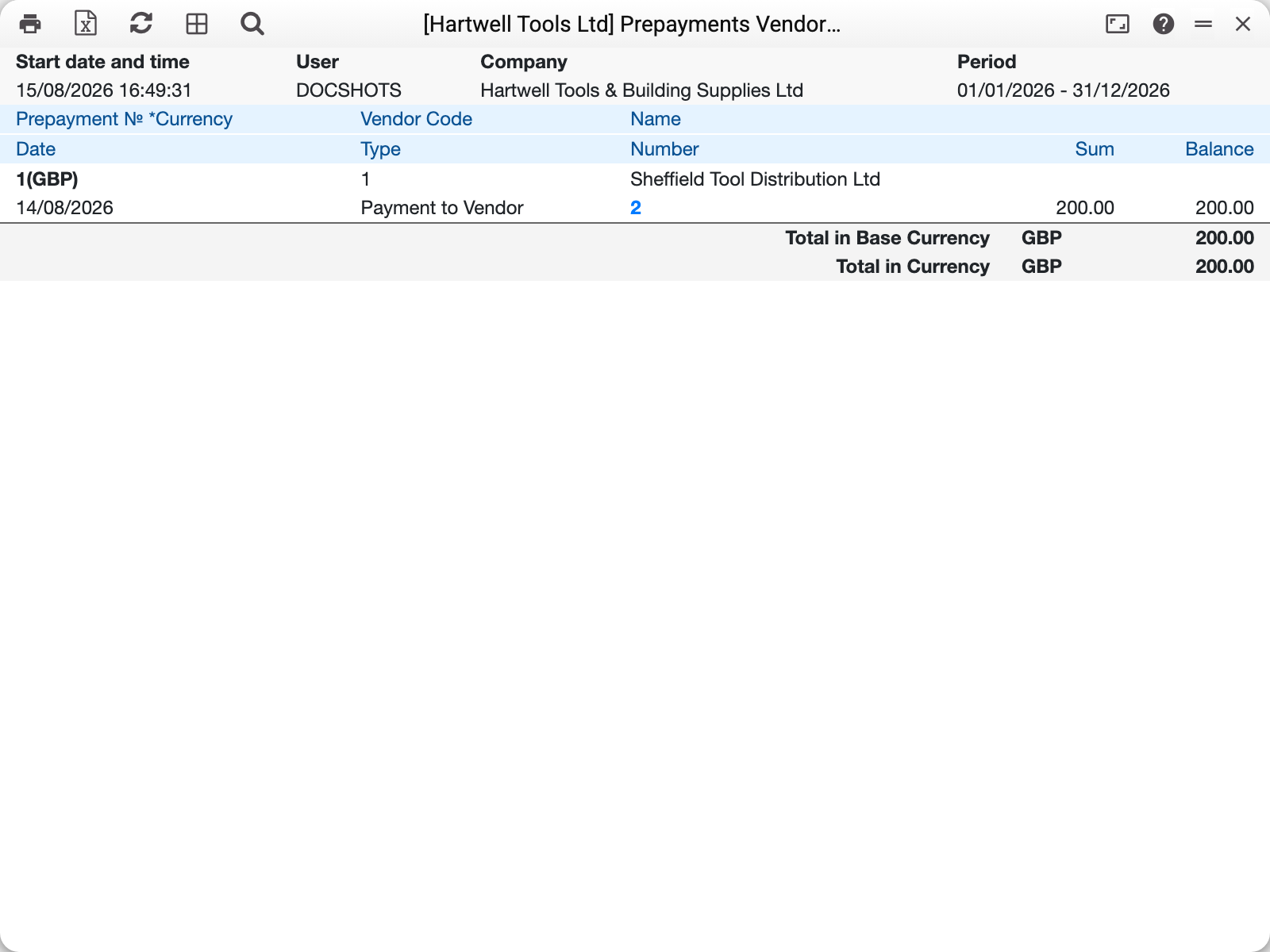
The report is grouped by prepayment number, and every group is a small story. Here there is one: prepayment No. 1 to Sheffield Tool Distribution Ltd — payment No. 2 of 200.00 on 14/08/2026, and nothing else. There is no invoice line, so the balance is 200.00: the money is gone, the goods are not here yet.
Once the advance is used up, a second line appears in the same group — type "Vendor Invoice" with a negative amount — and the balance drops to zero. One group thus shows the whole life of an advance: paid — offset — closed.
At the bottom is "Total in Base Currency 200.00": only open balances go into the total, so the figure answers "how much of our money is currently sitting with suppliers" straight away.
The "Type" column tells what each movement was: "Payment to Vendor" — money went out, "Vendor Invoice" — the advance was consumed by an invoice. The number beside it is the number of that document, and it can be followed to open the document itself.
Where the figures come from
A line appears when a document is approved. A payment carrying an advance writes a "+" movement; the vendor invoice that offsets the advance writes a "−" movement. Clear the OK flag and the movement disappears — the history is rewritten together with the documents.
The prepayment number is assigned by the system when "Generate prepaym. No." is ticked on the payment row; it can also be typed by hand when the supplier asks you to quote a particular proforma.
The balance is the sum of all movements of one prepayment. Zero means fully earned, a positive figure is the part of the advance that nothing has closed yet.
The currency in brackets next to the number is the currency of the prepayment itself. Advances in different currencies are never added together; the base-currency total converts the balances at a rate chosen by the prepayments settings.
Parameters
| Parameter | What it does |
|---|---|
| Period | By the date of the prepayment's payment: the report takes prepayments paid within the period — with all their movements, even later ones. A prepayment paid earlier is not included, even if it was offset within the period |
| Vendor | A single supplier |
| Vendor category | All suppliers of one category |
| Prepayment Account | Filter by the ledger account for advances paid |
| Prepayment No. | A particular prepayment |
| Open prepayments | Keep only advances that are not yet closed |
The "Open prepayments" checkbox is the report's main working mode: it removes every earned advance and leaves only the money the company is still waiting goods for. An advance is open while posting has not closed it: its balance in the advance currency is not zero, even if the exchange difference left zero in the base currency.
Common situations
The advance was closed but still shows up. The period has nothing to do with it: the report shows every movement of the prepayment, even those dated after the period. Most likely the invoice that consumed the prepayment is not approved yet — the "−" movement appears only once it is posted.
The supplier says the advance is used up, but the balance is not zero. Most often the invoice was approved without offsetting the prepayment: the advance stands on its own and so does the invoice debt. Open the vendor invoice and check its prepayments tab.
You need to know what the money was for. The payments journal shows the purchase order number the advance was paid against.
The total is smaller than the sum of all payments. That is by design: the total counts open balances only. The full cash movement is in the payments journal.