Journal Disposal Fixed Assets
The question this report answers: which fixed assets were sold or written off in a period — act by act. It is a list of disposal acts with type, department and comment, and in the detailed view also with their rows: which asset, what it cost, how much depreciation had accrued and what was left.
Where to find it: Modules → Fixed Assets → Reports → Journal Disposal Fixed Assets
!!! note "The journal shows every act — including those not posted" The List of Fixed Assets treats an asset as disposed only by a posted act. The journal takes every act of the period, posted or not, and does not show the act's state — you see that in the document itself.
A worked example
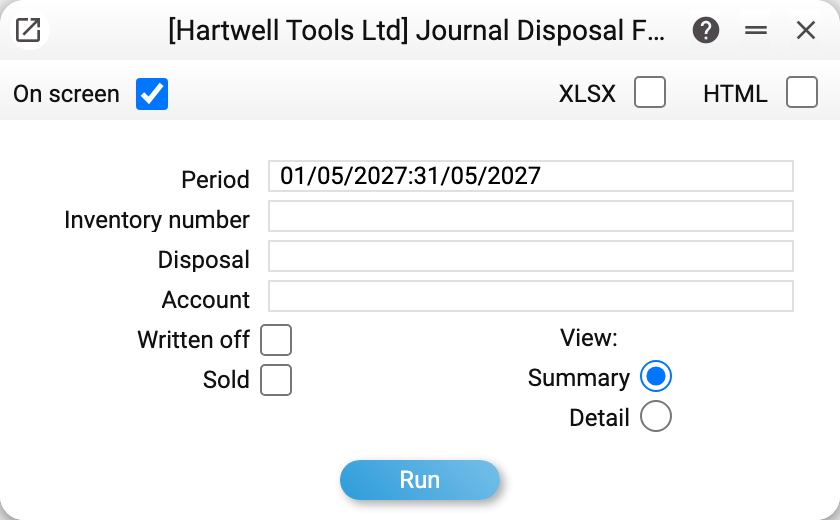
The report selects acts by period — by the act date. The other fields narrow it down: inventory number, act number («Disposal») and the act's account. The «Written off» and «Sold» boxes select by act type. The «View» switch chooses how the report looks, it does not filter acts by state: «Summary» — act headers only, «Detail» — with rows.
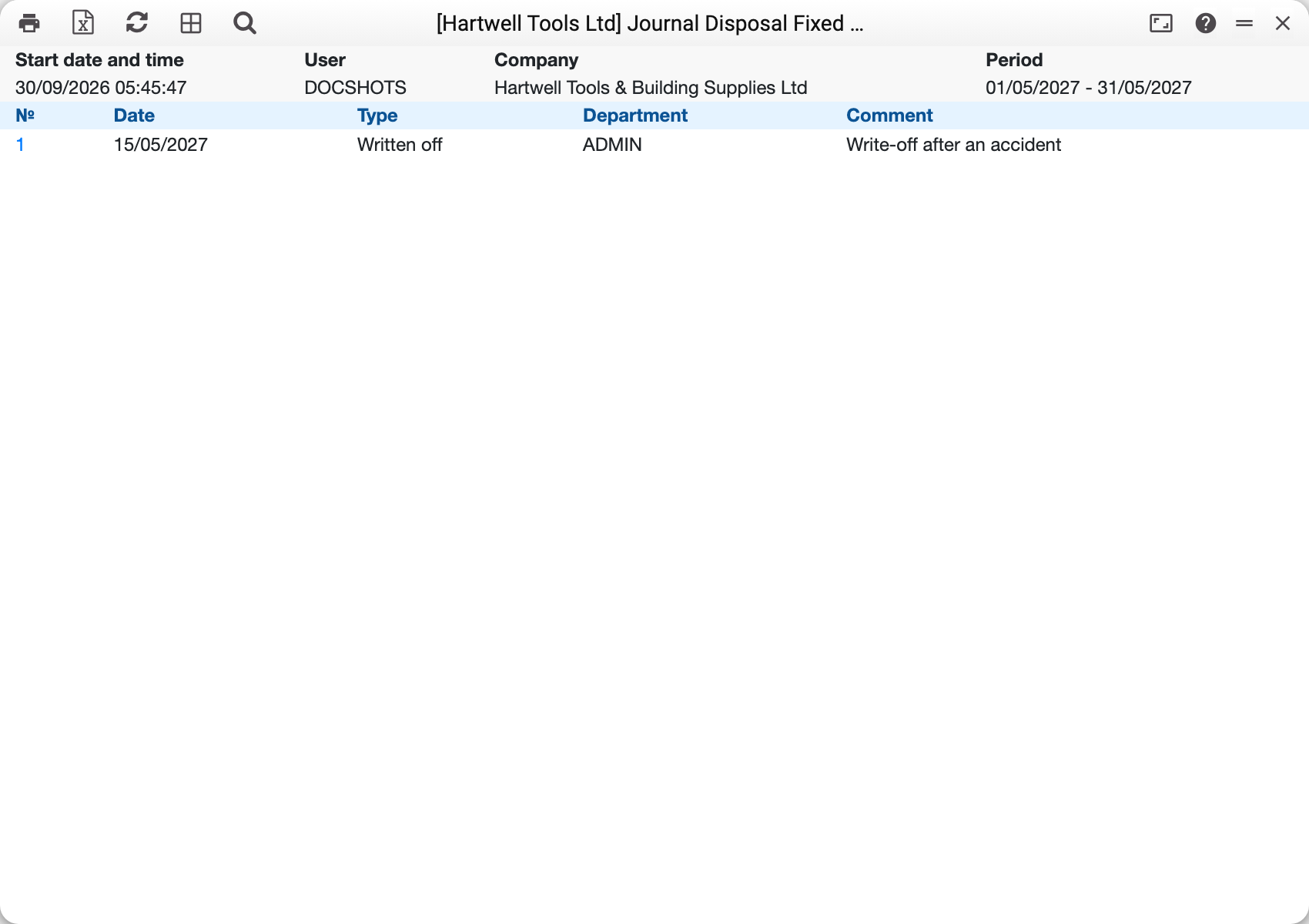
For May 2027 the demo company has one act — No. 1 of 15/05/2027, type «Written off», department ADMIN, «Write-off after an accident». The number is a link that opens the act. The act is not posted, yet it is in the journal.
«Department» is the department of the fixed asset in the act's rows, taken from the asset card — not a field of the act itself. If the act holds assets of different departments, one of them is shown.
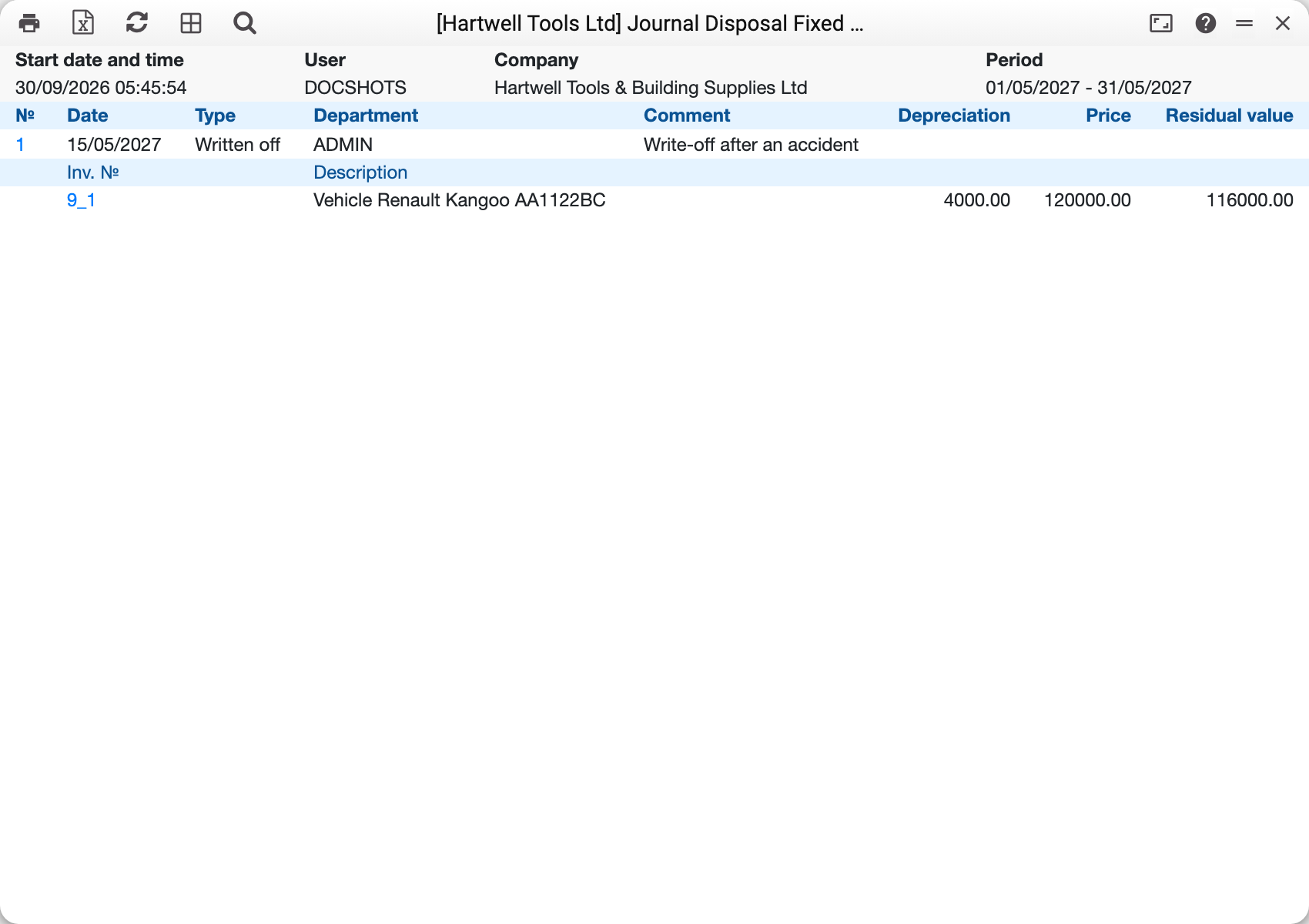
In the detailed view each act header is followed by its rows: 9_1 «Vehicle Renault Kangoo AA1122BC», «Depreciation» 4,000, «Price» 120,000, «Residual value» 116,000. The inventory number links to the fixed asset card.
Where the row figures come from
The report takes the price and depreciation from the act row and calculates the residual value as their difference. An act row is filled in when an asset is picked into it or its quantity changes:
- «Price» — quantity × unit purchase cost from the asset card, i.e. the original cost of the part being disposed of;
- «Depreciation» — the depreciation accrued on that part: the price minus its residual value per the card (by the depreciation model set in «Assets Setting»). If the asset has not been put into service yet, depreciation is 0;
- «Residual value» — price minus depreciation, i.e. the residual value at the moment of disposal.
The price and depreciation are not edited by hand in the act window: they are fixed in the row when the asset or quantity is picked. If depreciation is charged on the card later, the act row and the journal keep the old figure until the asset or quantity in the row is picked again.
How the filters work
- «Inventory number» — acts that hold this asset in at least one row. In the detailed view such an act is shown with all its rows. The picker lists only assets that are not closed, and a posted act for the whole quantity closes the card: the number of a fully disposed asset is typed in by hand;
- «Disposal» and «Account» — exact match with the act number and with the account in its header;
- «Written off» and «Sold» — one box keeps only acts of that type. Both ticked or both clear — acts of both types are included.
Acts are listed by number. The journal has no totals — neither per act nor overall. The result can go to the screen, XLSX or HTML — use the boxes at the top of the window.
Typical situations
The act is in the journal, but the asset is still on the List of Fixed Assets. The act is not posted (the journal shows all acts, the list only posted ones), or not the whole quantity of the asset was disposed of, or the act is dated after the end of the list's period.
Both type boxes are clear, yet the report shows everything. With no box ticked there is no type selection — same as with both.
The report is empty. Check the period: it goes by the act date, and an empty period field means today.
Where to look next
- Disposal of Fixed Assets — the sale or write-off act itself.
- List of Fixed Assets — what is on the books after disposals.
- Information on depreciation of fixed assets — depreciation and value for a period.