Trial balance
The main reconciliation tool: for every account — the opening balance, debit and credit turnover for the period, and the closing balance. A lost transaction, a duplicated document or a cash account driven below zero shows up here first, before any financial report.
Where to find it: Modules → Nominal Ledger → Reports → Trial balance
Worked example
July 2026 in the demo database:
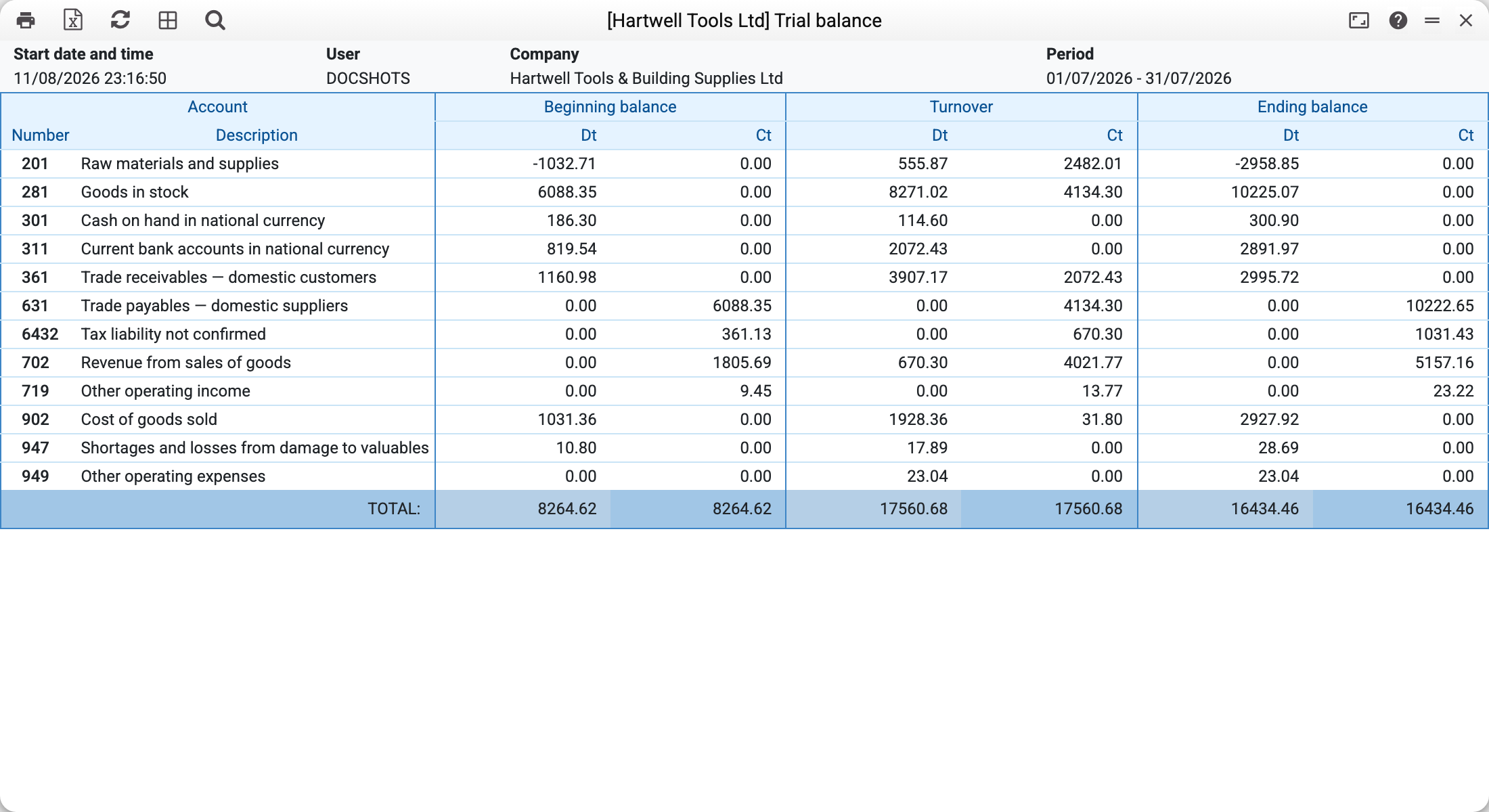
- At the bottom, the key check: debit and credit totals are equal in all three column pairs (opening 8,264.62, turnover 17,560.68, closing 16,434.46). If that equality breaks, the period contains one-sided or corrupted transactions.
- Account 281 "Goods in stock": 6,088.35 at the start, goods received for 8,271.02 (debit) and cost written off for 4,134.30 (credit) during the month, 10,225.07 left.
- Revenue account 702 carries a credit balance from the start of the year (1,805.69 on July 1, 5,157.16 at the close) — income accounts accumulate turnover until the year is closed.
Clicking an account row opens the breakdown of its transactions (the General Ledger).
Where the data comes from
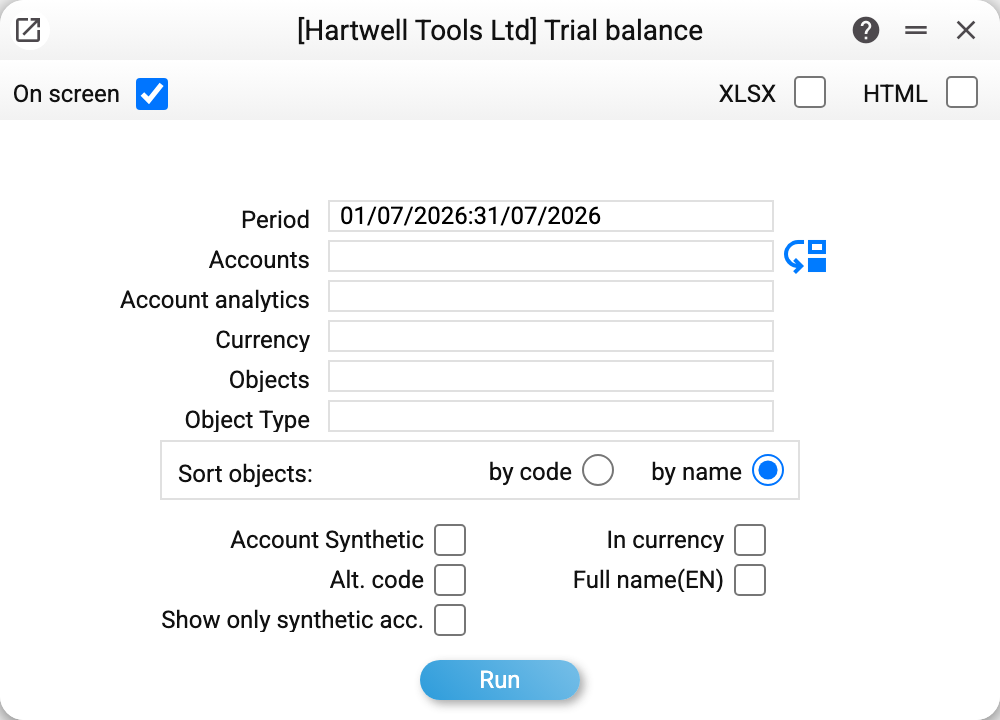
The sheet reads postings (Transactions) and opening balances (Forward Balances): the opening balance is everything BEFORE the period, turnover is the posting rows inside the period, the closing balance is arithmetic. Postings exist only for approved (OK) documents, so document drafts never affect the sheet. The exception is forward balances: their rows count as soon as they are saved, with OK or without. The "Objects"/"Currency" filters cut away part of the posting rows — which is exactly why Dt=Ct equality of the totals is not guaranteed under a filter.
Parameters
| Parameter | What it does |
|---|---|
| Period | The period to calculate turnover for |
| Accounts | Restrict the account list; the dropdown also offers synthetic accounts |
| Account analytics | Expand these accounts by objects; the arrow next to "Accounts" copies the list here |
| Currency | Only transactions in this currency |
| Objects / Object type | Filter transactions by objects |
| Sort objects | By code or by name |
| Synthetic Accounts | Add summary rows of synthetic accounts |
| Show only synthetic acc. | Keep just the synthetic summaries; an account without a synthetic account stays as its own row |
| In currency | Add foreign-currency amounts next to base-currency ones |
| Alt. code | Show the alternative account code column |
| Full Name (EN) | Add the English account name |
Common situations
Debit total ≠ credit total. With an account or object filter this is normal: the filter cuts off the other half of the transactions. On a full, unfiltered sheet the equality is mandatory; if it breaks, check the period for corrupted documents.
An account with a negative balance. The classics — cash or stock below zero: transactions posted backdated or out of order. Catching this is exactly what the sheet is for.
An empty sheet. No transactions in the period and no opening balances — or everything was cut off by the currency filter.
Income did not "reset" on January 1. Income and expense accounts accumulate turnover until the year-end closing is posted — the sheet shows the facts, not what "should have been".