SO Status Report
The full passport of a service order on one screen: what was received, what was done, which tasks came up along the way and how the customer paid. It is the first report to open when a customer asks "how is my repair doing?" — and the last one used to double-check a closed order.
Where to find it: Modules → Service Orders → Reports → SO Status Report
The report lives in the Reports menu of the Service Orders module; it can also be launched straight from the menu of an open order card.
A worked example
Run it for order No. 1 (a drill that does not hold charge):
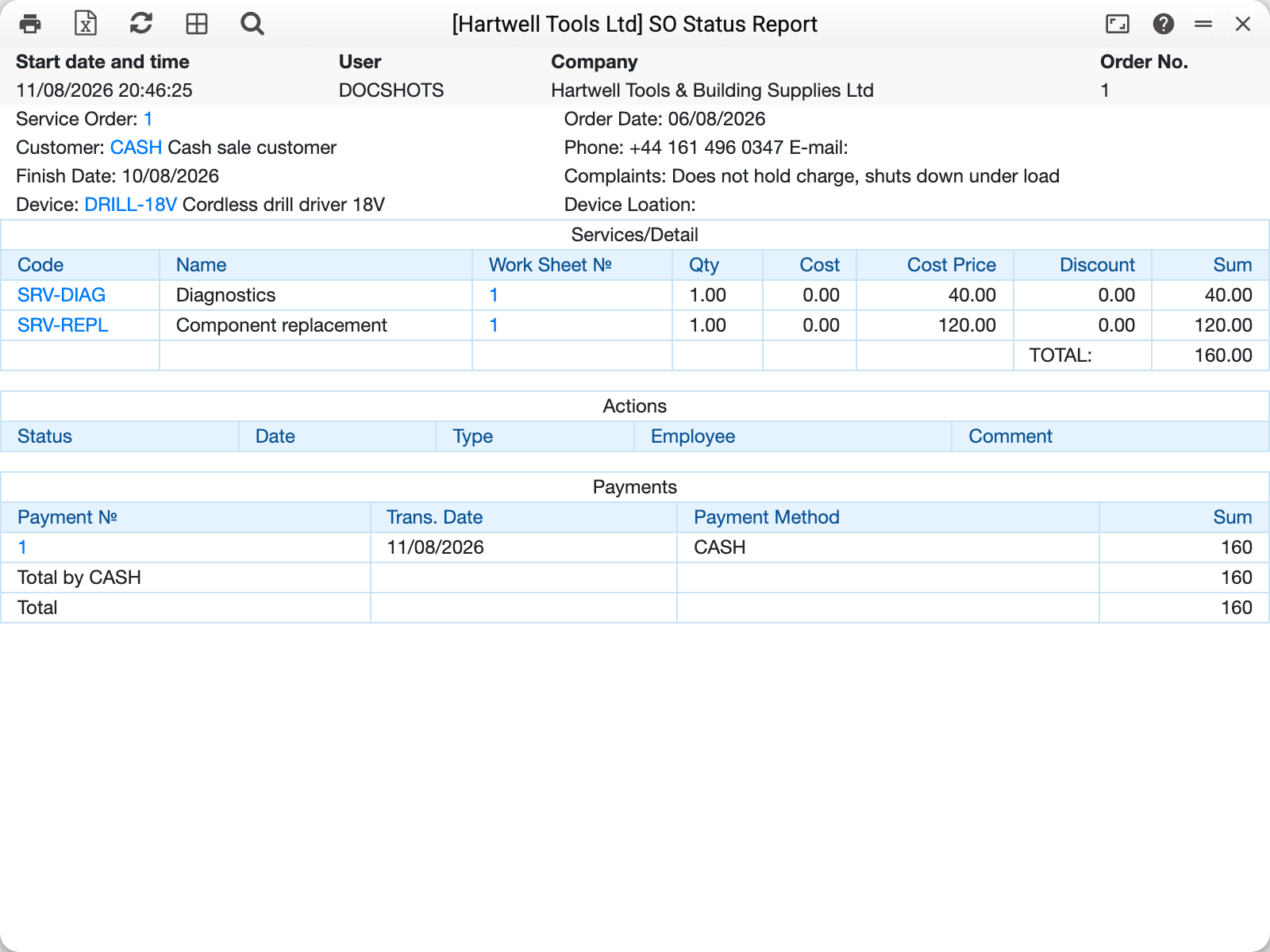
Read it top to bottom as the repair story:
- Header — customer with phone, device, complaint and planned finish date: everything from the service order card.
- Services/Detail — lines from the approved work sheets of this order: diagnostics 40 + component replacement 120 = 160. The "Work Sheet №" column links to the worksheet the line came from; cost prices are visible only with the viewCost permission.
- Actions — tasks the system created on status changes. On this demo company the task module is not configured, so the block is empty.
- Payments — service cash-in orders for this order: payment No. 1 in CASH for 160, with totals per payment method.
Leave "Order No." empty to list every order in the register in one run — open and closed alike, with the Payments block left empty for each. On a large database that is a long list; for a single repair give the number.
Common situations
The Payments block is empty although the customer paid. The report shows actual service cash documents. If the payment was reflected only as amounts on the order card (without the payment window), there is no cash order and nothing to show.
Zero lines in Services/Detail. The order has no approved work sheet yet — only the device has been received (or a work sheet exists but is not approved).
Parameters
| Parameter | What it does |
|---|---|
| Order No. | One order; empty — every order in the register, the Payments block empty |