Offline Number Series
A till working without a connection has to number its receipts on its own — and must not collide with the server's numbers or another till's. The answer is simple: each terminal gets a range of its own that nobody else uses.
Where to find it: Modules → Offline → Registers → Offline Number Series
A worked example
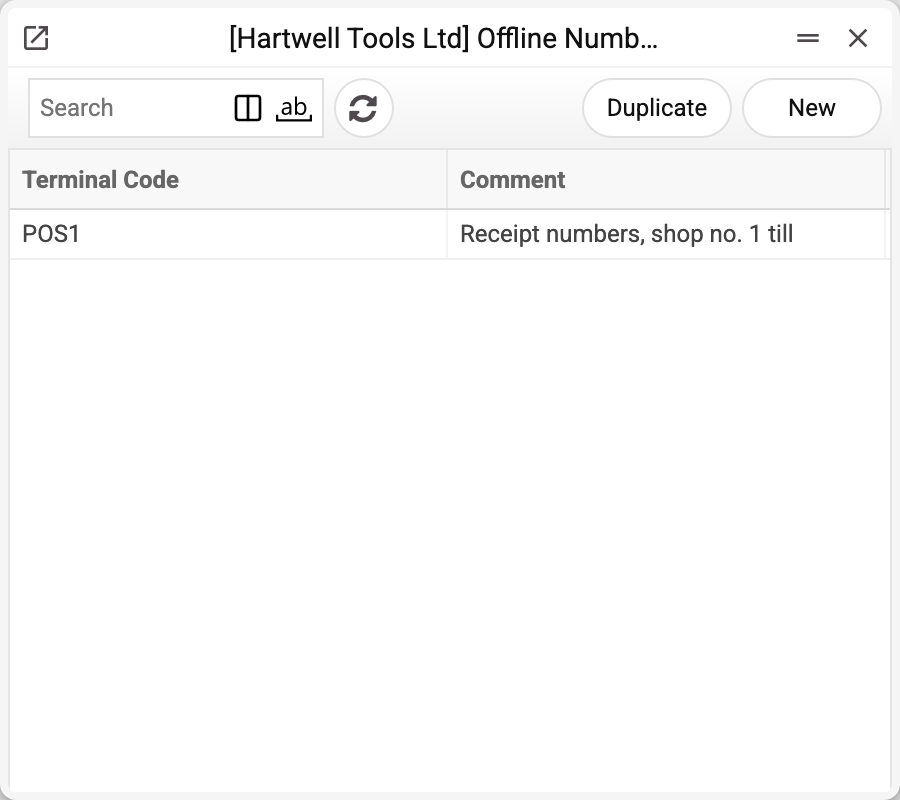
The journal shows the terminal code and comment, one record per terminal. There is one terminal here, POS1.
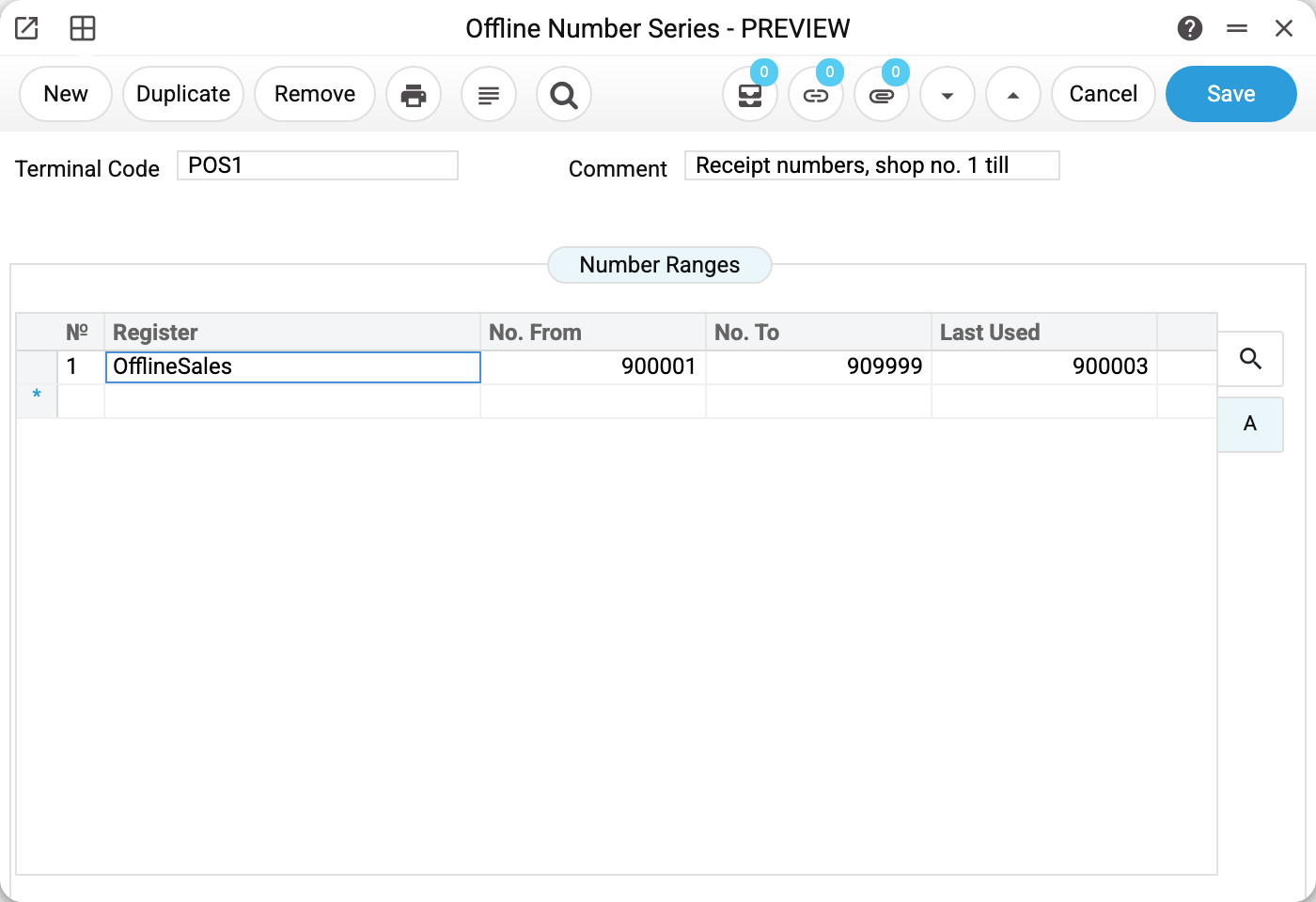
Terminal POS1 holds the range 900001–909999 for the OfflineSales register. The "Last Used" field reads 900003: the highest receipt number from this range that the till has already delivered to the server. The server raises it as it accepts the till's receipts and never lowers it; the till itself keeps its own counter (see "A range is running out").
One record covers one terminal. The table has one row per allocated range; the till itself numbers only receipts, so it needs rows for OfflineSales. It takes numbers from the first row that still has free ones.
Why the numbers never clash
When the server generates the next number online it skips the offline ranges. So 900001 will not land on a document created at head office, and a till that has run for a week without network brings back numbers nobody has taken.
A caveat: this is how "next after the last" numbering works. If number series are set up for the register, the server issues numbers from them and does not skip the offline ranges. So while offline exchange is on, an overlap between a series and a till's range cannot be saved — neither in the number series nor in this record; a range for OfflineSales is checked against the invoice series, because the invoice inherits the receipt's number. Without this check an invoice created at head office would take a till's number, and the till's receipt with the same number could no longer become an invoice (a conversion error in "Offline Sales").
One more detail: the invoice created from a receipt inherits its number. The invoice for receipt 900001 is invoice 900001 — that is what to search by.
Typical situations
A range is running out. How much of the range is spent shows in "Last Used": the server raises it to the number of this till's latest receipt that has arrived (receipts the till has not sent yet are not counted). Once it nears the upper bound, add the till another range on the next line. Having used up its range, the till stops issuing numbers until it gets a new one.
A till was reinstalled or registered again. Numbering continues instead of starting over from the beginning of the range: the till takes the largest of three — what the server knows ("Last Used"), what the till remembers itself, and the highest receipt number already stored in its database. So the number of a receipt not yet sent to the server is never issued twice. A range narrowed below a number the till has already issued counts as used up.
Adding a second till. Give it a different range (say 910001–919999) — overlapping terminals would produce identical receipt numbers and a conflict at conversion time. So a range that overlaps another till's range (or another row of the same record) cannot be saved: the refusal names the range it runs into and, if that range belongs to another till, the till.
The till will not ring up a sale — the message "The till has no free receipt numbers". Check that it has a record here: with no range the terminal has no number to assign.
Where to look next
- Offline terminals — who the ranges belong to.
- Offline sales — the receipts these numbers are on.
- Number series — the same idea for ordinary, online documents.