Import Initial Data
The initial-setup operation: it loads into the current company the starter kit shipped with the server — the chart of accounts, currencies, units, roles, payment terms, price lists, locations, print-form and import templates, sample items and contacts, plus the Base Currency, Rounding and Account Usage settings, VAT rates and till settings. It accepts no files of its own: it cannot carry over data from a previous system.
Where to find it: Modules → Database Maintenance → Maintenances → Import Initial Data
A worked example
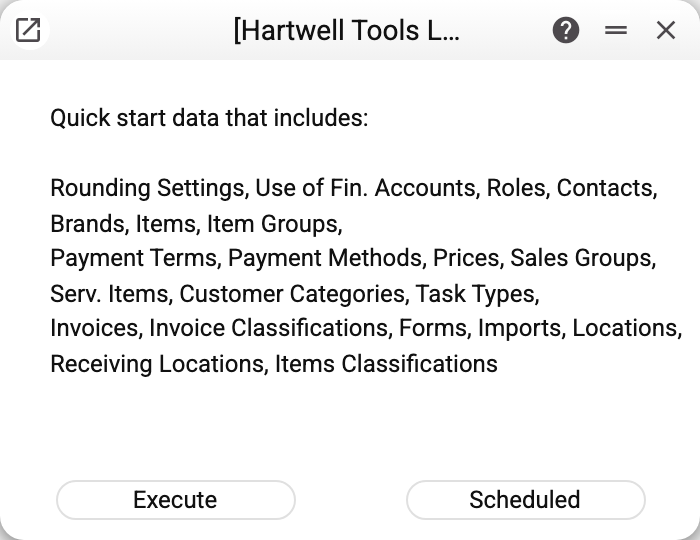
This is a tool for starting a new, empty company — not part of daily work and not a data migration. It runs once, right after the company is created. In a new SaaS database the operation has already run by itself on the database's first start.
The list in the window is incomplete, and its "Invoices" and "Invoice Classifications" are in fact the chart of accounts and the account classes: the kit loads no invoices.
Settings the company has already filled in are not changed: Base Currency, Rounding and Account Usage stay as they were, and the summary names them in the line "Settings already filled in were not changed: …". Only settings that do not exist yet or that nobody has saved — as in a newly created company — get the kit's values. Reference records whose code already exists in the company are skipped; the rest are added.
Tables inside records — role rights, VAT rates, till commands, payment methods — are filled only in records the operation created itself and in this company's settings whose table is still empty. The rights of an existing role and VAT rates already set up are left alone, and a repeated run does not duplicate them.
What to do after an import
The kit is designed for a Ukrainian company. Right after loading, check and adjust:
- Base Currency and Rounding;
- the chart of accounts and Account Usage — which accounts postings will go to;
- VAT rates;
- the sample items and contacts — delete them or replace them with your own;
- the kit's role rights — before assigning a role to people, open it and check what it gives access to.
The operation builds the search text itself: the loaded records are findable right away.
Typical situations
The summary shows "Settings already filled in were not changed: …". The operation was run in a company where those settings are already filled in — they stayed as they were. If you need the kit's values, enter them in the settings by hand.
Some kit records are missing. A record whose code already existed in the company is skipped without an error: the server log names such registers in a single line "ImportTablesInitial: already in the company, skipped — …" with the count. A line "ImportTablesInitial: error at register …" in the log is a real failure to create the record; if that record has a table, the summary names it with a triangle line (below).
The summary shows a warning row "Table «…»: rows not imported: N — the reason is in the server log". Some rows of a table (VAT rates, role rights, till commands) were not written. Look for the reason in the server log and add the missing rows to that setting or role by hand. There is no need to run the whole operation again for that: it adds nothing to a table that already has rows.
The summary shows a warning row "Table «Roles»: record «…» not created — its table rows were not imported". A kit role was not created for a reason recorded in the server log, so its rights from the kit were not loaded either. If you need that role, create it by hand. A role that already existed in the company is skipped silently, and its rights are left alone.
Where to look next
- Base Currency and Rounding — the first things to check after loading.
- Chart of accounts — the starter kit's accounts.