NP Backward Delivery Cargo Types
What is meant to travel from the customer back to you together with a Nova Poshta shipment: a money transfer (cash on delivery) or documents (a signed copy of the waybill, a contract, an act). Two rows — the options a document picks its backward delivery type from.
Where to find it: Modules → Nova Poshta → Registers → NP Backward Delivery Cargo Types
The book is filled by the data download service.
Menu: Modules → Nova Poshta → Registers → NP Backward Delivery Cargo Types.
A worked example
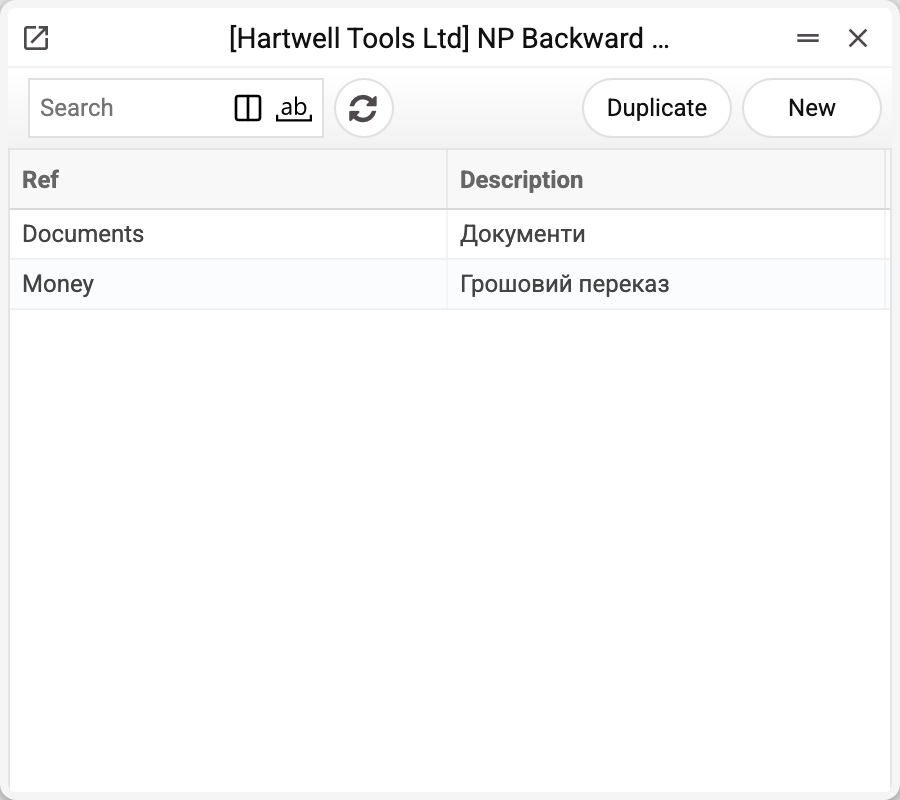
Two records with Nova Poshta's codes Money and Documents. Documents and the cabinet card store the name ("Грошовий переказ"), not the code.
In a shipment and a TTN the backward delivery type is filled in together with the "C.O.D" amount. At present neither "Грошовий переказ" nor "Документи" reaches the express waybill: the waybill is created without cash on delivery and without documents coming back, even when the type and the amount are filled in. The "Afterpayment on goods cost" flag in NP Setting does not change this either.
If the buyer is to pay for the goods on receipt, check the created waybill in the Nova Poshta cabinet.
Where the data comes from
- Filled by the "Nova Poshta" service — by a full run or with the "Download only Return Shipping Types" checkbox.
- A fresh list replaces the old one within the company — only when Nova Poshta returned it. If it refused or did not answer, the book stays as it was and the service warns: "Nova Poshta data were not updated, the previously loaded records are kept: …".
Where it is used
- Nova Poshta — the default backward delivery type on the cabinet card
- Shipments, TTN — the backward delivery type of a particular shipment
Fields
| Field | Description |
|---|---|
| Ref | Nova Poshta's code: Money or Documents |
| Description | The name stored in the document |
Nearby
- NP Types of Payers for Redelivery — who pays for the return delivery
- NP Setting — how cash on delivery is passed to the carrier
- NP Cargo Types — the category of the shipment itself
Print variables
Values available in this document's printed form templates. How to write a variable in a template — see Print Forms.
Header fields:
| Variable | What it holds |
|---|---|
| NPBDCT_Ref | Ref |
| NPBDCT_Desc | Description |