Invoice Status Report
The life of a single invoice on one screen: how much was invoiced, how much of it was paid, what came back as a credit note, which advance was applied — and what is left. The answer to the salesperson's most common question: "the customer says they paid, but we show a debt; what actually happened to this invoice?"
Where to find it: Modules → Sales Ledger → Reports → Invoice Status Report
A worked example
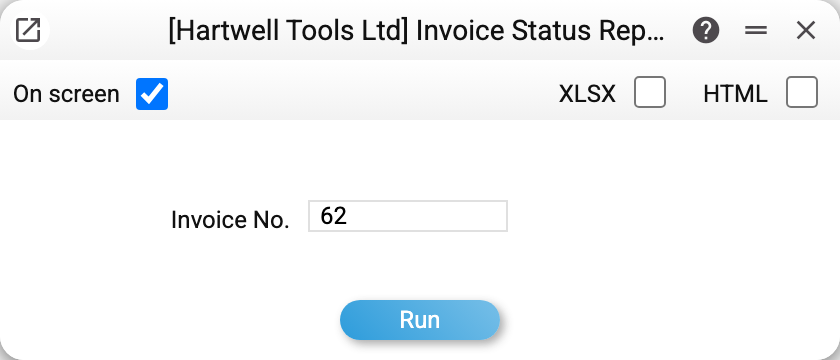
There is one parameter — "Inv. No." — and it is mandatory: the report covers one specific invoice and will not run with the field empty.
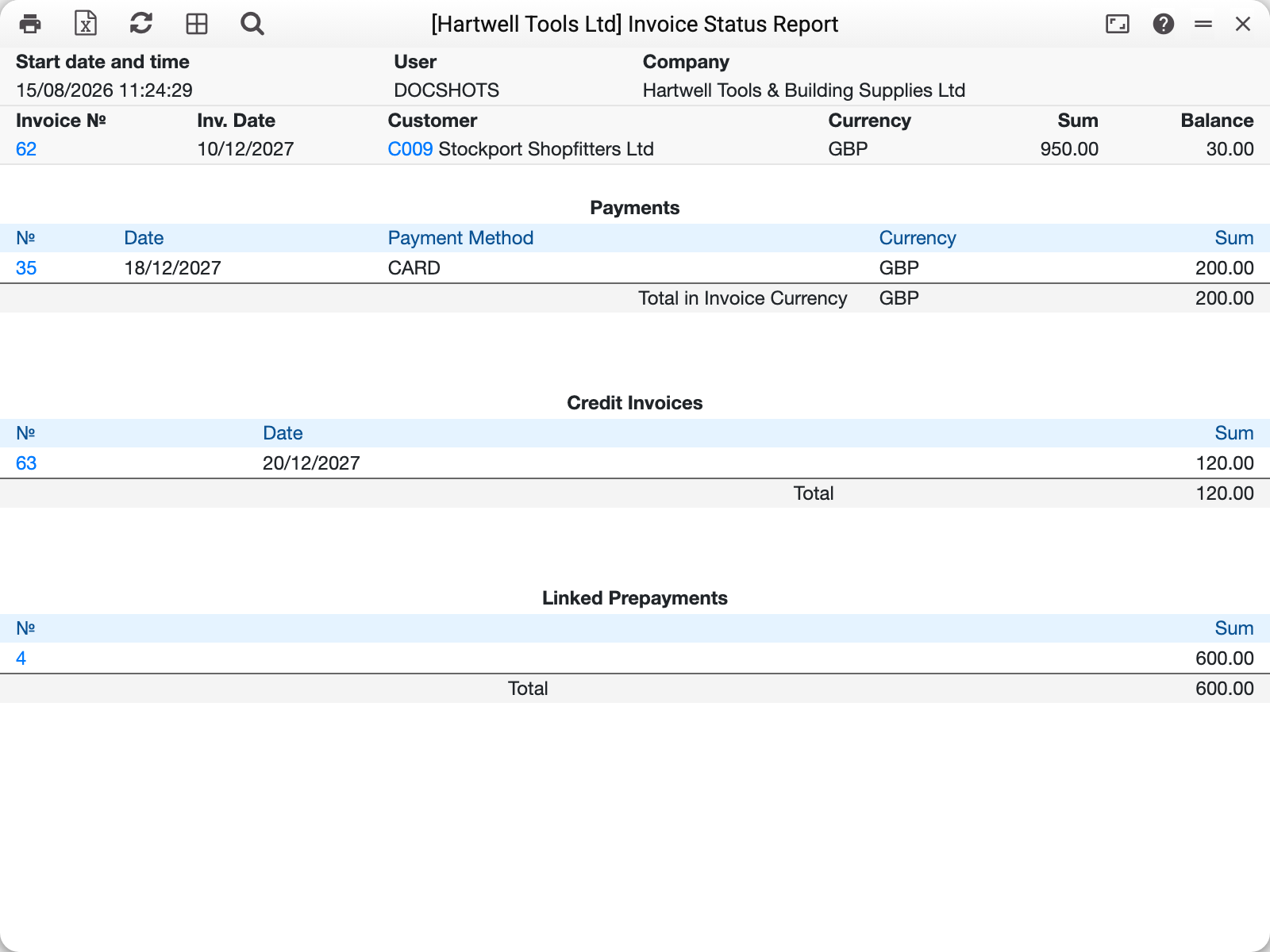
The top line is the invoice itself: 62 of 10/12/2027, Stockport Shopfitters, £950.00, balance 30.00. Below it three blocks, each with its own total:
- Payments — 35 of 18/12/2027, method "CARD", 200.00;
- Credit Invoices — 63 of 20/12/2027 for 120.00: part of the work returned;
- Linked Prepayments — advance No. 4 for 600.00.
Hence the balance: 950 − 200 − 120 − 600 = 30.00. Three different ways of reducing a debt are brought into one picture, and it is clear the customer is right — they did pay, the invoice simply is not closed in full.
Where the numbers come from
The amount is the invoice total including VAT, exactly as it stands on the document.
Payments are rows of approved payments that carry this invoice number. A payment with no link (an advance) does not appear here — it goes to "Linked Prepayments", and only once it has been applied to the invoice itself.
Credit Invoices are approved credit notes raised against this invoice. A credit note is a separate document: it lowers what is outstanding without changing the invoice amount.
Linked Prepayments are the advances from the invoice's "Prepayment" tab, and only those.
POS payment shows the amounts taken by the till at the moment of sale: the payment method and amount from the invoice's "POS payment" tab. This is not an advance — the till receipt was paid when the sale was made, so the block comes first, right under the invoice.
The balance is the amount less all the blocks. Zero means the invoice is closed; a negative figure means an overpayment. A standalone credit note (with no original invoice) starts at minus its amount: that is a debt to the customer, not an overpayment, and refunding the customer brings it towards zero. An invoice of the "Cash" type (the window sets it from cash payment terms) shows an empty "Balance" cell on screen (0 in Excel): it was paid at the time of sale, and a credit note against it does not change that. The report goes by the payment terms, like invoice posting does: an invoice with cash terms but of the "Normal" type (created bypassing the window — API, import) also counts as paid at the time of sale — balance 0.
An unapproved invoice, or a credit note raised against an invoice, gives no report — it stays empty. For such a credit note enter the original invoice number: an approved note shows up in its "Credit Invoices" block.
Common situations
The report will not run. "Invoice No." is empty — the invoice number is mandatory; this is a report about one document, not a list.
Payments are empty although the customer transferred money. The payment is not linked to the invoice: open the payment and check the "Invoice No." column in its row. Until it is linked the money sits as an advance and the invoice counts as unpaid — the same thing is visible in the statement of account movements.
The balance is not zero although the payment was in full. Compare the payment with the invoice: a few units are left behind by a part payment (the payment row's "Received" is less than the invoice) or by an exchange difference on a foreign-currency invoice. A payment in another currency counts at the amount the payment credited in the invoice currency, as in the debt reports; it is converted at the payment day's rate only when the row has no such amount, and then an exchange difference is possible. A bank charge alone leaves nothing: the "Bank Com." column is subtracted from the payment total ("To a C/A" minus the charge), while the invoice is closed by "Received". Enter "To a C/A" as the full amount: if you enter it net of the charge, the charge is subtracted a second time.
You need every debt, not one invoice. Those are the neighbouring reports: unpaid invoices for a list with due dates, the aging report for the spread by how long the debt has been outstanding.