Location Report
What is actually in a warehouse on a given date: quantity, unit cost and value of the balance for every line. The usual way to answer "how much stock do we hold and what is it worth".
Where to find it: Modules → Stock → Reports → Location Report
Parameters
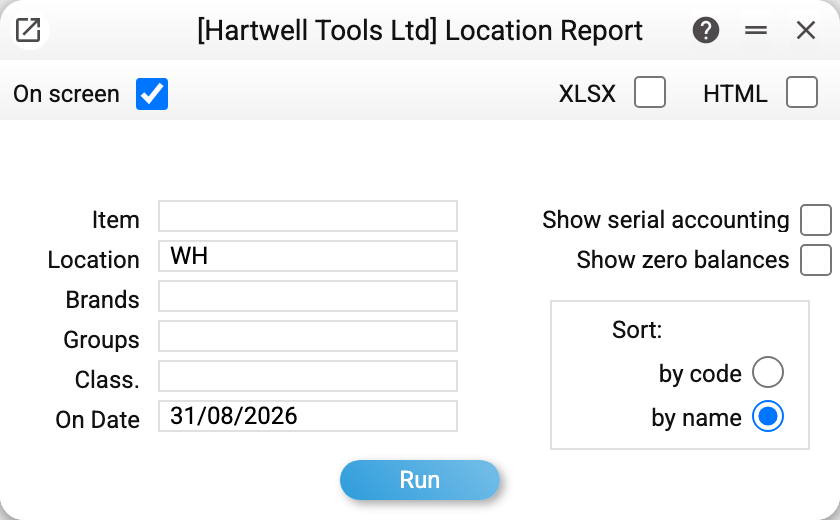
- Location — the main parameter. Without it the report covers every location at once.
- On Date — the balance on that day, not "now". This is how past periods are looked at. Left empty — the balance after all movements.
- Item, Brands, Groups, Class. — narrow the list to the part of the range you need.
- Show serial accounting — break serial-tracked lines down unit by unit.
- Show zero balances — include lines that are at zero; normally they are hidden.
- Sort — by name of the item (the default) or by code.
A worked example
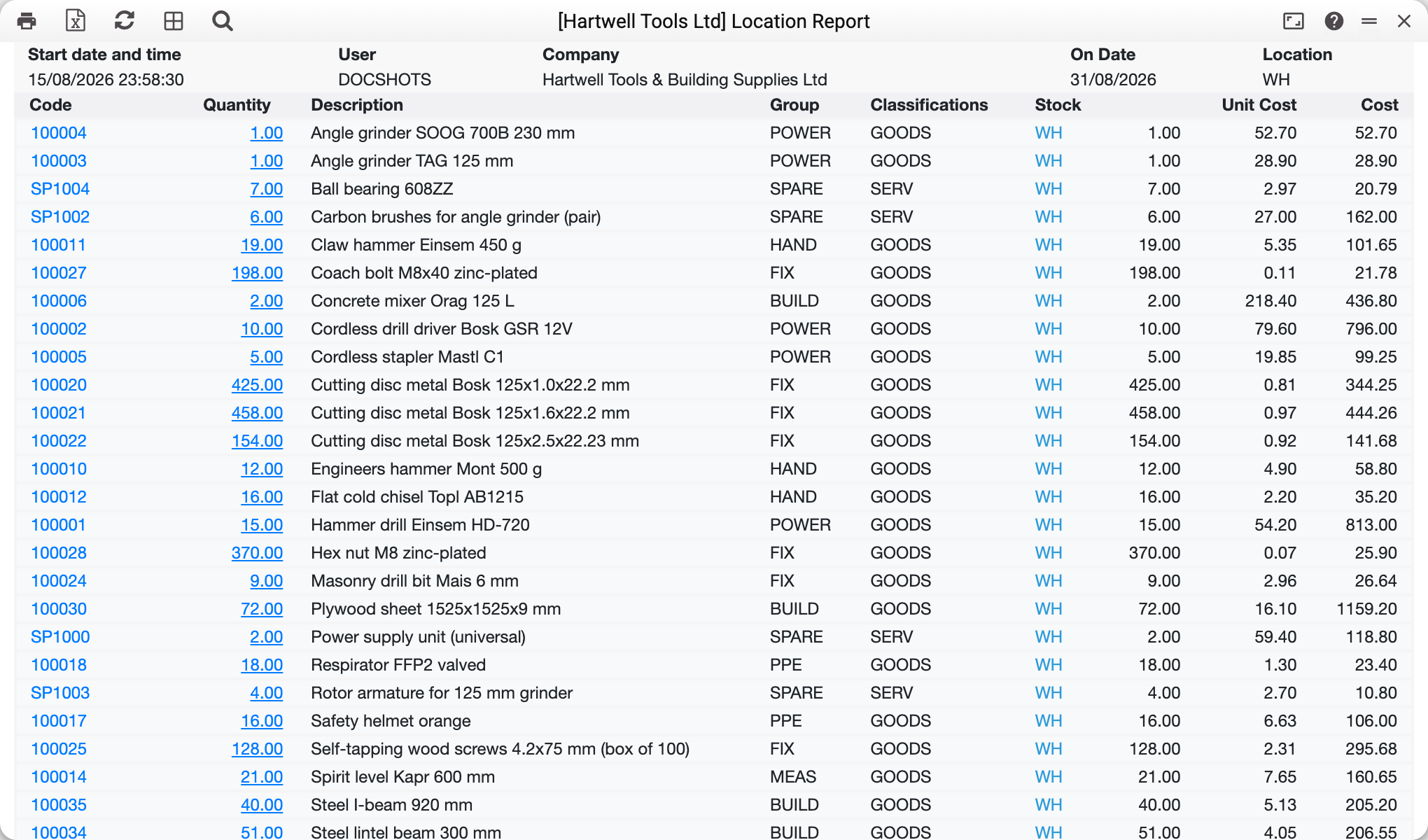
The main warehouse WH on 31/08/2026. Every line is one position: code, quantity, description, group, classification, location, unit value and total value.
The drill's balance here is smaller than the closing balance in the item history — not an error: the rest sits at another location. The location report shows one place; the item status report shows them all at once.
The "Group" and "Classification" columns are not decoration: they make it easy to size up the structure of the stock — how much money sits in power tools, how much in spare parts.
Values are taken at each line's actual cost, so the report's total is the figure that should stand on that location's inventory account. The value columns are seen only by those whose role allows the «Show cost price» action; for everyone else the report comes without them — on screen and in Excel.
How to use it
Stocktaking. Printed out, the report is a ready-made count sheet for the shelves.
Reconciling with the ledger. The location's total value is checked against the inventory account balance; a gap means an unapproved document or stock sitting in the wrong place.
Spotting dead stock. Together with the item history it shows lines that have not moved for months.
Balances at a past date. The "On date" field restores the picture for any day — the end of a quarter, for instance.
Where to look next
- Locations — the register itself and its accounts;
- Item status — one item across every location;
- Item history — how the balance came to be;
- Stock movement report — what arrived and what left.