Time Sheet Settings
Three switches that shape how time sheets are filled in: whether the system keeps its own record of time, which service to default onto new lines, and whether to remember the last one used.
Where to find it: Modules → System → Settings → Time Sheet Settings
A worked example
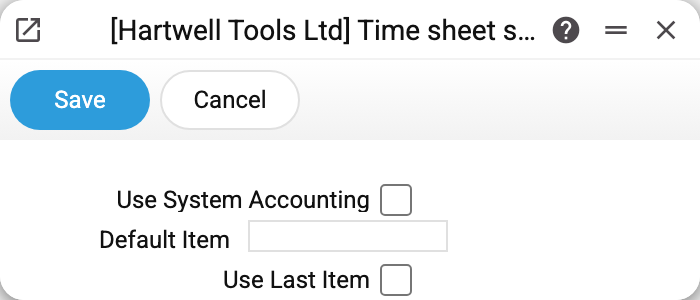
- Use system accounting — on. The system does not record time by itself — it is still entered on the sheet lines. The switch turns on accounting by time class: the time sheet gets a fourth, system tab of lines, "Time Class" becomes required on every line, and the time sheet report runs in its detailed variant broken down by class;
- Default item — empty. Fill it in and every new sheet line picks that service up;
- Use last item — off. Switched on, it puts the item of the previous line of the same sheet onto a new line (overriding the default item); the first line gets the default item.
Why it matters
Time sheets are filled in daily and in bulk, so every extra field costs real time. The last two settings address exactly that: either everybody books the same kind of work, or each line carries on from the one before.
System accounting is a different matter: it is needed when hours have to be told apart by time class.
Typical situations
People keep picking the same service. Make it the default item.
A sheet has runs of lines for the same work. Then "use last item" is handy: a new line repeats the previous line's item. It remembers the previous line of this sheet, not what the person entered last time.
The time sheet will not save: "Time Class" is empty. System accounting is on — the time class is required on every line.
Where to look next
- Time sheet report — where the hours end up.
- Project — what time is booked against.