Time Sheets
The worked-hours ledger: who, on which day, on which project did what work and how long it took. Time sheets add up to the picture of people's workload and the cost of project work.
Where to find it: Modules → Project Management → Registers → Time Sheets
The register lives in the Project Management module.
A worked example
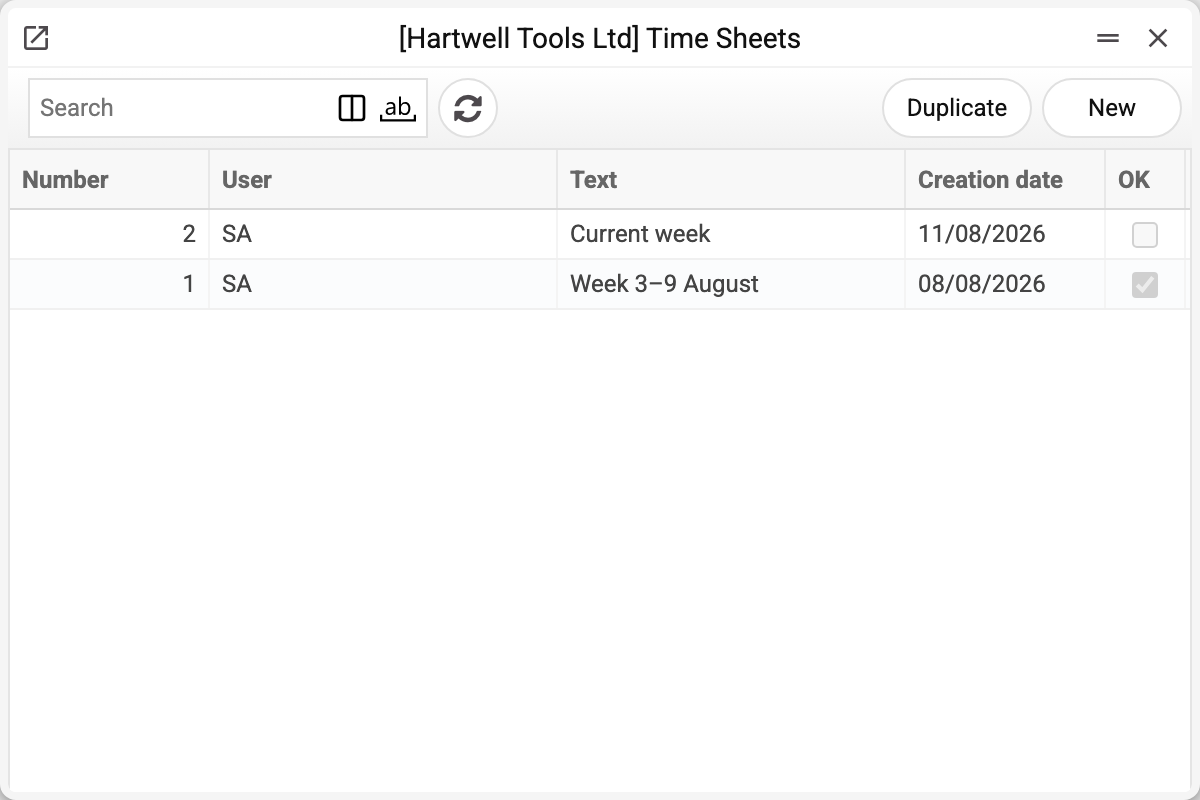
The demo has two sheets by user SA: No. 1 for the past week (approved) and No. 2 — the current draft.
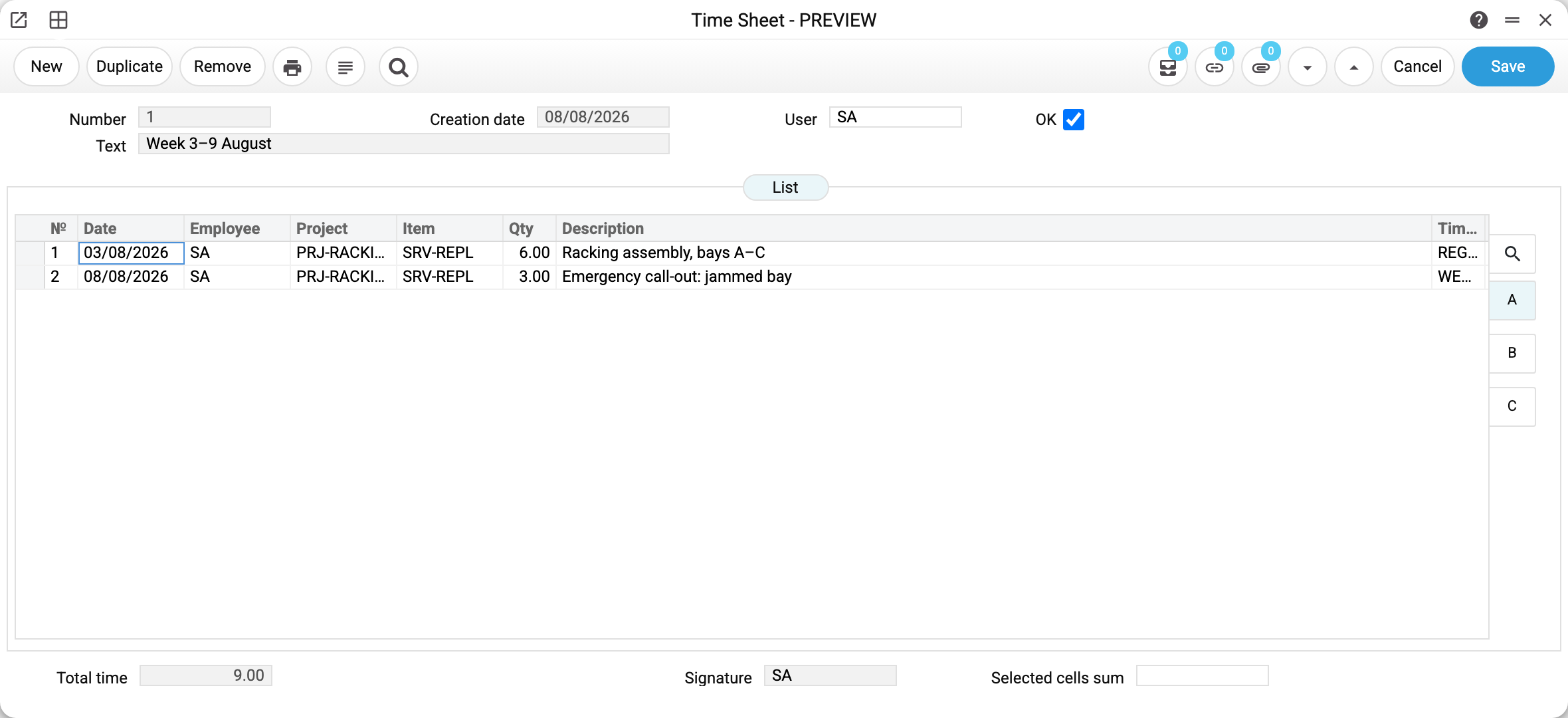
Sheet No. 1 covers 3–9 August on project PRJ-RACKING, 9 hours total: 6 hours of assembly (SRV-REPL) in regular hours on Monday and a 3-hour emergency call-out on Saturday.
Every line carries a time class — the "when" of the work: REGULAR, EVENING or WEEKEND. Once the line has an item and a time class (whichever comes first), the system fills the discount from the Customer Discount setting — the window does not show it, the report does: in the demo, regular-hours work carries a 10 discount, weekend work none. Quantity is in hours; a quarter of an hour is 0.25.
The tabs on the right (A–D) show the same list with different columns: project and item names, extra comments. "Total time" at the bottom is calculated automatically.
The OK checkbox posts the sheet: lines become read-only — the week's report is "handed in". The line discounts are fixed together with the sheet: a line that has no discount yet gets it from Customer Discount at the moment of approval, and a later change of the discount in the setting no longer changes this sheet. The price is different: the report takes it from the setting every time, so a price change does change the amounts of old sheets.
Common situations
The discount did not fill in. The Customer Discount setting has no line for this exact "item + time class" pair — the discount is then 0. Add the pair to the setting before the sheet is approved: a line without a discount takes it when the sheet is approved.
People forget to fill their sheets. The system can nag about missing time sheets via Telegram: on a working day at 20:00 an employee with less than 4 hours in today's time sheets gets the message «Нужно заполнить таймшит!» (always in Russian; not on a holiday or during approved leave). It is switched on not in the Time Sheet Settings but in the employee card: the «Settings» tab, the «Timesheet notifications» checkbox — and the employee must be linked to the company's Telegram bot. The sending job itself is started by the server: if no reminders come with every box ticked, ask the administrator whether it is enabled.
Key fields
| Field | Description |
|---|---|
| Number, Creation date | Set automatically |
| User | Whose sheet it is |
| Lines: Date, Project, Item, Qty, Time class | One piece of work per line; the system fills the line discount itself (the window does not show it, the report does) |
| Total time | Sum of hours over the lines |
| OK | Post the sheet (lines become read-only, line discounts are fixed) |