Sync rental resources
Every unit of the hire fleet has to be visible in the booking calendar — otherwise two salespeople promise the same tower to two customers. Technically that means each rental item needs a resource coded like TOWER-6 | TOW-001.
Where to find it: Modules → Rental → Maintenances → Sync rental resources
The resource is normally created automatically when the item card is created — if it has a serial number and the rental settings name a resource type; later saves of the card do not create it. This maintenance covers the cases where that did not happen: items were imported, the settings had no resource type, or the rental module was switched on for a database where the equipment already existed.
A worked example
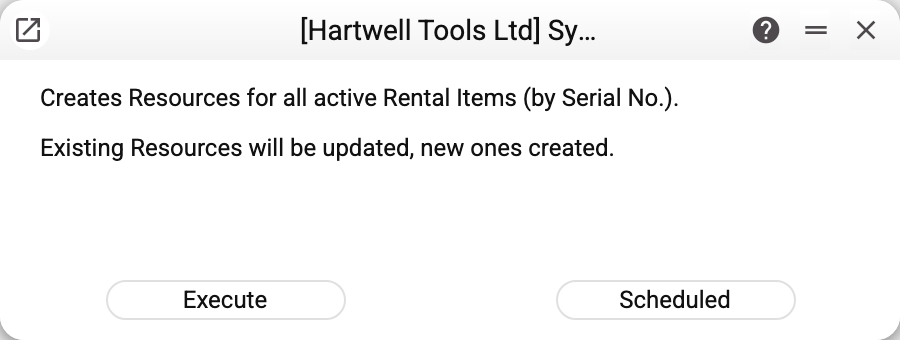
The window has no parameters: just the run button and a note that the routine will create resources for all active rental items by serial number and update the existing ones.
What it does
- Takes the resource type from the rental settings (
RENTALwhen the field is empty), checks whether it exists and creates it if not; - walks through every rental item without the "Closed" mark that has a serial number;
- creates a
CODE | SERIALresource for each, or refreshes the name and type of an existing one, and writes the resource code into the card's "Resource" field; - updates the "Resource Accounting List" coded
RENTAL(creates it if missing): a new resource gets a row with action typeRESERVED, rows of resources whose items are no longer current (for example, the item is closed) are removed, and rows you added with another resource type stay.
After a run the window shows "Rental resources: created …, updated …, unchanged …", followed by every item without a serial number: "Rental object …: no serial number — the object is not added to the resources".
If rental items or resources are shared with your company from another company, the routine refuses before changing anything: "The register Rental items is shared from another company: only that company runs this maintenance" (the text names the first such register). It is run by the company that shares the register.
The routine is safe to repeat: it looks resources up by code, so nothing is duplicated.
Typical situations
Equipment does not show up in the booking calendar. The usual cause is a missing resource. Run the routine and check the rental settings — the resource type has to be filled in there.
Items were imported. Import does not create resources; one run of this routine closes the gap.
An item was renamed. The routine refreshes the resource name; the resource code stays as it was, because it is built from the code and the serial number.
Where to look next
- Rental items — the source for resources.
- Rental settings — where the resource type is set.
- Rental agreements — what creates the bookings themselves.