Registers sync API
This setting is what lets this database pull data from the database of a partner company: the company synchronisation service (CompaniesSync) uses its parameters to fetch the partner's item cards and its warehouse stock (synchronisation of contacts and objects was removed on 21 October 2026). The setting opens nothing to the outside: a web shop or a mobile app does not take data through it.
The CompaniesSync service itself is not on any module menu: it cannot be opened or scheduled from the interface, so a filled-in setting starts nothing on its own.
Where to find it: Modules → System → Settings → Registers sync API
A worked example
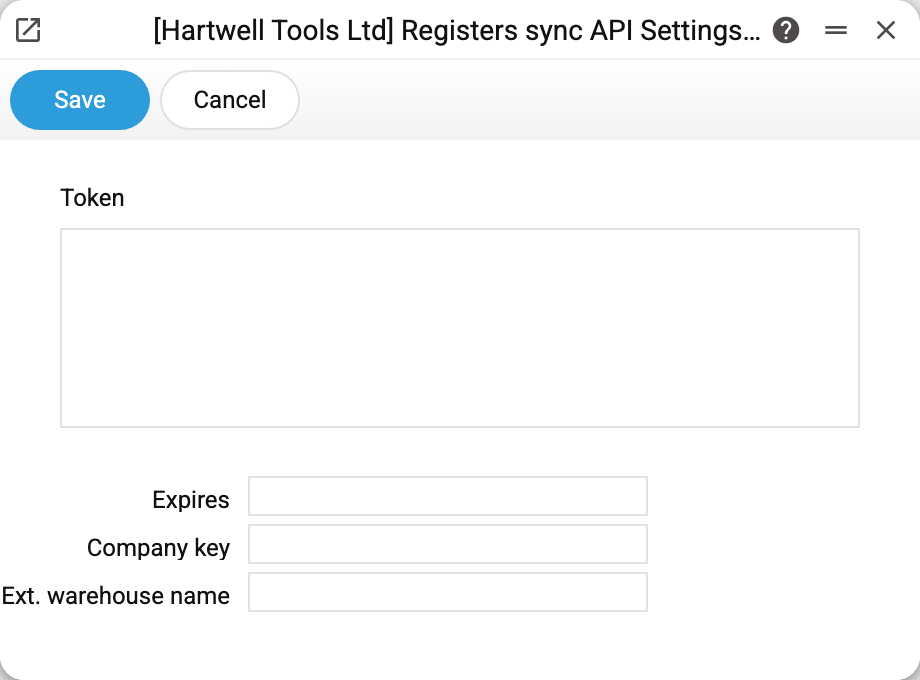
Four fields:
- Company key — the key issued by the partner company; with it the synchronisation service obtains a token from the partner. The key is a secret: it is stored encrypted, a set key is shown as dots in the window, and it is never handed out (API, MCP);
- Token — the pass into the partner's database. There is no need to type it in: the service obtains it by itself with the company key and renews it when less than an hour of its validity remains;
- Expires — an informational field: the service fills in the date the token is valid until whenever it gets a new one; to decide whether to renew the token, it takes the validity from the token itself, not from here;
- Ext. warehouse name — the warehouse code under which the partner's stock lands in this database (empty means EXTERNAL); a full stock synchronisation first wipes this warehouse's stock and then writes it again. The warehouse in the partner's database the stock is taken from is built into the code — "СКЛ".
Where this stock is counted: in the "Available" column of a document's item selection window and in the "Quotation price list" report with the "Add external stock" checkbox. The report reads an empty name as EXTERNAL, while the item selection window reads it as no external warehouse at all, so for "Available" to count the partner's stock, type the name explicitly.
In this version the partner's database must run on the same server.
In the demo company the fields are empty: synchronisation is not switched on.
About the key and the token
The company key is a password to the partner's data:
- do not send the key by email or messenger — pass it the same way you pass passwords;
- ended the cooperation — ask the partner to revoke the key.
Typical situations
The service answers "Could not get the sync API token from the partner (HTTP …)". The partner did not issue a token for this key: the key was revoked or mistyped, or the partner's database is unreachable.
The partner's stock is not visible. Check the external warehouse name: the stock lands exactly under that warehouse code — look it up by that code in the item statuses.
Synchronisation has to be switched off. Take the service off the schedule, clear the "Company key" field and save — the key is erased. Clearing only the token is not enough: the service obtains it again with the key.
Where to look next
- Company information — the rest of the system parameters.